
The Object Creation section describes how Data Portal users register new governance assets —Entities and Relationships— in Anjana Data Platform through the Creation Wizard. Through this wizard, the user indicates which object they want to create and how, and provides the information needed to add it to the Catalog and the Marketplace.
Access to object creation
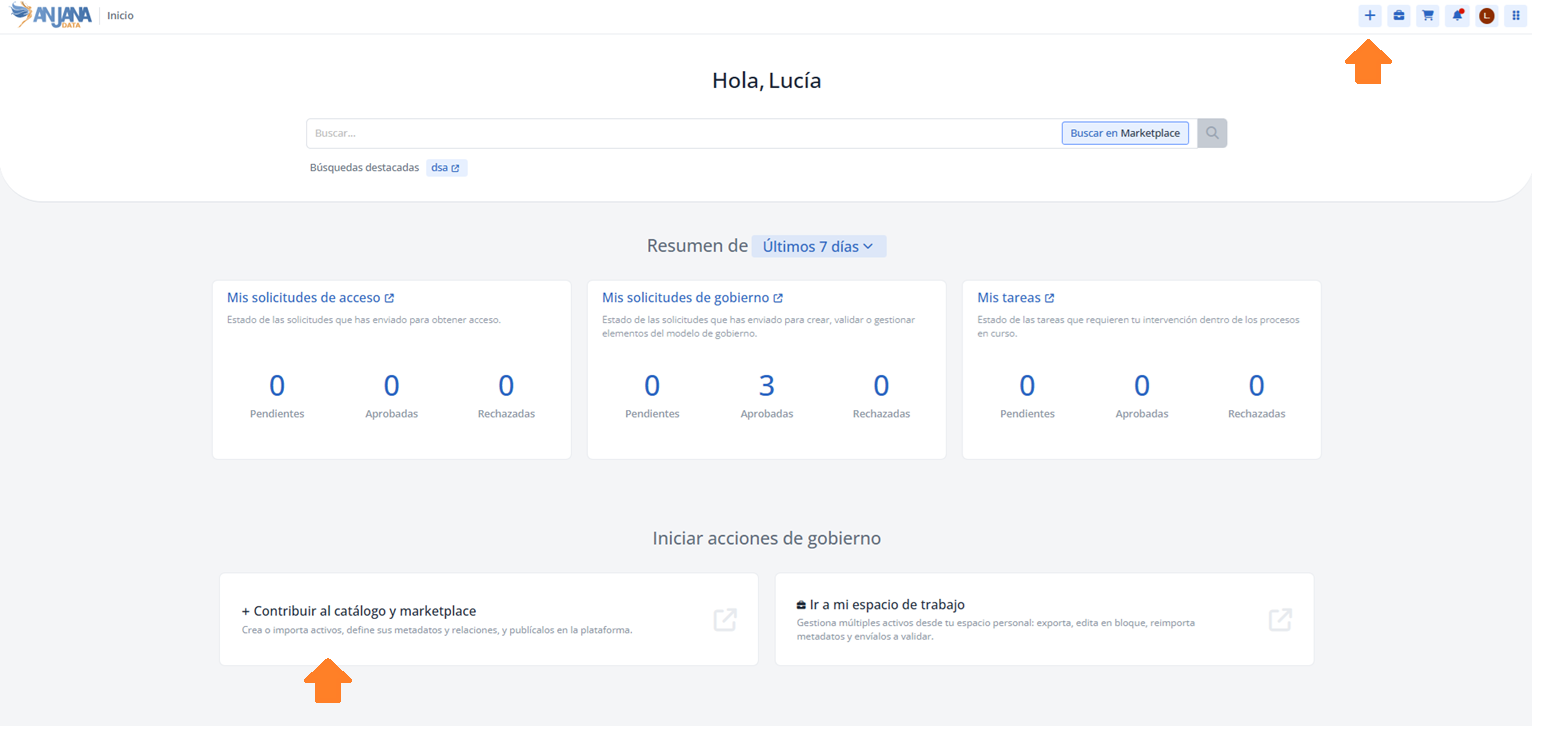
Object creation can be started from two points in the platform, both leading to the same Creation Wizard:
-
From the + button in the top navigation menu, accessible at all times from the Data Portal header.
-
From the Home page, via the Contribute to catalog and marketplace link, as described in (26.1-en) Home - Página de inicio del Portal de Datos.
In both cases, the available options depend on the user's role creation permissions.
Creation process
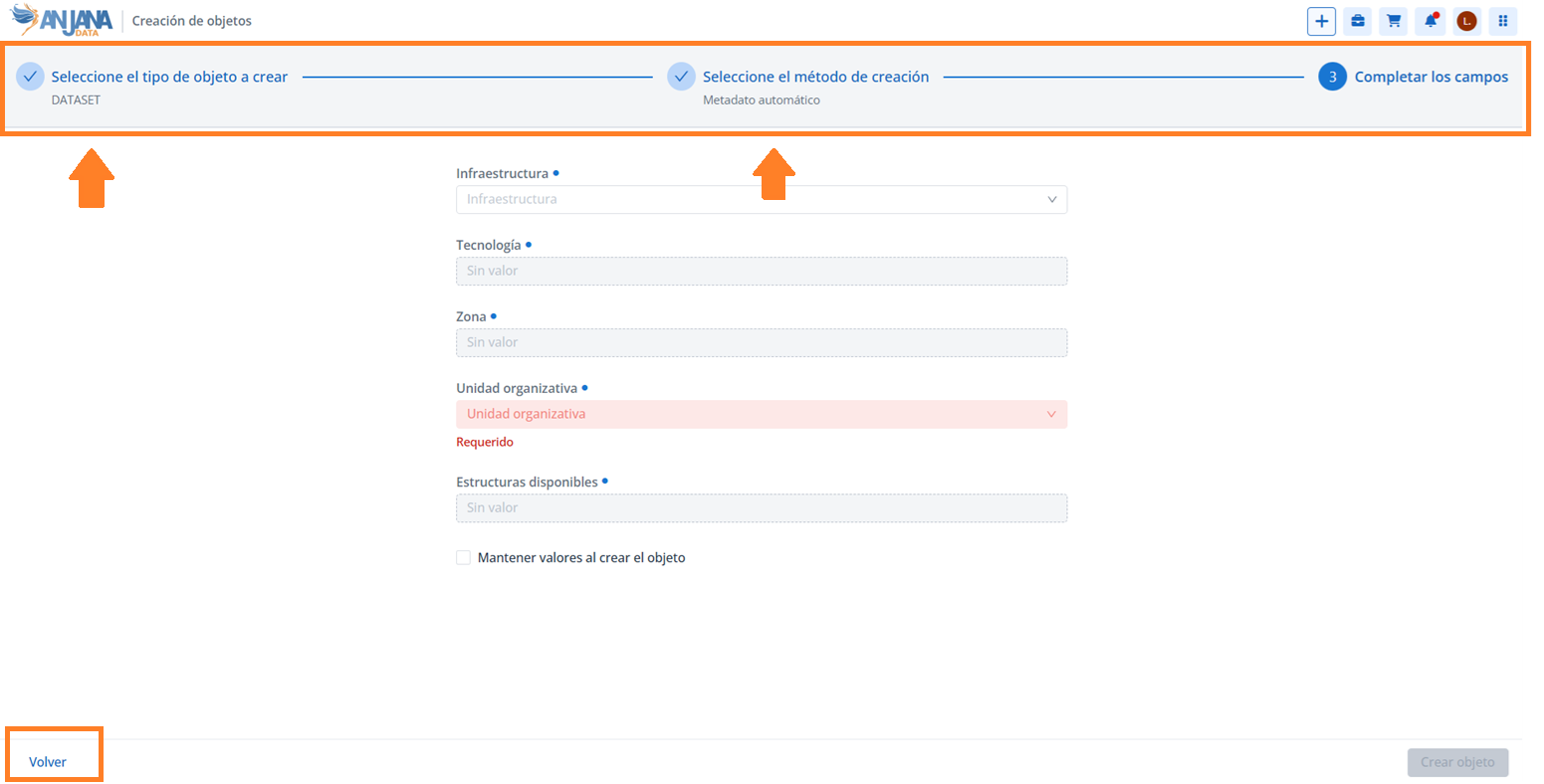
Regardless of the access point, creation is organized into three steps:
-
Selecting the object subtype: the user chooses the entity or relationship subtype they want to create. Only the subtypes for which the user has creation permissions are shown.
-
Selecting the creation method: the user chooses how to register the object —manual creation, file upload, or automatic metadata—. As in the previous step, only the methods enabled for their role appear.
-
Filling in the information: depending on the method selected in the previous step, the wizard requests the information needed to complete the object registration.
At any time the user can go back to a previous step by clicking on that step at the top of the wizard or using the Back button.
Creation methods
Anjana Data Platform offers three methods for registering objects. Each one is described in detail on its corresponding page:
-
Manual creation: the user manually fills in the object's metadata in the wizard. (26.1-en) Creación manual
-
File upload: registration is done by uploading a file with the object's information. (26.1-en) Subida de fichero
-
Automatic metadata: the platform automatically obtains the object's metadata from the integrated source. (26.1-en) Metadato automático
This section is mainly aimed at Data Portal users with creation permissions —for example, Data Stewards and Data Owners— responsible for adding new assets to data governance.