In Anjana, all users can view the technical and functional metadata of the objects published in the Marketplace, since they are centralized in the common repository. However, although the metadata is public, the data is not: each user must proactively request access to it.
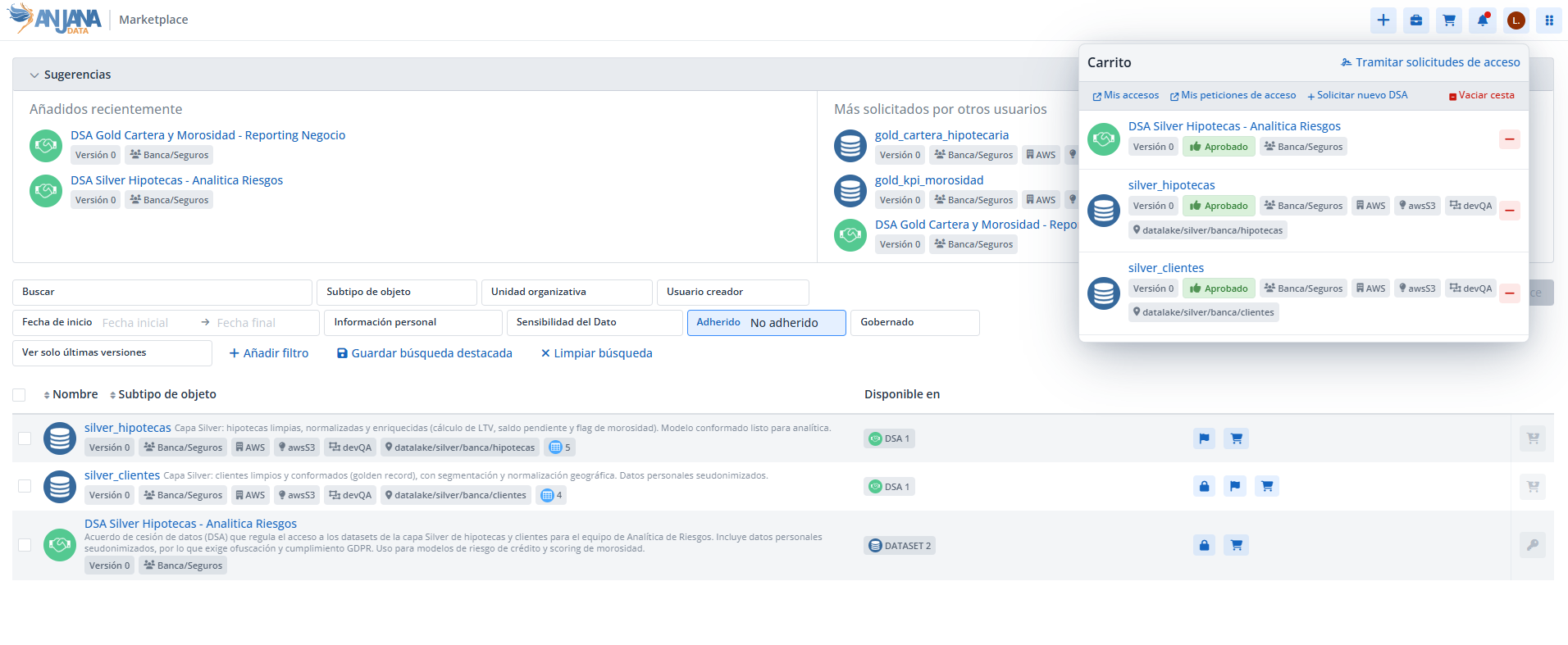
To manage these requests, Anjana provides users with a shopping cart where they can gather the objects whose data they wish to consume —DSAs or approved data structures (datasets, reports, metrics… any non-native entity of the organization)— and process access to them.
Access to data is always materialized through DSAs: during the process, Anjana presents the user with the applicable contract options, whose license terms must be accepted in order to proceed. Upon completion, the user obtains the necessary permissions in the technology corresponding to the data structures and can begin consuming them.
Accessing the cart
By clicking on the cart icon, the user opens the panel with their basket, where all the objects for which they want to request adherence are listed.
Status of cart objects
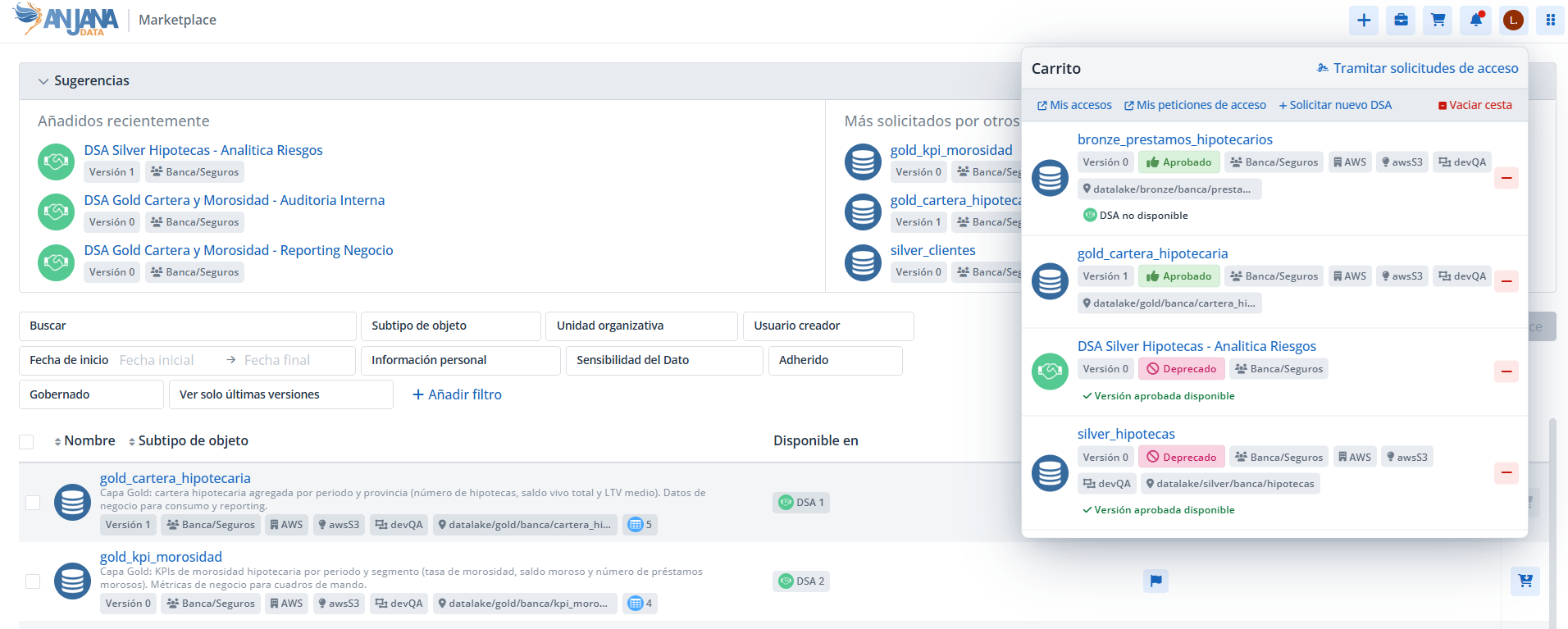
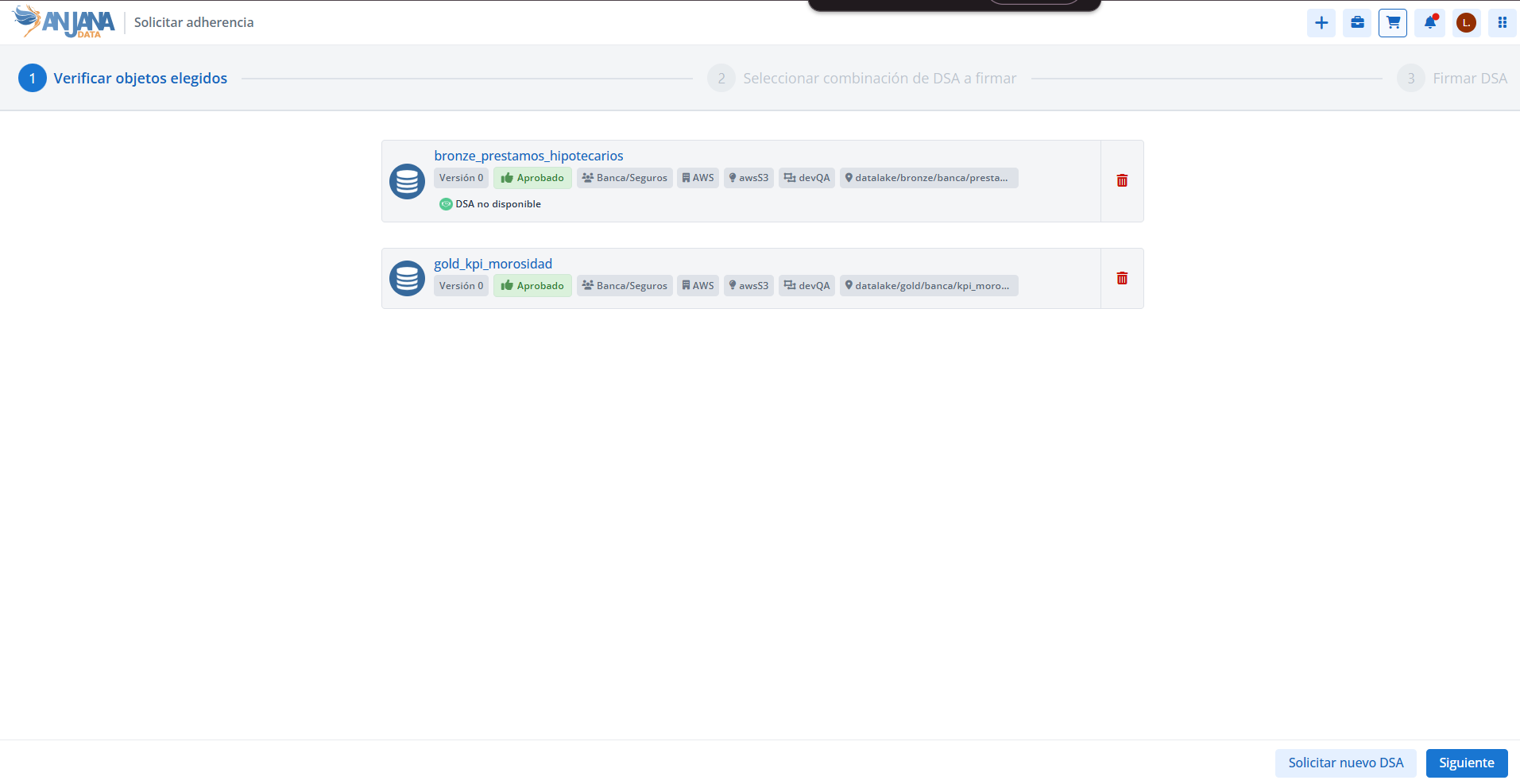
Next to each object in the cart, informational messages about its status may appear. These messages indicate, for example, whether the object cannot be processed or whether a more up-to-date version exists:
|
Message |
Meaning |
|---|---|
|
DSA not available |
There is no approved DSA in Anjana for that object, so it is not possible to request adherence. |
|
Approved version available |
The object has been deprecated or has expired due to changes and does not correspond to the most up-to-date version. Anjana notifies that a more recent approved version exists. |
|
Object expired |
The object has expired and, therefore, it is not possible to request access to its data. |
Actions available in the cart
From the basket panel, the user has two buttons available:
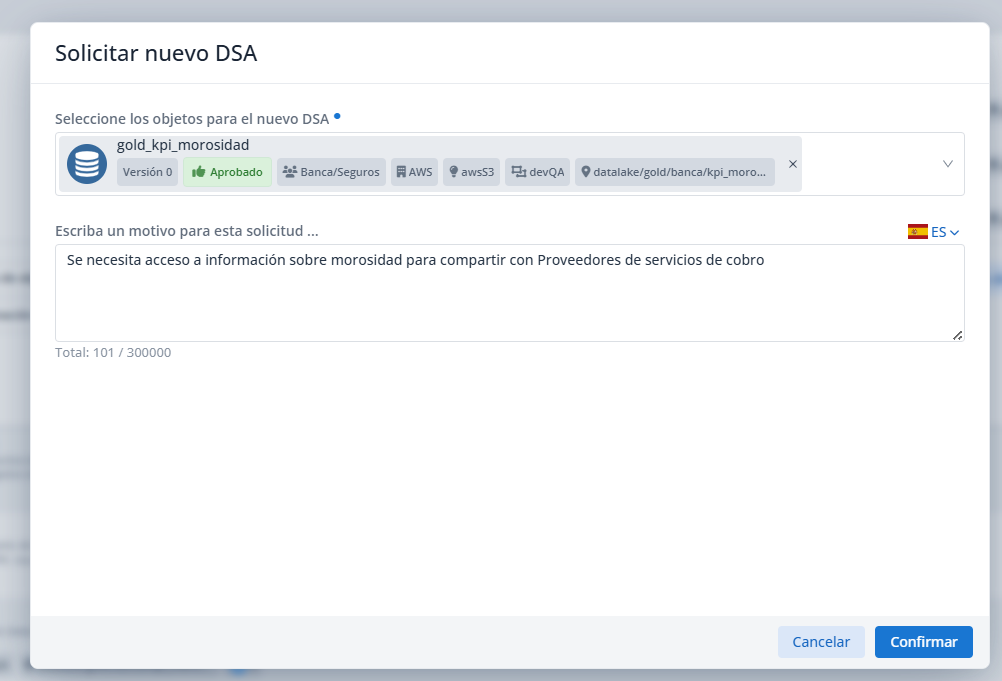
Request new DSA
Allows launching the request to create a new DSA that, through adherence, enables access to the data of the structures it contains.
This option is useful for:
-
Including in the request objects that are not part of any approved DSA in Anjana.
-
Requesting an alternative DSA to an existing one when different conditions are needed —for example, less restrictive license terms or a later expiration date.
When requesting the creation, the user must indicate the reason for the request, which can be entered in any of the languages configured in the application. The notification is sent to the recipient defined in Anjana's configuration.
Process access requests
Starts the adherence request process in a new screen that displays the user's cart. This screen also includes the Request new DSA button, with the same behavior described in the previous section.
Selecting the DSA combination
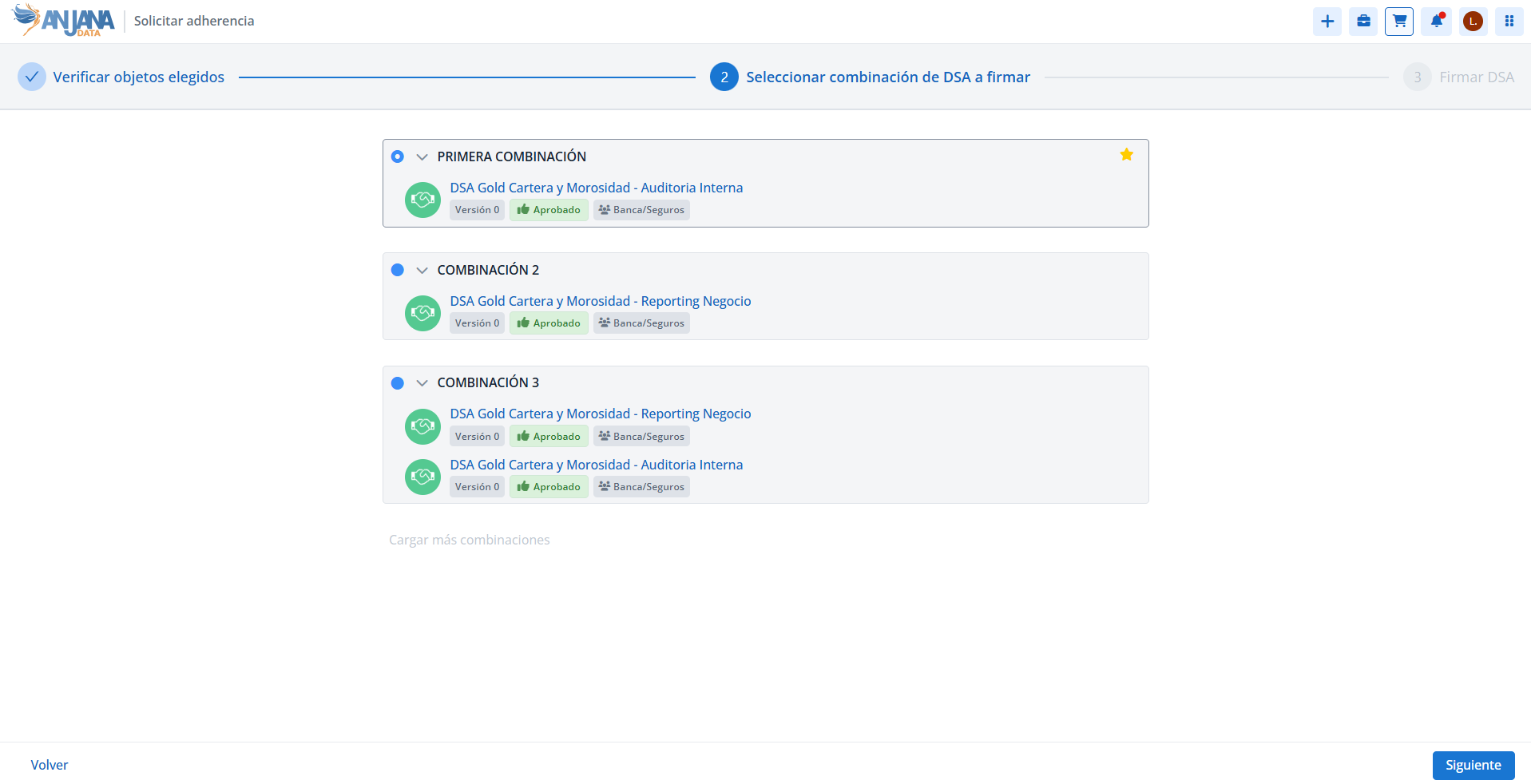
As the process progresses, Anjana proposes the optimal combination of DSAs that grants access to the cart objects for which an approved DSA exists. A combination is considered optimal when it:
-
Includes the smallest number of DSAs.
-
Under equal conditions, grants access to the smallest number of structures not included in the list requested by the user.
If that combination does not suit the user, they can click Load more combinations: Anjana then calculates a configurable number of alternative combinations that also cover the cart objects.
Accepting terms and submitting the request
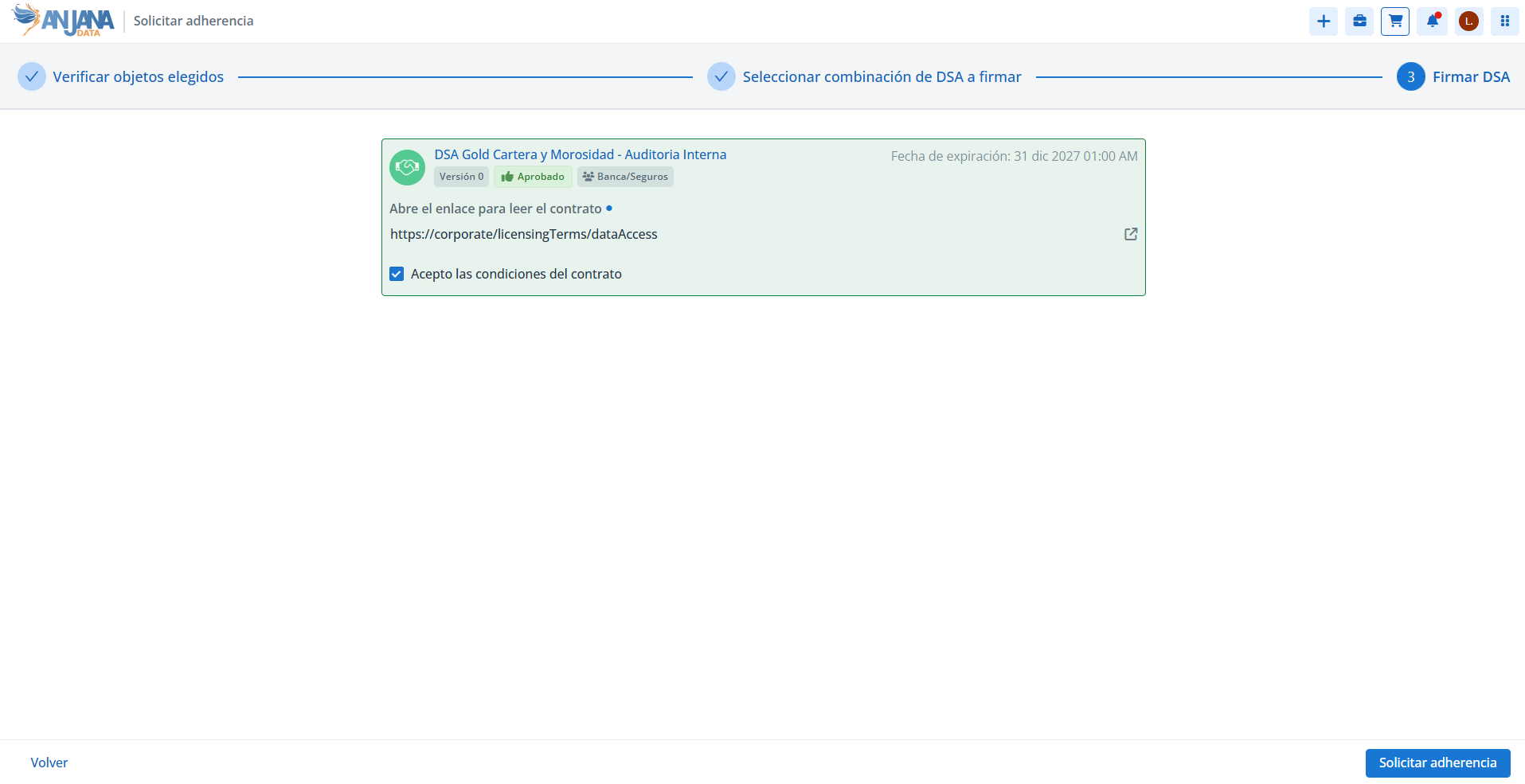
With this information, the user assesses which combination is of most interest —based on the contracts it includes, the expiration dates, and the rest of the DSA metadata—. Once chosen, Anjana displays the information associated with each DSA so that the user can:
-
Accept the license terms of all of them.
-
Enter the reason for requesting adherence.
-
Submit the request.
The expiration date of each DSA indicates until when the user will have access to the data, in case their adherence request is approved.
When the request is submitted, a validation workflow is launched and the requested objects disappear from the cart. When the workflow finishes successfully, the user becomes adherent to the DSA and gains access to the data of its structures. If there is active governance over them, access is materialized by granting the user the appropriate permissions in the platform's directory.
Direct adherence
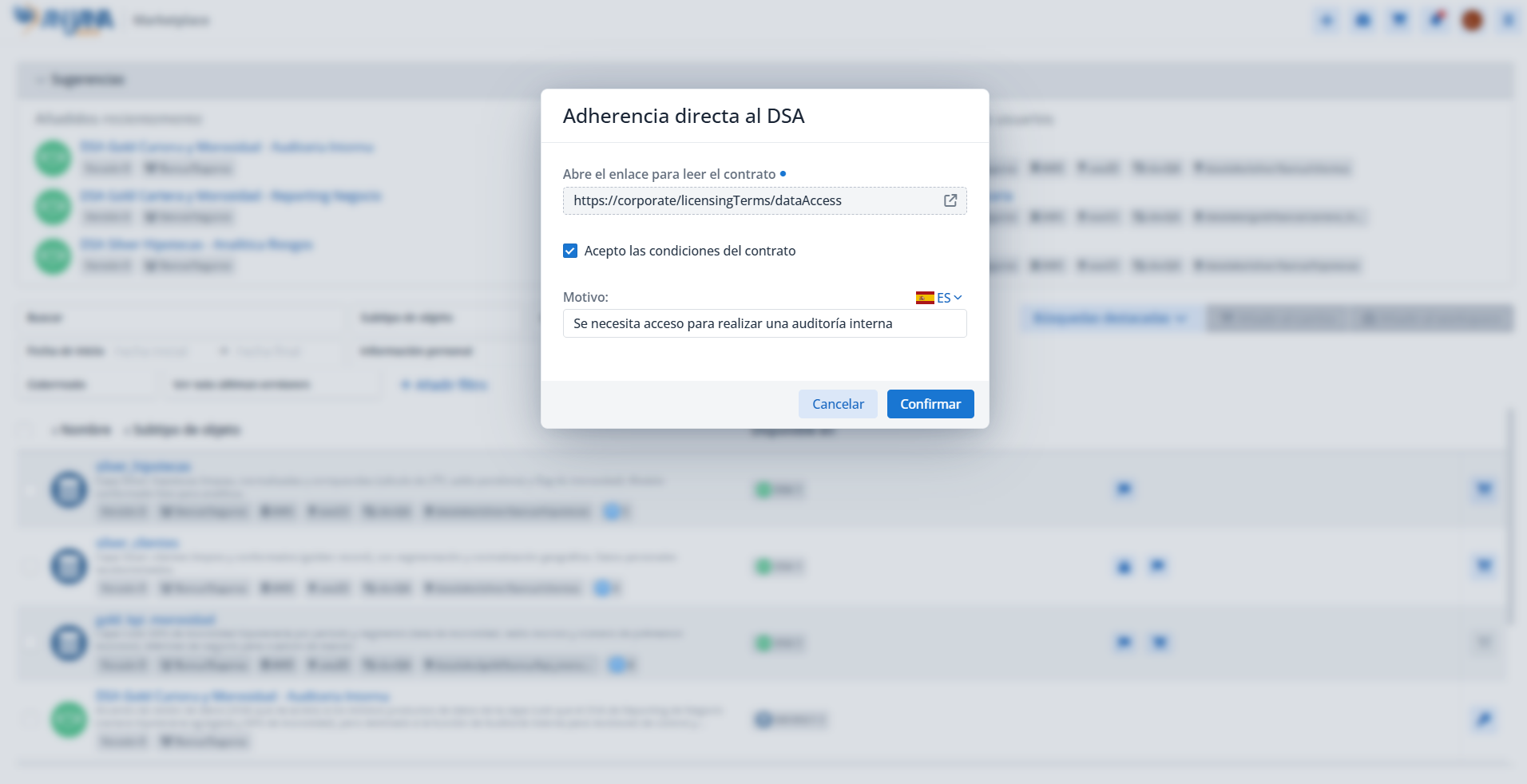
The user can also request adherence to a DSA directly, without going through the cart, from the Marketplace, the Catalog, or from the DSA's own view using the Adhere action.
In this case, the combination wizard is not used: Anjana directly displays the DSA contract for download and a text box to enter the reason for the request. Upon completion, the validation workflow is launched, just as with the request through the cart.