
Anjana Data Platform is a Data and AI Governance Platform designed to adapt to the needs of each organization. Its flexible configuration model allows any entity to operationalize its own governance framework without depending on a predefined model, simply by parameterizing the tool.
With this goal in mind, Anjana Data Platform provides the administrator user with a configuration panel that centralizes and facilitates the management of all the elements that make up the solution.

Navigation Elements of the Configuration Panel
In the header of the Configuration Panel (see image) there are three main access points that allow you to manage the different functional components of Anjana Data Platform. These access points lead to the key modules for managing the parameterization of the operating model, the design of validation workflows, and the execution of administrative actions. From here, the administrator user can navigate centrally to Schemas, BPM, and the Actions dropdown menu, which group together the essential capabilities for configuring and maintaining the solution.

Schemas
The Schemas section is the central access point for all the internal parameterization of Anjana Data Platform. From this module, the administrator user can view and manage the tables that make up the platform's functional behavior, including elements such as the operating model, the metamodel, templates, lineage layers, portal filters, among other key components.
In Schemas, each configuration table can be fully managed through the usual actions:
-
Create new records
-
Update existing records
-
Delete records
This view provides direct and transparent management of the internal structure that supports the operation of Data and AI Governance within Anjana Data Platform.
It is important to note that the functional logic associated with each parameterization table, as well as the relationships between them, is not detailed in the User Guide. To gain a thorough understanding of the purpose and behavior of each configuration entity, the user should consult the specific Functional Configuration section available in the official documentation. This resource describes the internal parameterization model and provides the context needed to maintain a configuration that is consistent and aligned with the organization's needs.

BPM
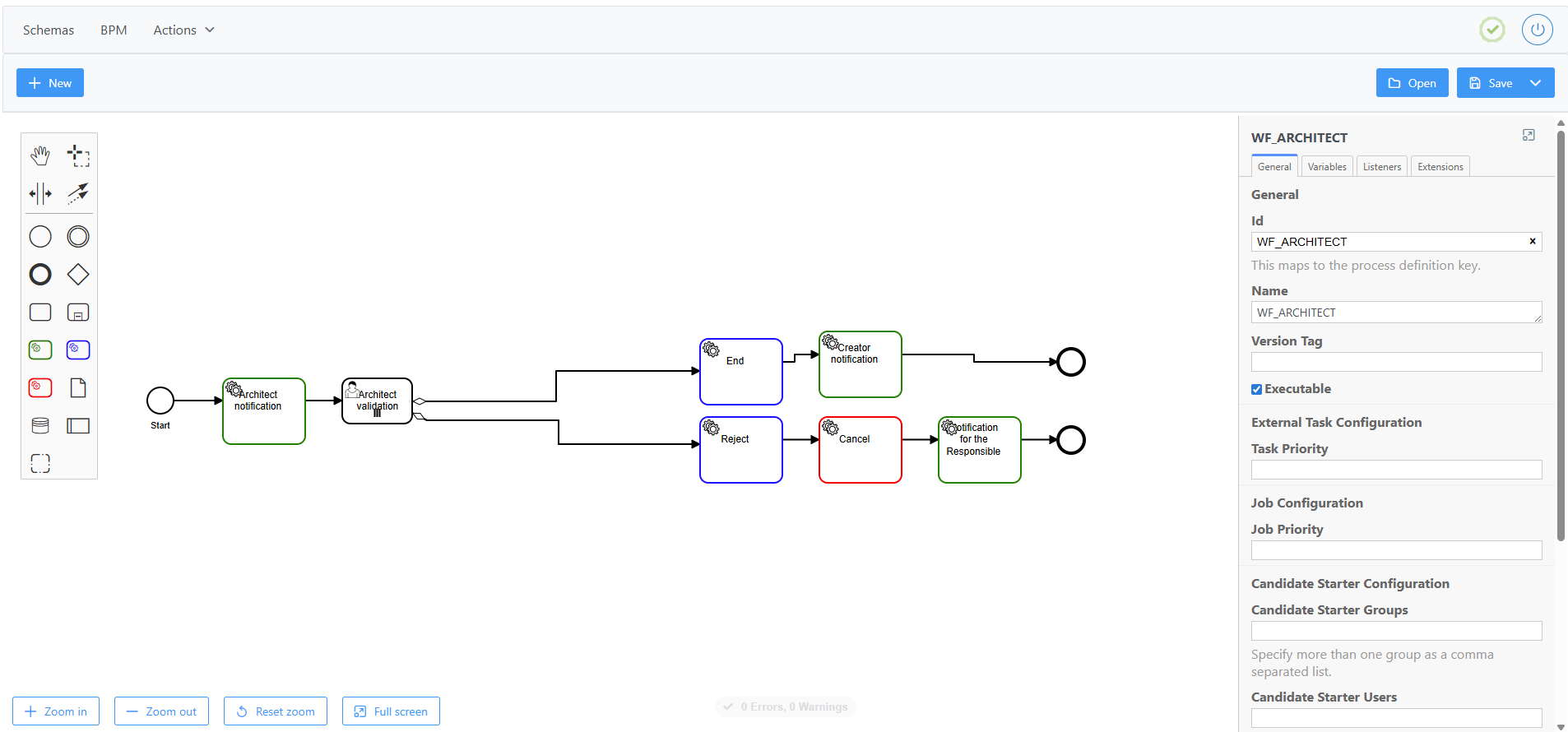
The BPM option provides access to the workflow editor. From here it is possible to:
-
View the currently loaded workflows
-
Create new workflows
-
Edit existing workflows
-
Delete workflows
The editor allows you to model and maintain Anjana's internal approval flows and operating processes.
Actions / System Actions
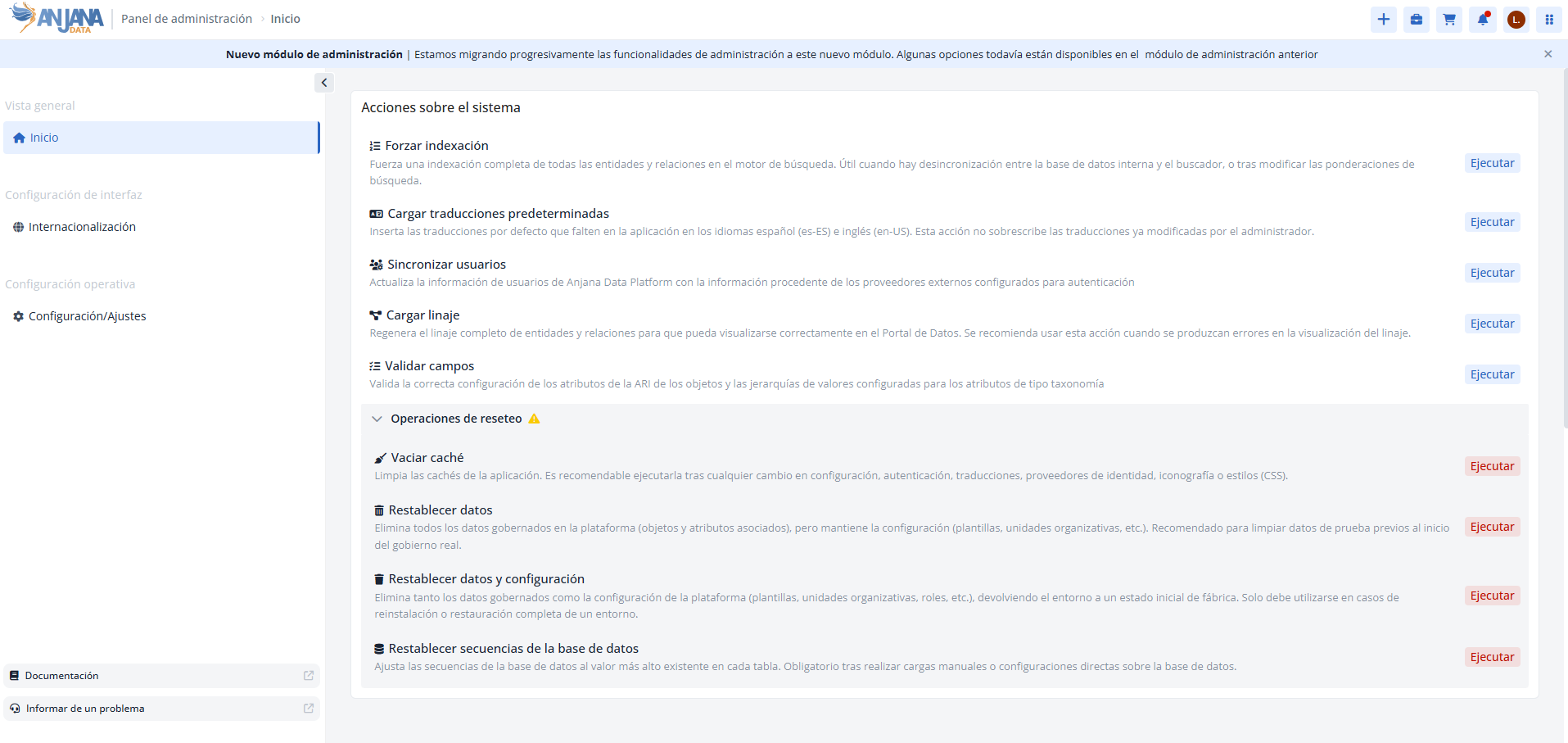
This section groups together the set of administrative actions that can be performed on the system in Anjana Data Platform. These actions have been moved to the new administration module and are now found in Administration Panel > Home, where they are organized into two distinct blocks: System Actions, aimed at the platform's operational maintenance, and Reset Operations, which brings together higher-impact cleanup and restoration actions.
System Actions
This block groups together the usual maintenance actions that do not delete governed information. They can be accessed from Home > System Actions.
-
Force indexing (
Home > System Actions > Force indexing): forces a complete indexing of all entities and relationships in the search engine. This is useful when there is a desynchronization between the internal database and the search engine, or after modifying the search weightings of the Data Portal's object search engine.-
It is recommended to run it if entities or relationships are missing from the search engine, or if non-navigable objects appear with the message "Object not accessible, it is not synchronized with the database".
-
-
Load default translations (
Home > System Actions > Load default translations): inserts the default translations missing from the application in Spanish (es-ES) and English (en-US). It does not overwrite translations that the administrator has previously modified.-
It is recommended to run it when platform translations are missing in the Data Portal and internal keys are displayed instead.
-
-
Synchronize users (
Home > System Actions > Synchronize users): updates Anjana Data Platform user information from the external providers configured for authentication (AD/LDAP, Azure EntraID, Google IAM, AWS IAM, etc.). The platform retrieves the users from the provider and stores the available properties (email, first name, last name, identifiers, etc.) in theUserstable of the Configuration Panel.
Important information about Synchronize users:
-
Passwords are not imported, so the corresponding field remains empty.
-
This action does not delete users: it inserts new users detected in the providers and overwrites the information of users that already existed previously in the Anjana Data Platform database.
The Synchronize users action can be configured to run automatically at a defined frequency using the Synchronize users Cron (Key: anjana.scheduling.synchronizeUsers) available in the new Administration Panel, under "Configuration and settings". For more details on how to schedule this and other actions, see the Batch Configuration page of the official documentation.
-
Load lineage (
Home > System Actions > Load lineage): regenerates the complete lineage of entities and relationships so that it can be displayed correctly in the Data Portal.-
It is recommended to run it when errors occur in the lineage display (it does not load, error messages, missing assets or relationships, etc.), usually resulting from incidents or manual actions.
-
-
Validate fields (
Home > System Actions > Validate fields): validates the correct configuration of the objects' ARI attributes —checking that the attributes that are part of the PK have the required and non-editable attribute validations configured—, that the value hierarchies defined for taxonomy-type attributes generate correct trees (without cycles), and that there are no errors in validations for rich text-type attributes.-
It is recommended to run it after any configuration change.
-
Before running Validate fields, it is advisable to clear the cache (Home > Reset Operations > Clear cache).
Reset Operations
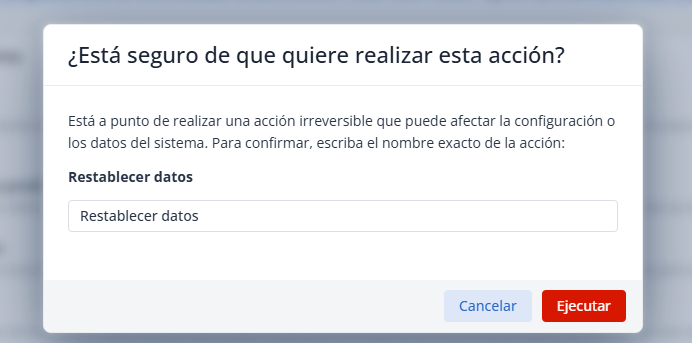
Reset Operations are high-impact actions: they can irreversibly delete governed data or configuration, which is why they require double confirmation. They should be performed with special caution and, preferably, in controlled environments. They can be accessed from Home > Reset Operations.
-
Clear cache (
Home > Reset Operations > Clear cache): clears the application caches. It is advisable to run it after any change in configuration, authentication, translations, identity providers, iconography, or styles (CSS). -
Reset data (
Home > Reset Operations > Reset data): deletes all governed data on the platform (objects and associated attributes), but keeps the configuration (templates, organizational units, etc.).-
⚠️ Recommended use: to clear the test data generated during functional configuration, before starting actual governance of the use cases.
-
💡 Note: The data deletion only applies to the database, so Force indexing must be run after the data reset.
-
-
Reset data and configuration (
Home > Reset Operations > Reset data and configuration): deletes both the governed data and the platform configuration (templates, organizational units, roles, domains, etc.), returning the environment to its initial factory state.-
⚠️ Recommended use: only in cases of reinstallation or complete restoration of an environment.
-
💡 Notes:
-
The data deletion only applies to the database, so Force indexing must be run after the data reset.
-
The configuration deletion is complete, including the platform's native configuration. Its execution is not recommended except by Anjana Data SL professionals.
-
-
-
Reset database sequences (
Home > Reset Operations > Reset database sequences): adjusts the database sequences to the highest existing value in each table. It is mandatory to run it after performing manual loads or direct configurations on the database.-
⚠️ Recommended use: only in cases of manual actions resulting from error corrections.
-
This section is primarily intended for functional and technical administrators responsible for the maintenance and operation of Anjana Data Platform.