
Anjana Data Platform includes a series of batches (scheduled processes) that run periodically to automate data governance maintenance tasks: object expiration, notices, user synchronization, and indexing. Each batch is scheduled via a cron expression associated with a configuration key (anjana.scheduling.*) and runs on the corresponding service (Kerno or Zeus).
The periodicity of these processes is configured from the new Admin Panel, in the Configuration/Settings section, by specifying the cron expression for each anjana.scheduling.* key.
Changing a batch's cron expression does not take effect until the service it runs on (Kerno or Zeus) is restarted: until that restart, the platform keeps using the previous value of the variable. For this reason, the service for each process is indicated, as this is the one the administrator must restart for the new value to be applied.
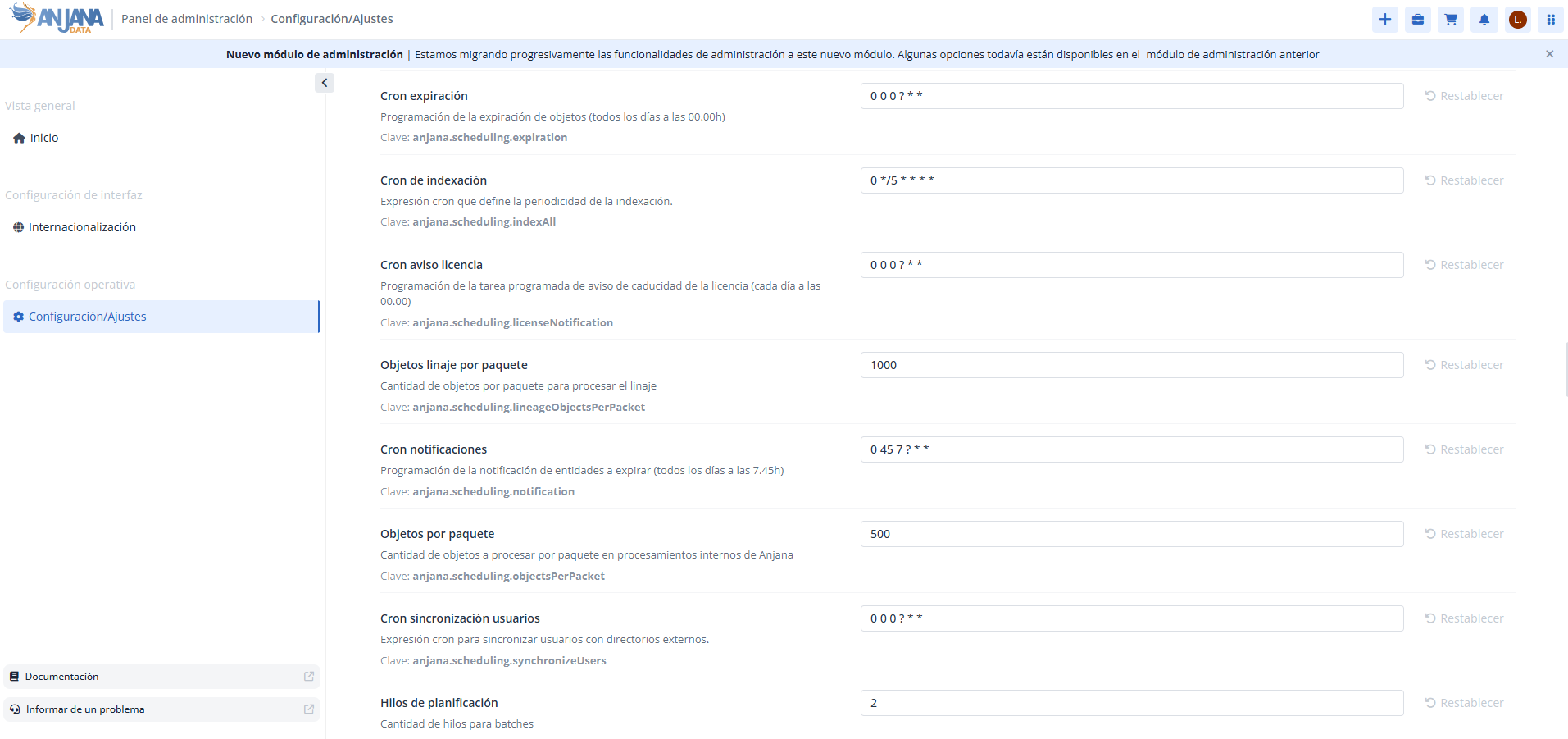
Batch summary
|
Process |
Service |
Configuration key |
What it does |
|---|---|---|---|
|
User synchronization |
Zeus |
|
Imports users from the identity provider configured for authentication. |
|
Expiration |
Kerno |
|
Sets Deprecated entities whose expiration date has already passed to Expired status. |
|
Expiration pre-notice (notifications) |
Kerno |
|
Notifies the owners of entities that are about to expire. |
|
License notice |
Zeus |
|
Notifies about the upcoming expiration of the contracted license. |
|
Full indexing |
Kerno |
|
Periodically reindexes all objects to keep the database aligned with Solr. |
Detail of each batch
User synchronization
Key: anjana.scheduling.synchronizeUsers · Service: Zeus.
Imports the platform's users from the identity provider configured for authentication, so they can authenticate. The users are loaded into the Anjana Data Platform database, which also facilitates authorization management (role assignment).
Expiration
Key: anjana.scheduling.expiration · Service: Kerno.
Causes entities in Deprecated status whose expiration date is earlier than the batch execution to move to Expired status. In the case of physical assets over which Anjana Data Platform exercises active governance, expiration also entails the revocation of the access permissions managed by the platform.
Expiration pre-notice (notifications)
Key: anjana.scheduling.notification · Service: Kerno.
Notifies the owners (and adhered users) of entities that are about to expire, within the period defined in the application configuration, so they can act before they expire.
License notice
Key: anjana.scheduling.licenseNotification · Service: Zeus.
Notifies about the upcoming expiration of the contracted Anjana Data Platform license, whether due to proximity to the expiration date or to approaching the maximum number of governed objects. The notification is sent to the platform administrator.
Full indexing
Key: anjana.scheduling.indexAll · Service: Kerno.
Allows configuring a periodic reindexing to keep the database content aligned with Solr (the indexing persistence layer). The process clears the Kerno collection in Solr and reindexes all objects. All entities and only non-native relationships are indexed; the following cases are excluded:
-
objects with a null name;
-
objects with an incorrect (unconfigured) subtype;
-
relationships with an incorrect source and/or target ARI.
Indexing errors are logged in the Kerno service log.
This section is aimed mainly at technical and functional administrators responsible for configuring and maintaining Anjana Data Platform.