
The Jobs module centralizes the tracking of the bulk tasks requested by users in Anjana Data Platform. It is accessible from the navigation menu whenever the user's role has the corresponding permission (JOBS_ACCESS), and from there the status and result of each task can be checked.
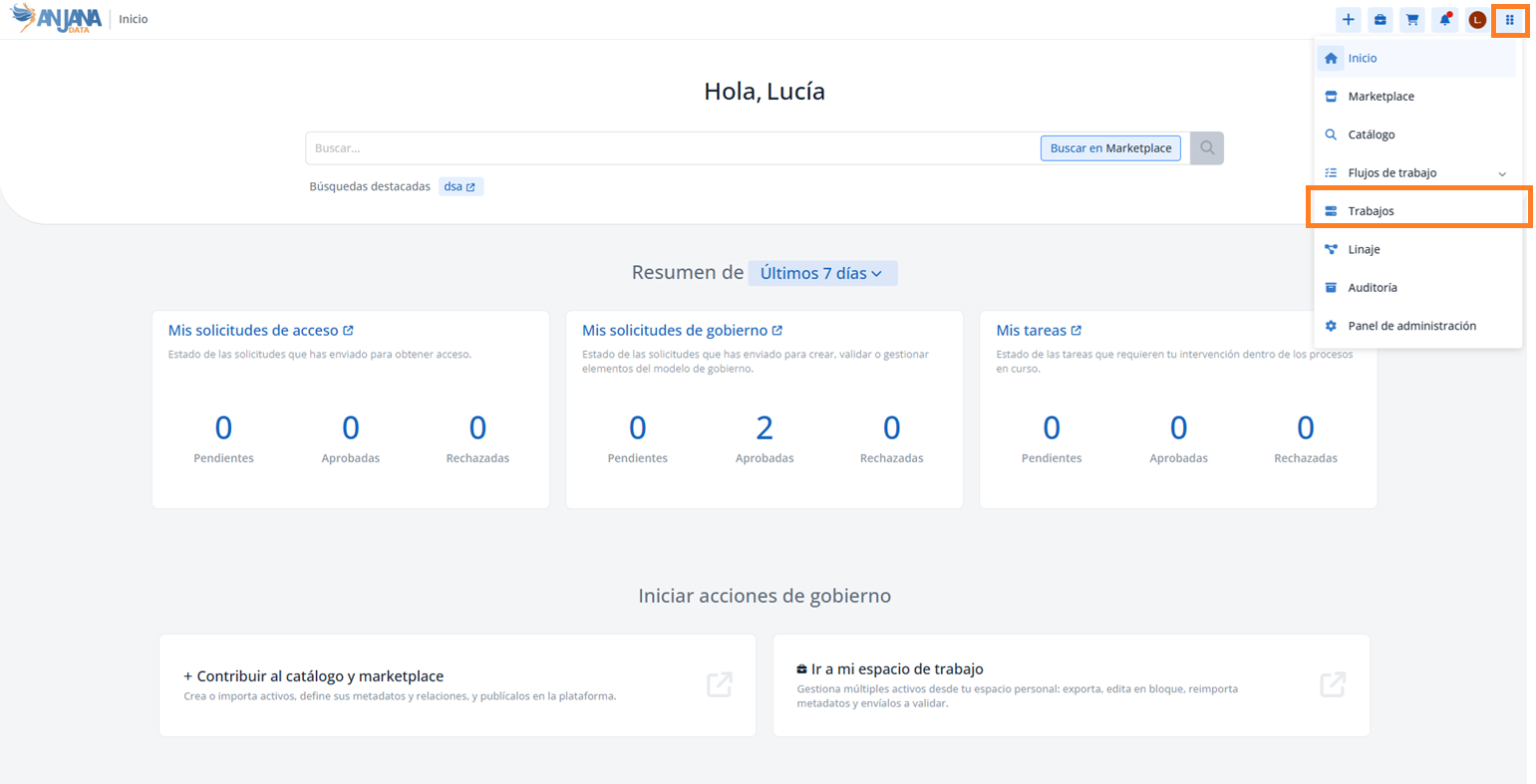
Job types
The module groups the following job types:
-
Object creation with Excel: includes the source (name of the file used).
-
Object creation with automatic import (automatic metadata).
-
Object editing with Excel: includes the source (name of the file used).
-
Bulk attribute editing.
-
Bulk sending (pending validation).
Job list
The main screen shows, for each job, the following information:
-
Job name: automatically generated by Anjana Data Platform or edited by the user.
-
Source: file name, in creation or editing jobs via Excel.
-
Job type: one of those indicated in the previous section.
-
Object type and subtype on which the action is performed.
-
User who requested the job.
-
Start and end date.
-
Status: success (the action was correct on all objects), error (it failed on some) or pending (it has not finished).
-
Total: number of objects acted upon; in the case of datasets, it includes the sum of datasets and their
dataset_fields. -
Progress: execution progress; hovering the mouse over the bar shows the number of correct, erroneous or in-progress objects.
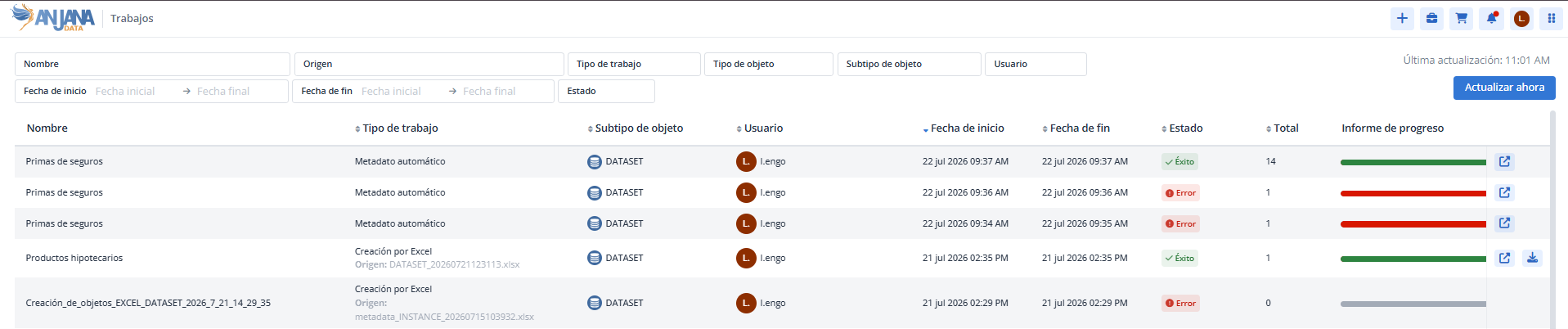
For each job, there is also a link to the detail and, in Excel jobs, the download of the result file (the original Excel plus two columns indicating the result of the action). The Refresh now button refreshes the list and the status of the jobs in real time.

List filters
The search box and filters at the top allow you to narrow the list and locate jobs by:
-
Name of the job.
-
Source: name of the file used in the upload or editing via Excel.
-
Job type.
-
Object type and subtype.
-
User who requested the job.
-
Start and end dates of the job.
-
Status of the job (success, error or pending).
Job detail
From each job in the list it is possible to navigate to its detail, where the result of the action executed on each of the objects is shown. This screen is also directly accessible when confirming a bulk job:
-
from the object creation panel, when confirming creation with Excel or with automatic import;
-
from the Workspace, when confirming bulk editing, editing with Excel or bulk sending.
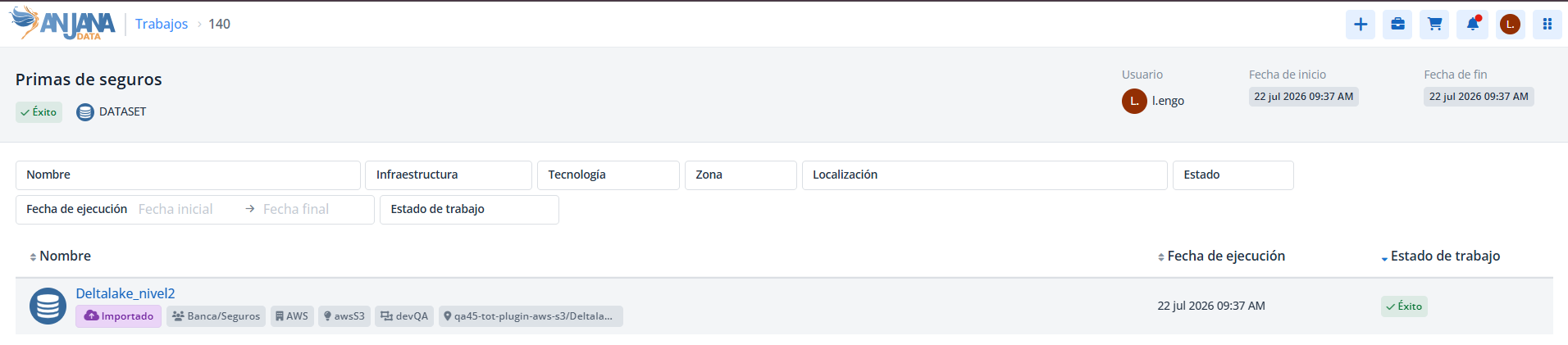
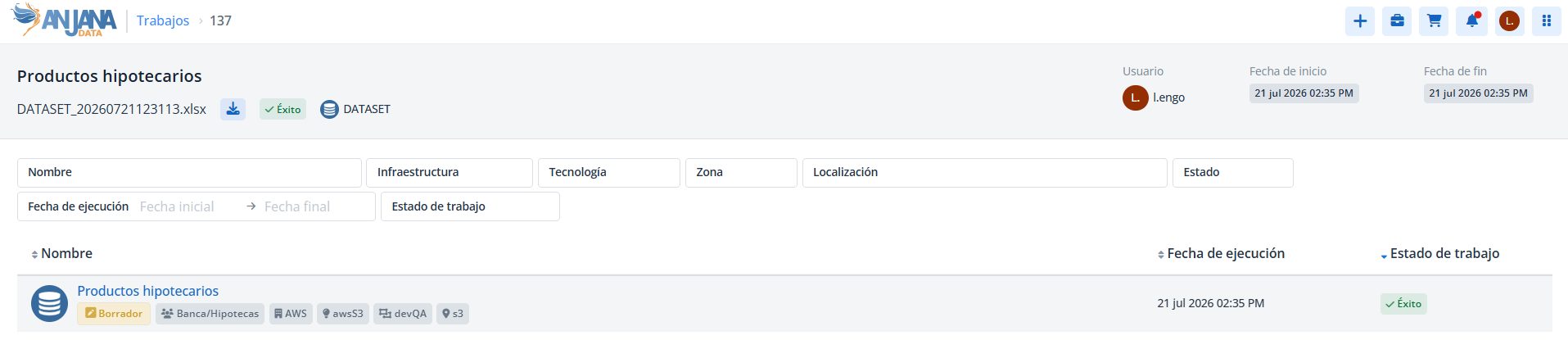
The status of the job indicates whether the action has been executed successfully, is in progress or has failed; in case of failure, a dropdown shows the reason for the error (incomplete or incorrect metadata, connection failure, etc.). In Excel jobs, the header shows the file name and a link for its download. The Refresh now button allows reloading the information in jobs with many objects.
Detail filters
Within the detail, the filters allow locating the job's objects by:
-
Name of the object on which the job is performed.
-
Infrastructure, technology, zone and path: especially useful in automatic metadata jobs.
-
Status of the object on which the job is performed.
-
Execution date (start and end).
-
Job status for that object.
This section is mainly aimed at Data Portal users who perform bulk operations (creation/editing via Excel, automatic import, bulk editing and bulk sending) and need to track them.