
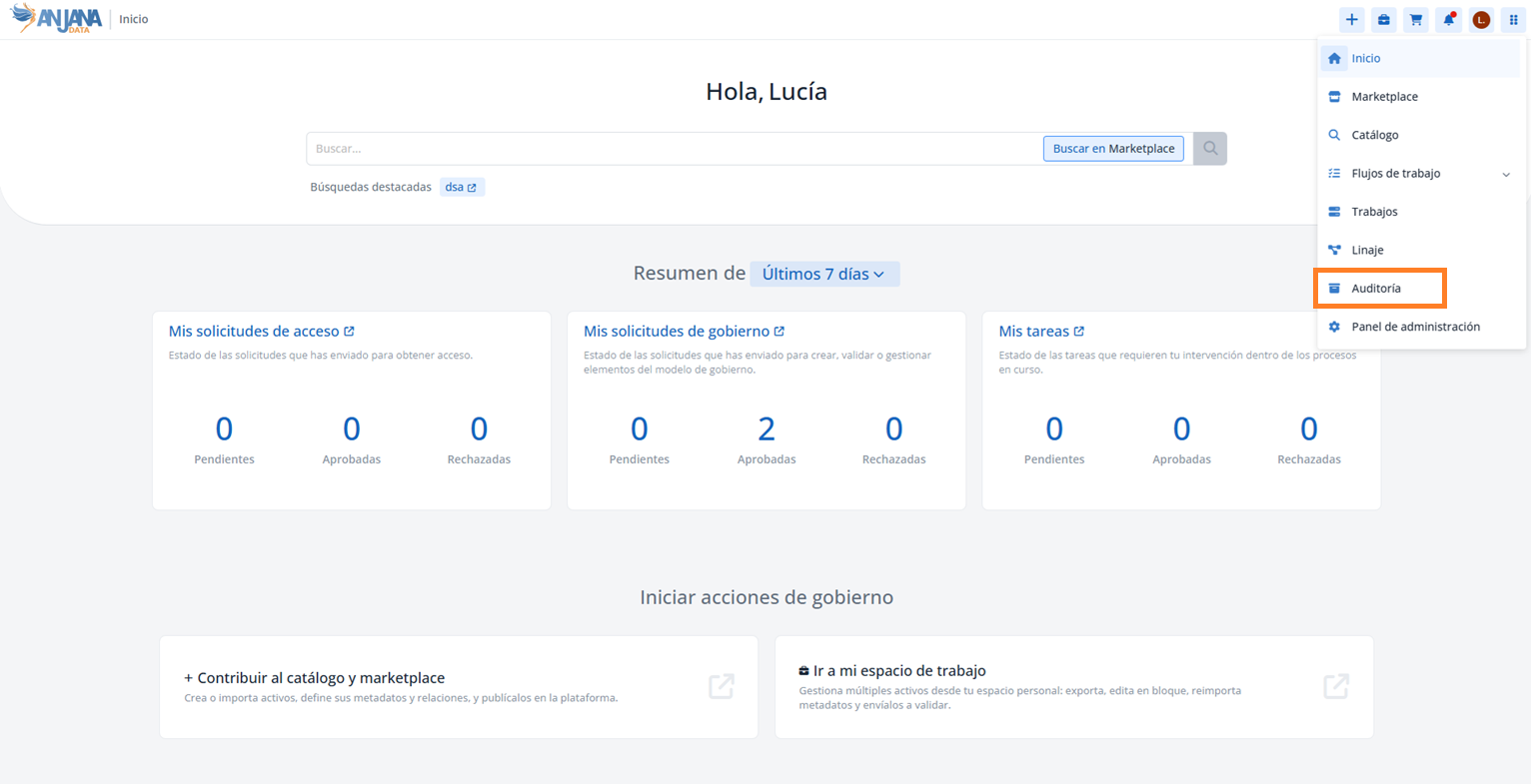
The Audit module allows you to consult the activity log of Anjana Data Platform. It is accessible from the navigation menu and is only available to users whose role has the corresponding permission (for example, GOV_AUDIT_ACCESS for governance audit).
Log types
Audit combines two complementary capabilities, which give the module its name:
-
Traceability (internal log): trace of the governance decisions made in the application - who creates or modifies an object, who approves it, what comments are left in the validation workflow, who proposes a subsequent modification and who approves it, requests to change organizational unit or status, adherences, etc. It allows the complete lifecycle of each asset to be reconstructed and answers who did what and when.
-
Observability (external log or dynamic audit): audit ingested via API from the governed systems, which allows Anjana to observe both the activity on the data (access, writes, process executions) and the operational metrics that the organization decides to send - for example, for ETL processes: duration, ingestion volume, number of new and modified records, % resource usage, etc.
Each record includes a Source field that identifies its origin and allows both types to be distinguished using the Source filter:
-
The internal log (traceability) has
anjanaas its source. It can be isolated by filtering by Source =anjana. -
The external log (observability) is integrated via API and its Source is the name set at creation time via the API (usually, the name of the source system).
Information for each record
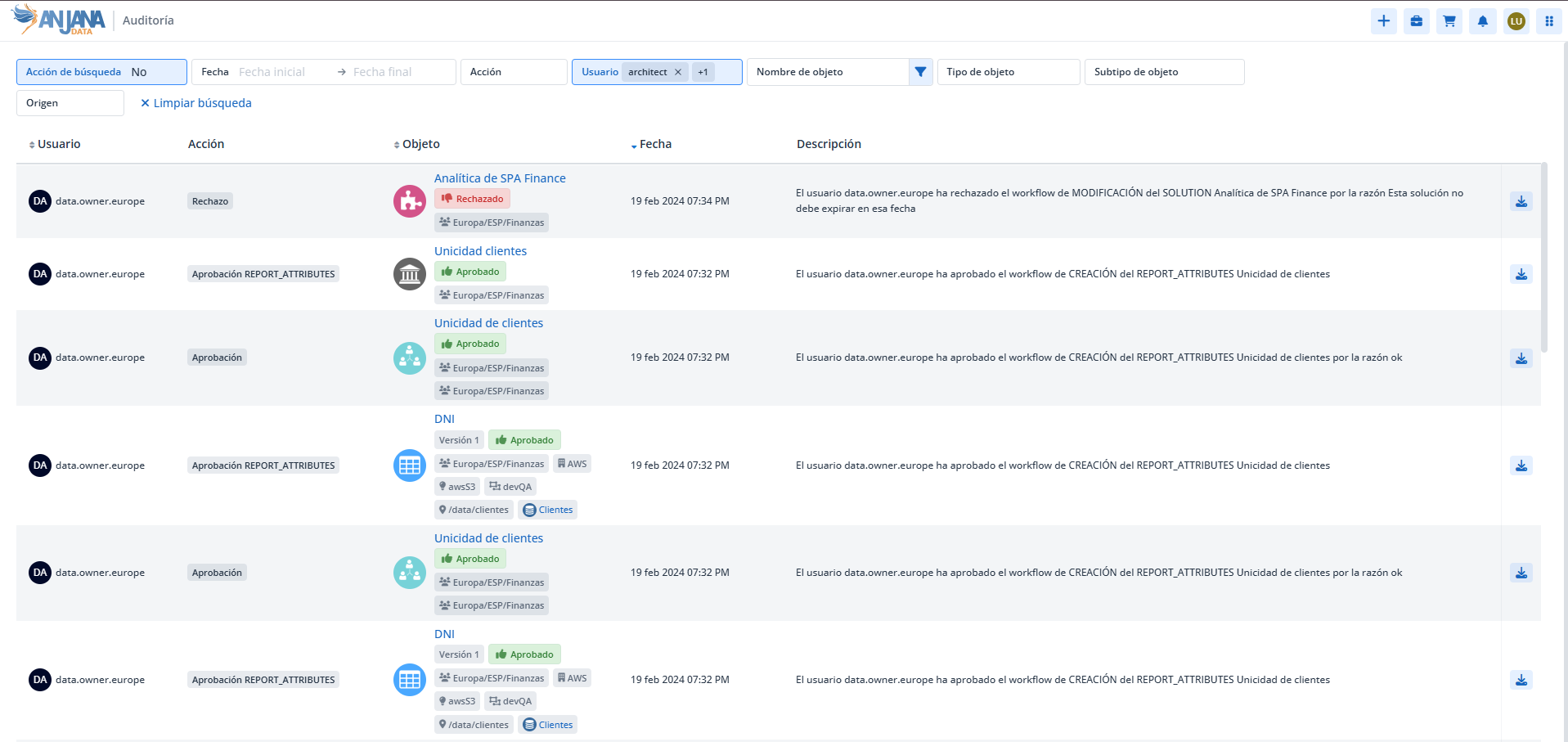
For each audit entry, the screen shows:
-
User: user who performs the action.
-
Action: type of action (creation or modification of the object, validation, reading or modification of data, etc.).
-
Object: name and most relevant information of the object on which the action is performed.
-
Date: date on which the action is performed.
-
Description: description of the action. If it includes a user comment (for example, in an adherence request or in the validation of a workflow), it is shown in the user's language or, if that text has not been filled in in that language, in the language configured by default in the application.
-
Snapshot download: icon that allows you to download the snapshot of the object as it was left after the action recorded in the history.
Filters
At the top of the screen there is a set of filters to narrow down the records shown:
-
Search action (Yes / No; default No):
-
Yes: shows the user's actions on the platform (login, logout, access to an object's detail, etc.).
-
No: shows purely governance actions (creation, modification, validation, etc.).
-
-
Start and end date: narrows down the audit generated within a date range.
-
Action: filters by type of action (creation, modification, adherence, etc.).
-
User: user who carries out the action.
-
Object: allows you to consult the specific audit of an entity or relationship.
-
Object type and subtype.
-
Source of the audit (
anjanafor the internal log; the name configured via API for the external one).
This section is mainly aimed at functional administrators and governance and security profiles responsible for overseeing activity on Anjana Data Platform assets.