
The User Profile is accessible from the icon with the user's initials, located in the header navigation menu of the Data Portal (the user's name is displayed when hovering over the icon). See Access to the Platform Modules.
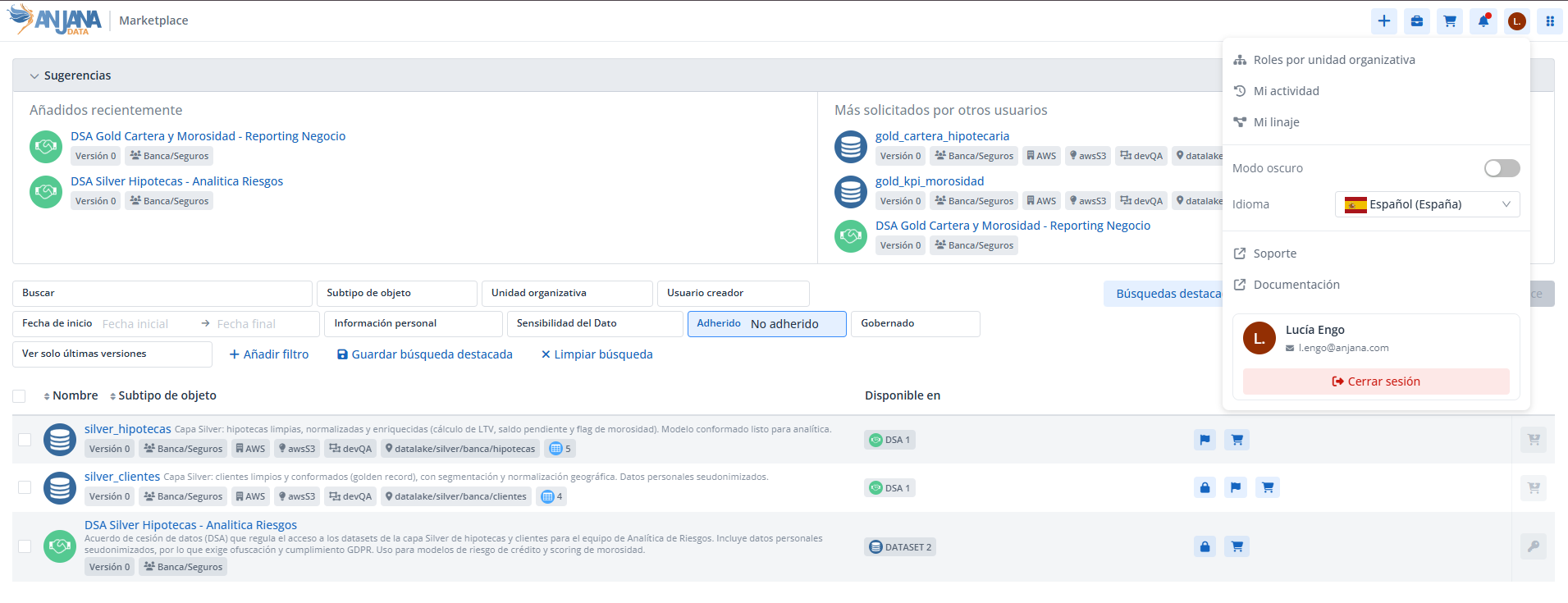
Clicking it opens a dropdown from which the user can view their information and access various personal options:
-
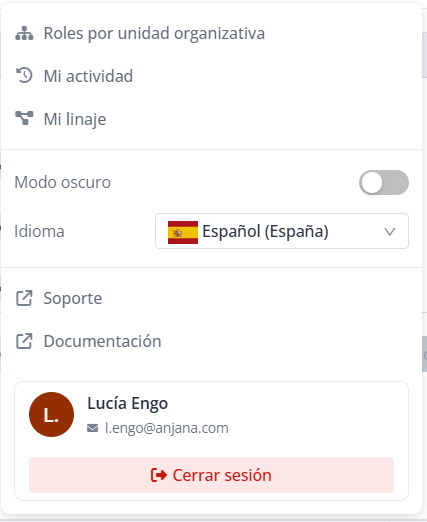
view their roles and organizational units (authorization);
-
access their activity (audit of their user);
-
access their lineage, if they have the
LINEAGE_ACCESSpermission; -
switch between light mode and dark mode;
-
change the platform language;
-
access reference links (support, public documentation);
-
log out.
📌 Notifications are no longer viewed from the User Profile. They are now accessed from the bell icon in the navigation menu. See Notifications.
User information
The user data shown in the profile is retrieved from the provider configured for authorization. If the same user exists in several active providers, it is assumed that the data is consistent across them, since the data shown will be unified.
Roles and organizational units (authorization)
The roles and organizational units shown are those authorized in the Administration Panel. This information can be displayed grouped by role or by organizational unit.
-
If a user's role is cross-organizational, "Cross" is shown as the organizational unit.
-
Regardless of the configuration in the providers, in Anjana organizational units are always shown separated with '/'.

It is possible to change the cross value using a translation key in the Internationalization section of the Administration Portal.
Activity (user audit)
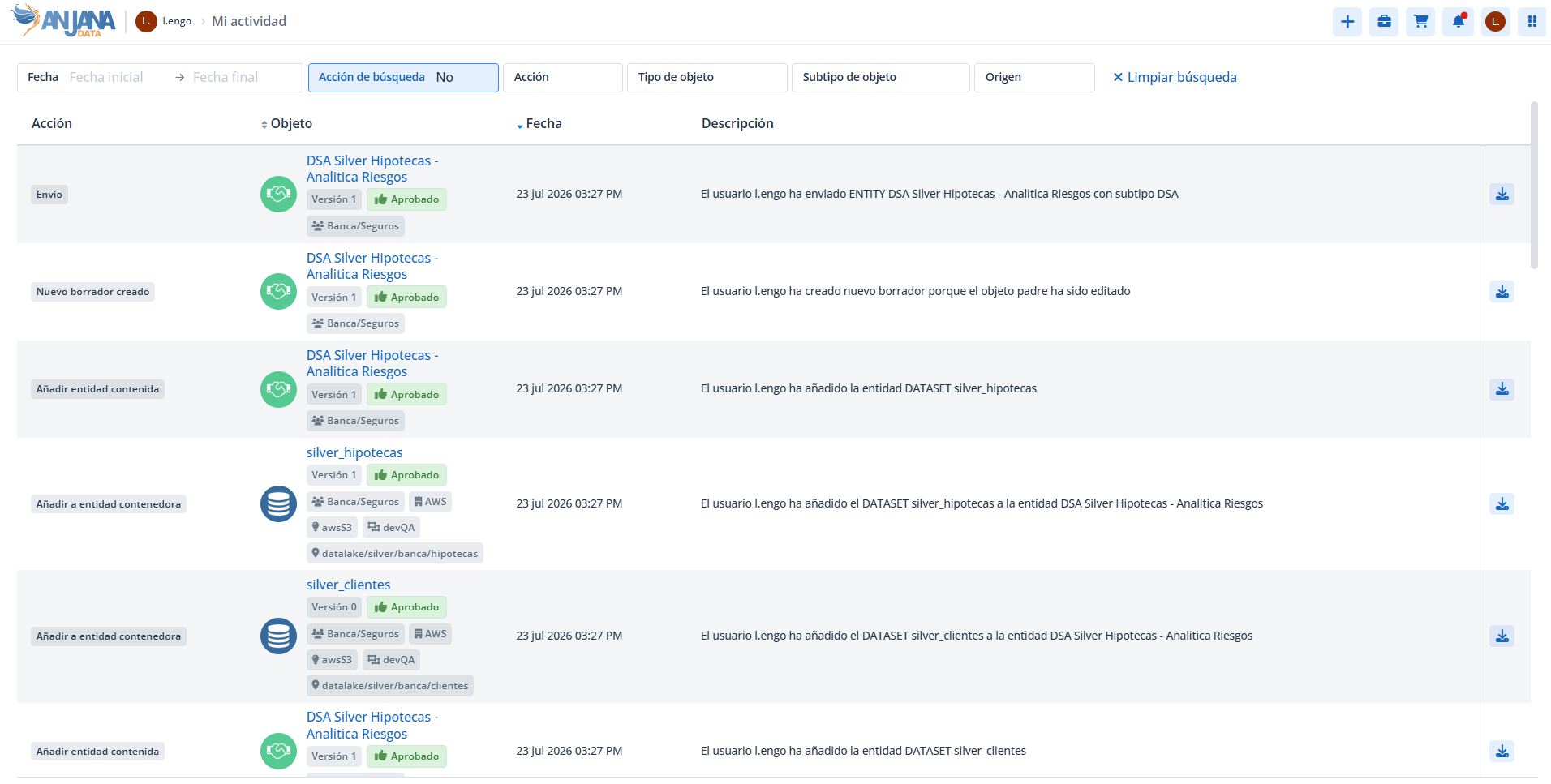
Shows the complete trace of the user's activity in Anjana and in the connected data systems: creation of structures, validations, read access, data movement, etc. See Application audit.
User lineage
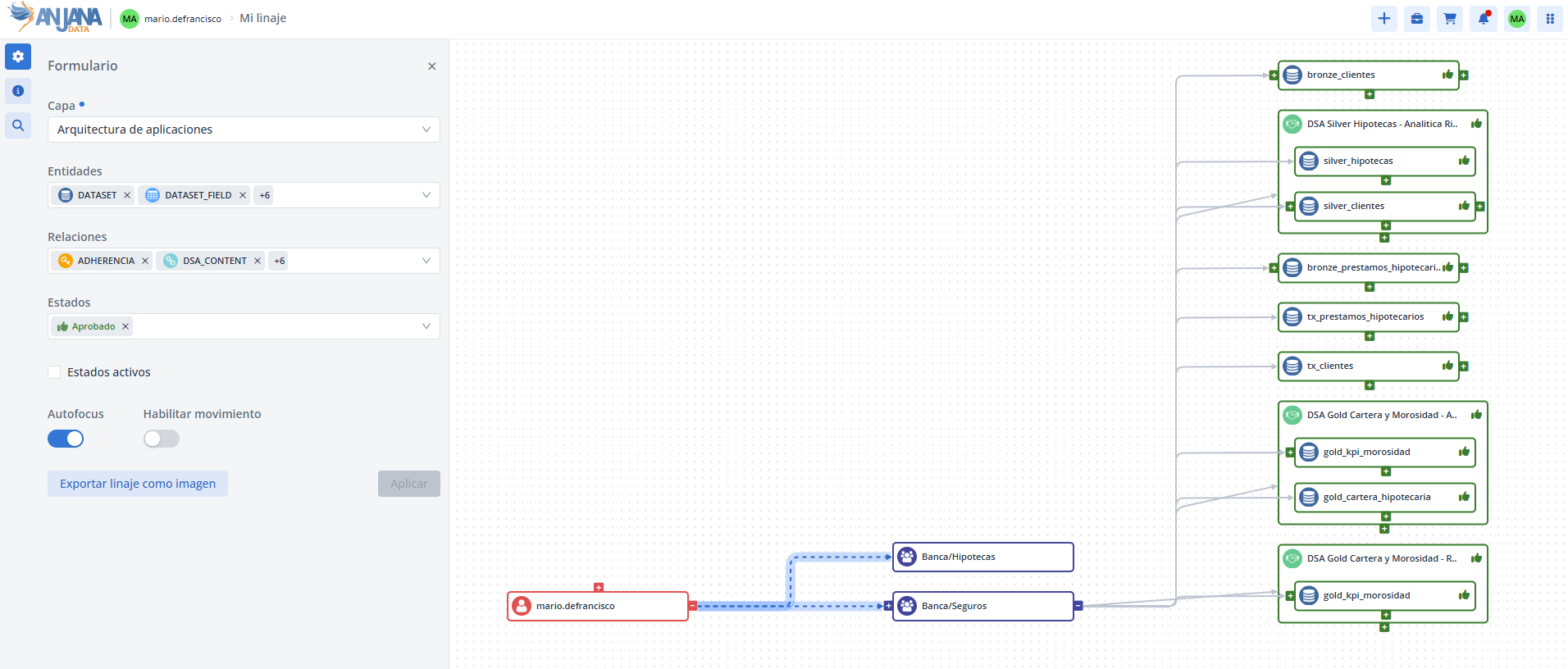
Available if the user has the LINEAGE_ACCESS permission. Shows the entities with which the user has a relationship, either as owner or through adherence, and the relationships of these with other entities. See Lineage.
The graph is expandable: initially only the node representing the user is visible, and it is expanded by clicking the + symbol. Unlike object lineage or full lineage, in user lineage, expanding only shows the entities of which the user is the owner or to which the user is adhered.
-
As owner: the relationship between the user and the entity is established through the organizational unit to which the entity belongs and for which the user has been assigned the role that grants ownership of the object.
-
As an adhered user: the user appears related to the DSAs to which they have access; from each DSA, the accessible data structures can be identified.
Since the owners of a DSA are, by default, users adhered to it, in the graph the user-DSA relationship may appear (depending on the layer chosen for the lineage) duplicated: as adherence (direct user-DSA) and as ownership (user-OU-DSA).
Light mode and dark mode
Allows switching the interface appearance between a light theme and a dark theme, according to the user's preference.
Language selector
Allows changing the language used in Anjana from among those configured in the application. Upon entering, the default configured language is used until the user chooses their own.
Regardless of the selected language, it is possible to view the metadata of Anjana objects in any of the languages, and any language can be edited by users with object editing permissions.
Reference links
The profile includes two useful links:
-
Anjana Wiki: documentation and resources of interest.
-
Incident support: redirects to the Jira Service Desk, from where application incidents can be reported.
Log out
Ends the user's session on the platform.