
Anjana Data Platform exposes all its functionality not only through the Data Portal, but also through a documented public API, which enables user interaction and interconnection with other software pieces external to the platform.
Access to the API documentation
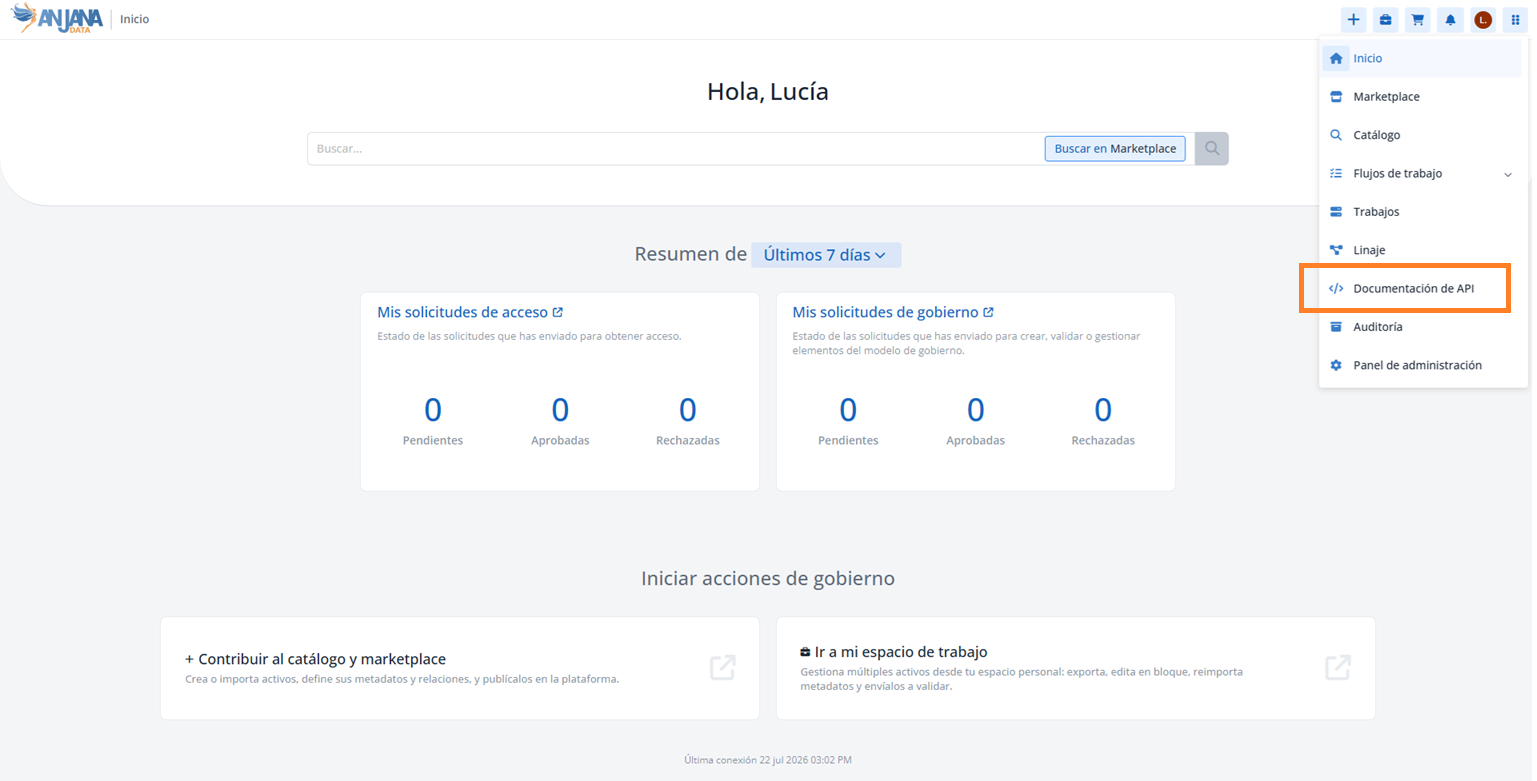
The API documentation is presented via Swagger, where the list of available services can be consulted. It can be accessed from the Data Portal, through the navigation menu, via the API Documentation option. It is available to users whose role has the API_DOC permission.
Exploring services in Swagger
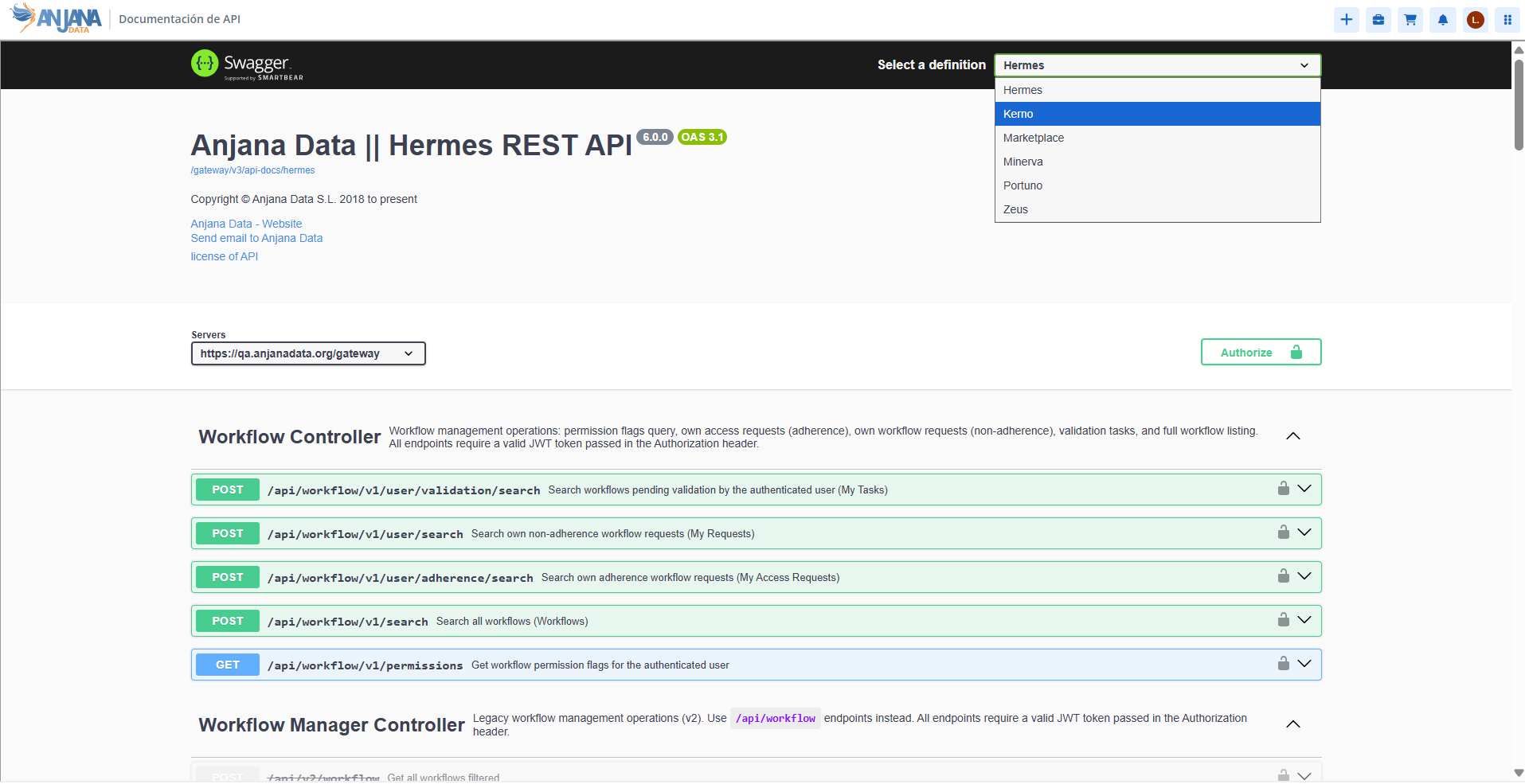
With the selector at the top right, you can switch between the different available microservices. When a module is selected, all the calls available in it are shown, and for each service, an example of the input parameters and the possible outputs it returns.
Authentication of requests
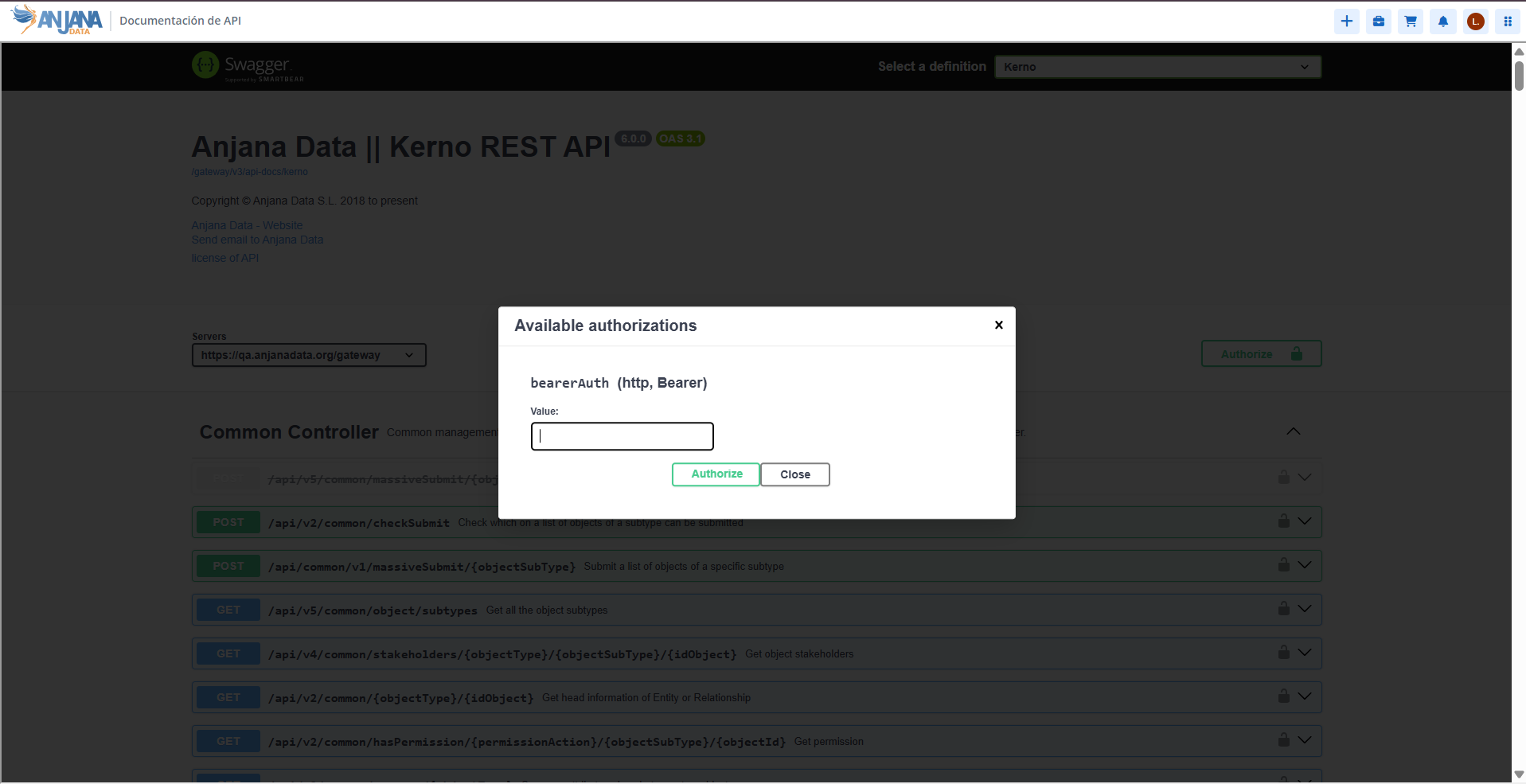
The calls are secured, so Swagger must be configured to add the authorization token in the header. This is done using the Authorize button. Once authorized, the lock icon for each call switches to the closed state and the requests can then be executed.
Request format
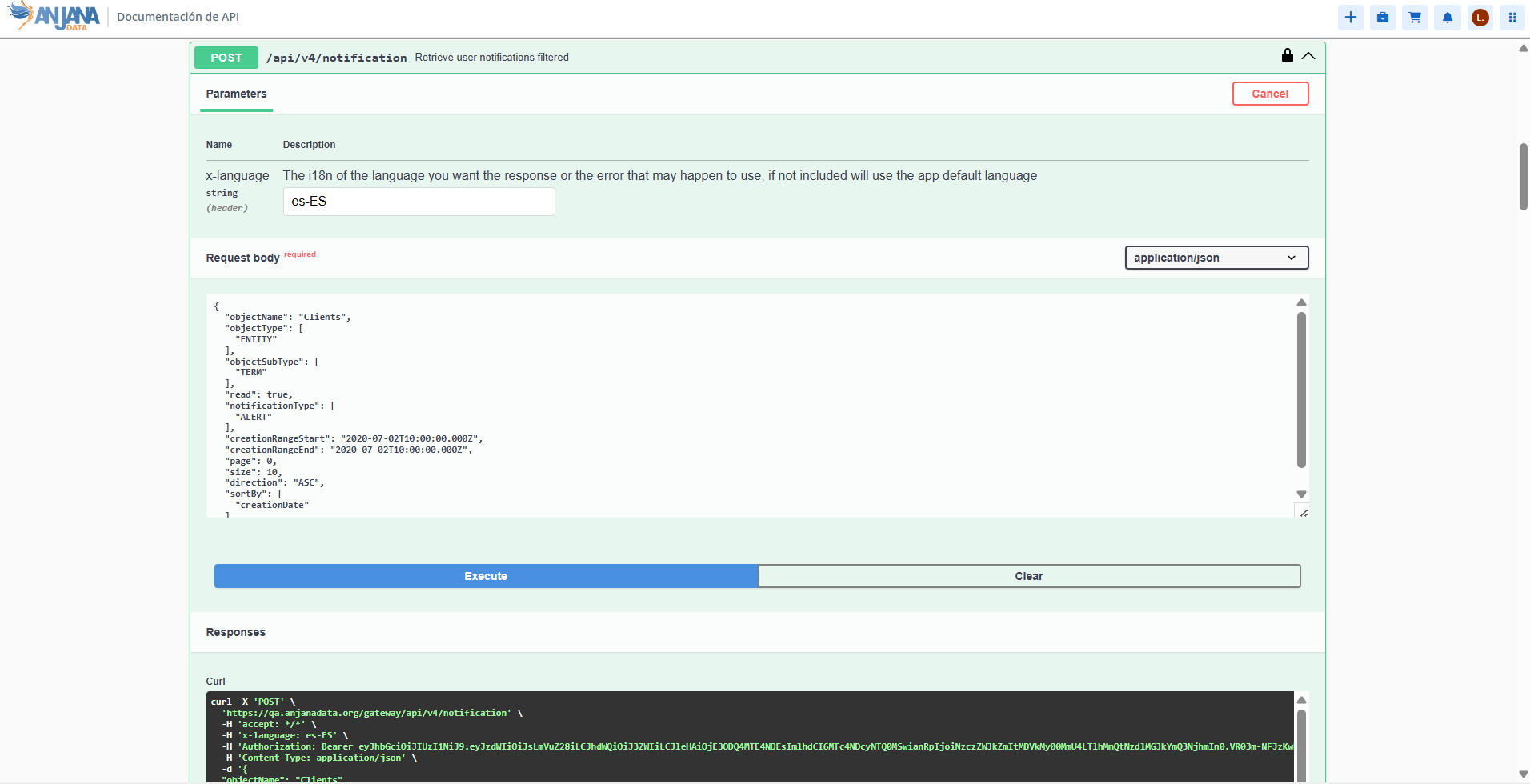
To invoke one of the documented services, the request is built with the following format, through the platform's gateway:
-
<http|https>://<domain>/gateway/<url indicated in the documentation>
This section is mainly aimed at developers and technical teams who integrate their processes with Anjana Data Platform through its API.