
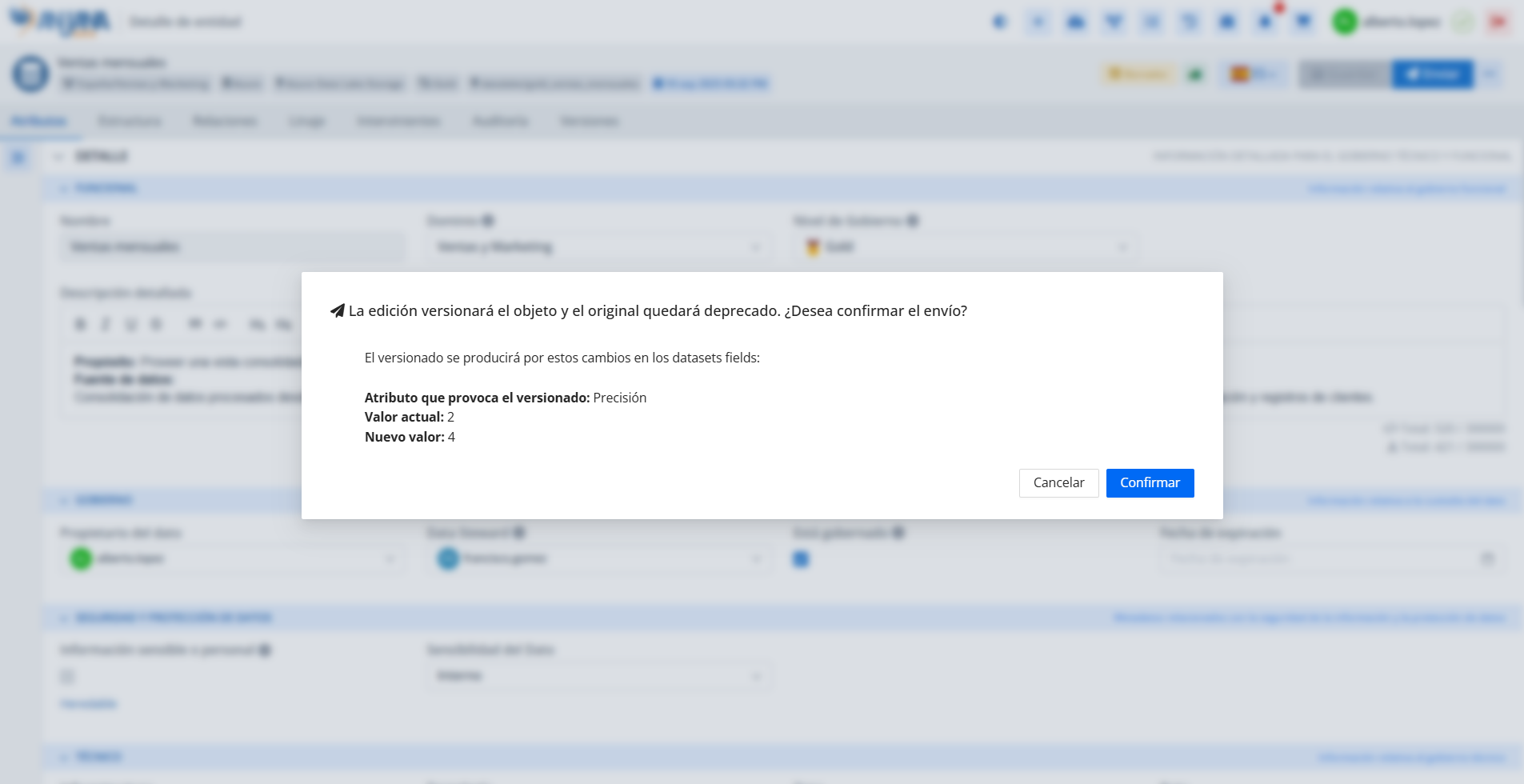
In Anjana Data it is possible to configure which changes generate a versioning of objects through versioning rules. These rules allow identifying the attributes of objects that, when edited, are considered relevant enough to generate a new version of the object and set the original version to Deprecated status.
Edition Configuration Table in the Configuration Panel (Administrator View)
Rules are defined in the Edition Configuration table. They can only be configured for changes in boolean-type attributes or reference metadata belonging to the templates of the native entities DATASET, DATASET_FIELD, DSA, PROCESS, INSTANCE and SOLUTION.
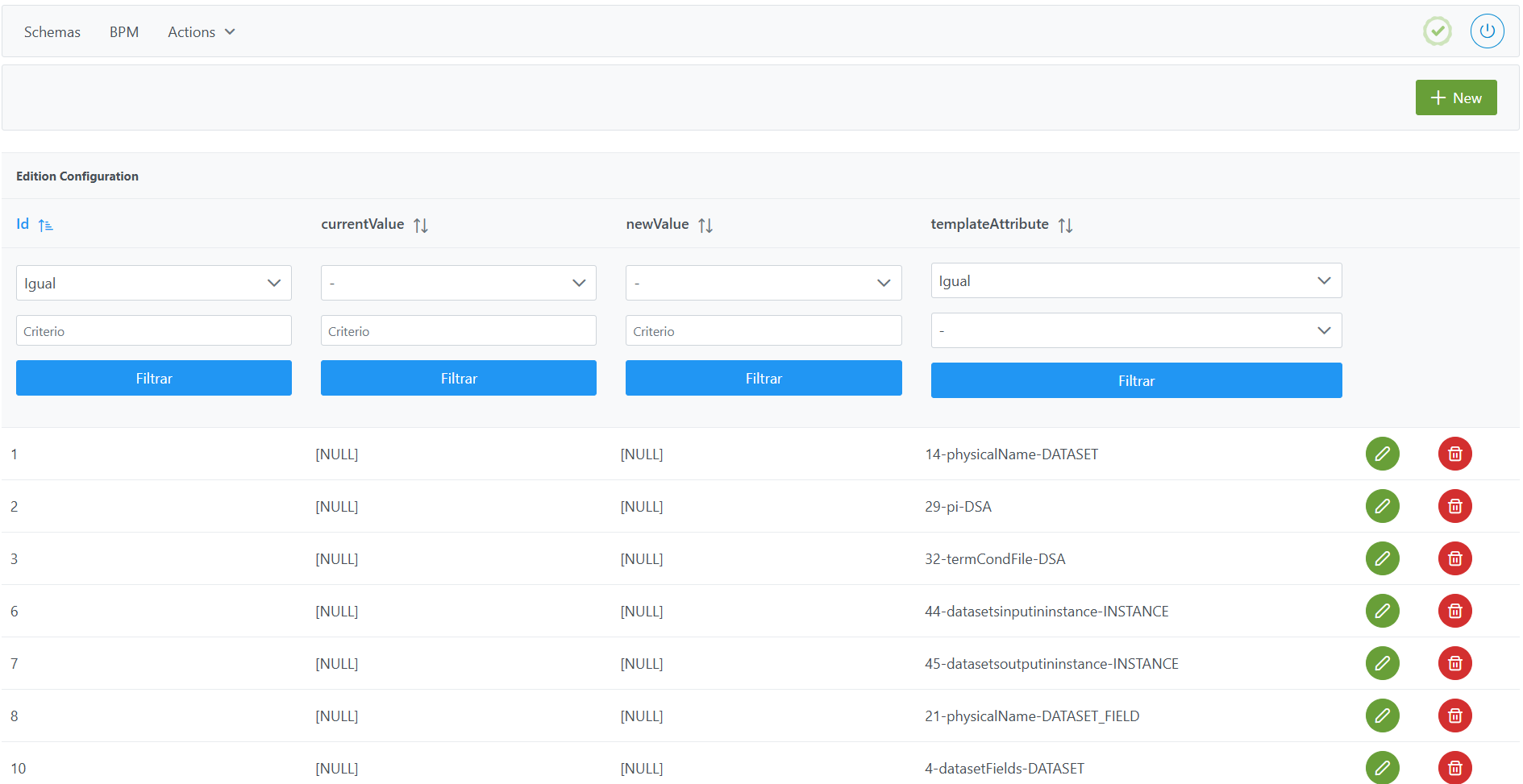
Structure of the Edition Configuration table
Each registered versioning rule is characterized by the following fields:
-
Id: unique identifier of the versioning rule. It is automatically assigned from the Configuration Panel. -
currentValue: original value of the attribute (prior to modification). If the value indicated in this field changes to the one indicated innewValue, the object will be versioned.-
If versioning should occur regardless of the initial value, enter
null. -
This value (except
null) must already exist in theAttribute Definition Valuetable.
-
-
newValue: new value of the attribute (with which the modification flow is launched). If the value indicated in thisnewValuefield changes to the one indicated in this field, the object will be versioned.-
If versioning should occur regardless of the new value, enter
null. -
In the case of reference metadata, this value (except
null) must already exist in theAttribute Definition Valuetable.
-
-
templateAttribute: attribute of a specific template to which the rule applies.-
It is selected from among the attributes defined in the
Template Attributestable.
-
Important:
-
For a DATASET to be versioned when one or more DATASET FIELDs are added or removed, a record must be included for the
templateAttributeof thedatasetFieldsattribute. The latter must be in the DATASET template withactiveset to false. -
For an INSTANCE to be versioned when one or more input or output DATASETs are added or removed, a record must be included for the
templateAttributeof thedatasetsinputininstanceattribute and another fordatasetsinputininstance. These must be declared in the INSTANCE template via theTemplate Attributestable. -
For a DSA to be versioned when adding or removing entities to which it grants access, a record must be included for the
templateAttributeof thedsaContentattribute.
Creating a versioning rule for a template attribute in the Edition Configuration table
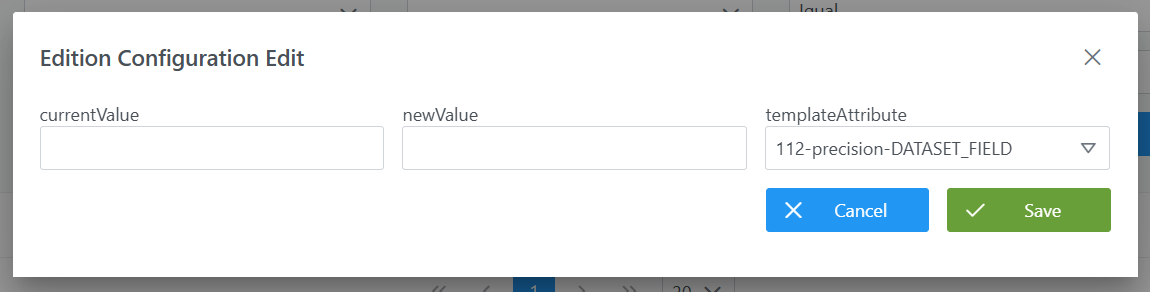
Creating a new rule involves adding a new record to the Edition Configuration table that defines the change condition to be monitored.
-
Click the New button in the upper right corner. This will open a wizard with the fields defined in the previous section.
-
Fill in the fields according to the structure:
-
currentValue: initial value prior to the change (e.g.: leave it empty so that it versions regardless of the initial value). -
newValue: final value that must trigger versioning (e.g.:null). -
templateAttribute: select the attribute from among the template's attributes (e.g.:precisionof theDATASET_FIELDentity).
-
-
Click Save to save the rule or Cancel to discard it.
Note: After creating versioning rules, it is necessary to run the Clear Cache action from the new Configuration Panel (Home > Reset Operations > Clear Cache) for the changes to be applied and visible in the Data Portal.
Modifying a versioning rule for a template attribute in the Edition Configuration table
The versioning rules defined in the Edition Configuration table can be modified at any time, regardless of whether governed objects exist in the Data Portal or not.
The modification consists of adjusting the values of the currentValue, newValue or the templateAttribute fields associated with the rule. These modifications will affect future versioning processes, but do not retroactively alter those already executed.
It is important to take the following into account:
-
Versioning flows that are already in progress are not affected by the modification.
-
If such flows are approved, they will still result in a new version of the object, following the conditions of the rule that was configured at the time the process was launched.
-
The changes made will only apply to versioning events triggered after the modification.
Note: After modifying versioning rules, it is necessary to run the Clear Cache action from the new Configuration Panel (Home > Reset Operations > Clear Cache) for the changes to be applied and visible in the Data Portal.
Configuring versioning rules through direct database access (Developer View)
The configuration of versioning rules is stored in the anjana.edition_configuration table, which allows defining which changes in the attributes of governed objects generate a new version.
|
Column |
Type |
Constraints / Notes |
|---|---|---|
|
id_edition_conf |
int4 |
PRIMARY KEY. Unique identifier of the rule. Managed through sequences. |
|
current_value |
varchar |
Original value of the attribute. Can be |
|
new_value |
varchar |
New value of the attribute. Can be |
|
id_template_attribute |
int4 |
NOT NULL. FK to |
In this example, a versioning rule is created for the precision attribute of the DATASET_FIELD entity, so that versioning occurs regardless of the initial and final values:
INSERT INTO anjana.edition_configuration
(id_edition_conf, current_value, new_value, id_template_attribute)
VALUES(12, NULL, NULL, 112);
Important:
-
Once the insert has been executed, run the sequence update for the table. (From the new Configuration Panel under
Home > Reset Operations > Reset database sequences, the sequences of all tables, including this one, can be updated). -
The entire responsibility for the configuration logic falls on the developer who executes the SQL queries directly on the tables. It is recommended to carefully review the Structure section.