
Internationalization in Anjana Data allows the platform to be adapted to different languages, making it easier for each user to interact with the Data Portal in the language that best suits their needs.
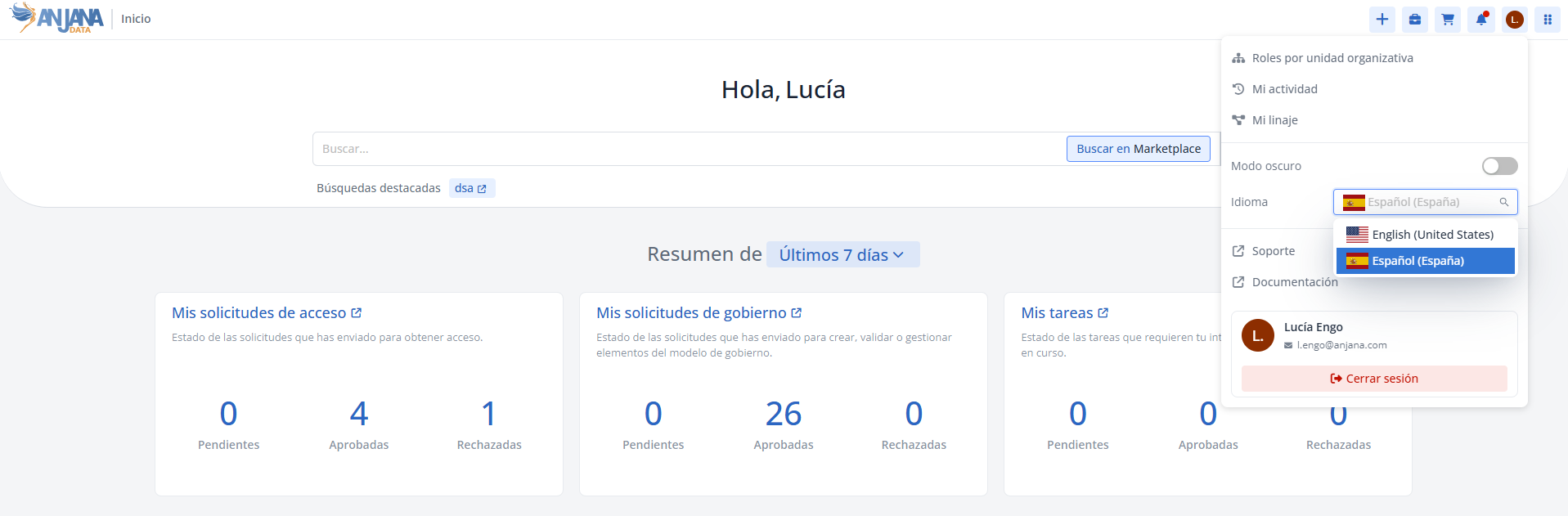
This mechanism is based on two main components:
-
Languages: List of all languages available to activate on the Anjana Data platform.
-
Translations: Record of the translated texts for each language, associated with keys (
key) that are used in the configuration of menus, sections, attributes, filters and other interface elements.
Thanks to this configuration, any label, description, or visible text in the application can be displayed in multiple languages, maintaining consistency across all forms, screens, and modules.
Proper configuration of internationalization ensures:
-
An accessible user experience adapted to different linguistic contexts.
-
Consistency in the display of texts throughout the Data Portal.
-
The flexibility to add or modify languages and translations without affecting the metamodel logic or the structure of governed objects.
The following sections detail the steps to:
-
Choose the active languages for the platform.
-
Define the translations that correspond to each translation key