
This section covers the management of the languages available in Anjana Data Platform and describes how to configure the platform's internationalization from the new Administration Panel. Internationalization starts with activating the languages that each organization wants to make available to its users.
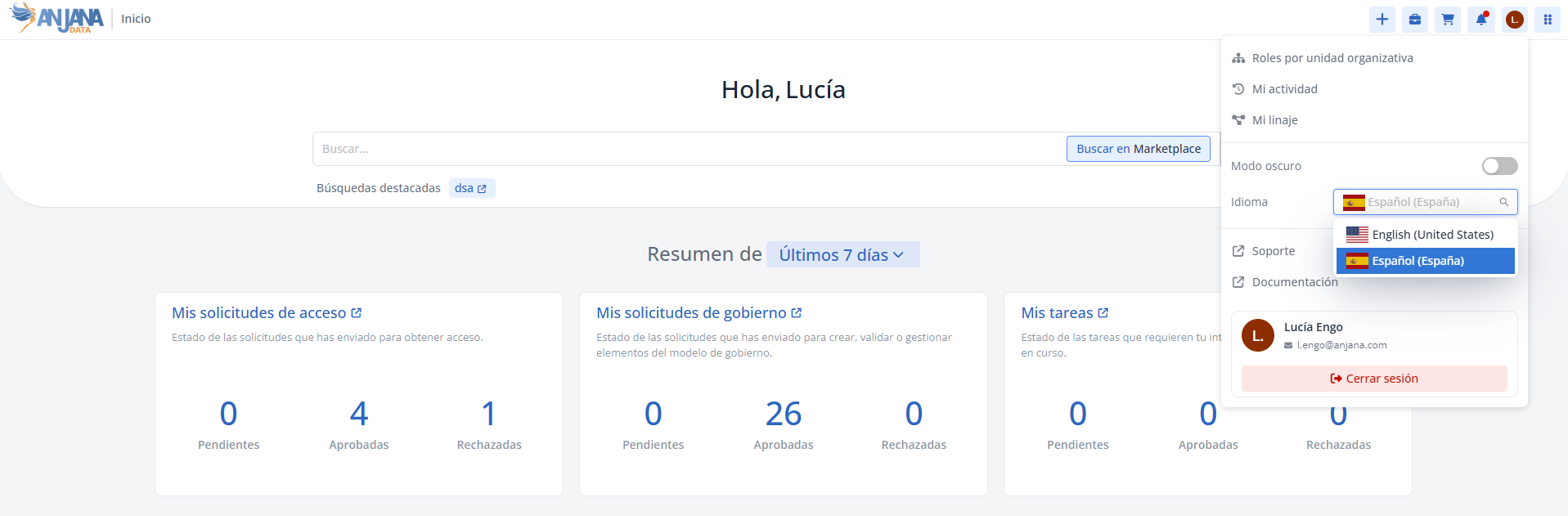
By default, the platform includes Spanish and English (United States) (en-US) activated. After adding a new language, it is essential to configure its corresponding translations, since only then will the application be fully accessible in that language.
Adding a new language
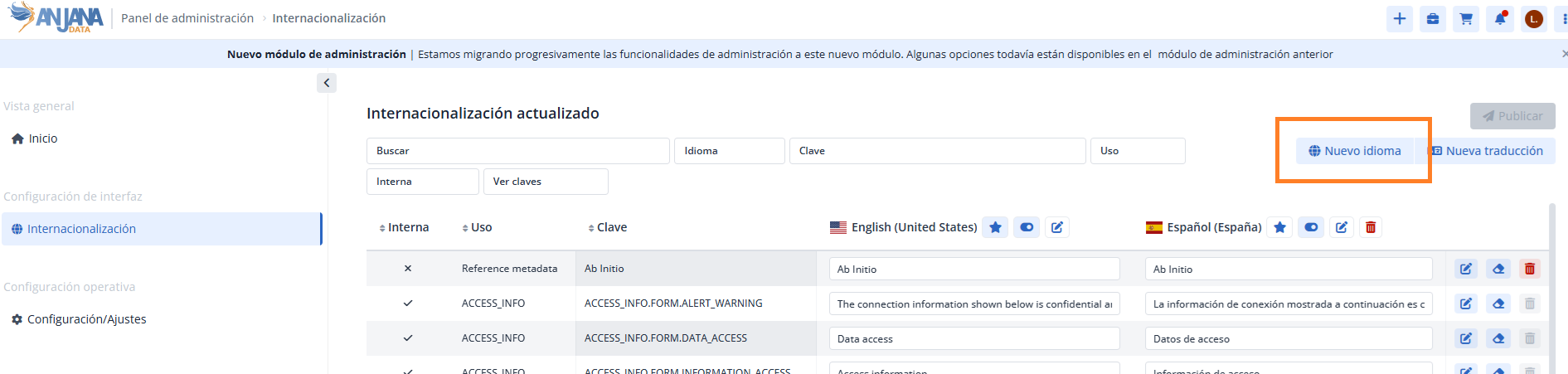
A new language is added from the Internationalization section of the Administration Panel, by clicking the New language button. Doing so opens a wizard that guides you through configuring and enabling the language.
Steps to follow:
-
Click the New language button, located at the top right, to open the wizard.
-
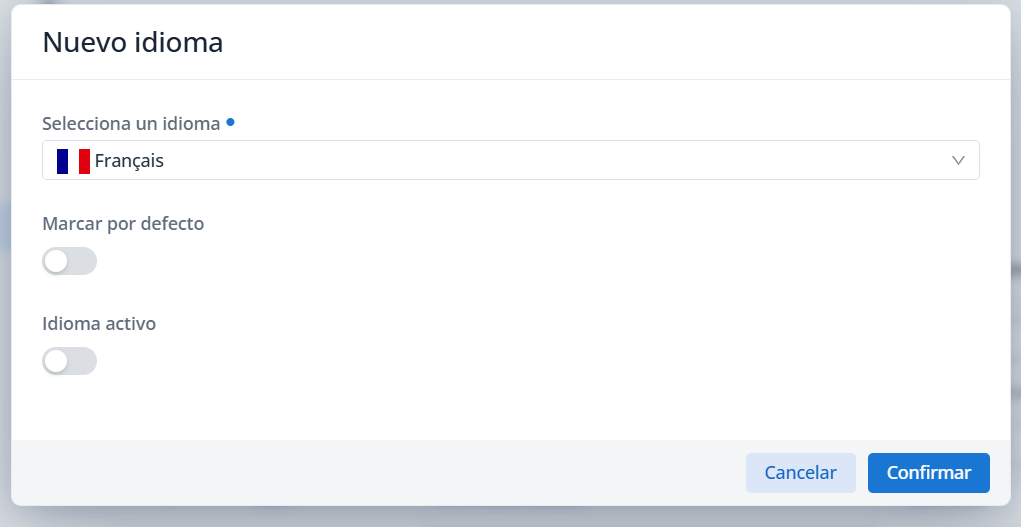
Select the desired language from the Select a language dropdown. You can type its name to make the search easier.
-
Optionally, check the following boxes in the wizard:
-
Set as default: sets the language as the platform's default. -
Active language: keeps the language enabled after saving, so that it remains available for selection in the Personal Area and in attributes of type international.
-
-
Click Confirm to save the record or Cancel to discard it.
-
After confirming, the Publish button is enabled, which is required to apply the changes. If you leave the Administration Panel without publishing, the changes will be lost.
Important: even after the changes to the new languages are published, they will not be visible to users until they log in again.
Notes:
-
The platform automatically includes the iconography associated with each language.
-
After adding a new language to the Internationalization table, it is necessary to include the values for its translations.
-
It is not recommended to activate a language until all associated translation keys have been populated.
-
It is necessary to click Publish every time new translations are added so that they can be viewed in the Internationalization section.
Actions on an existing language
Once a language has been created, the platform allows the following actions on it:
-
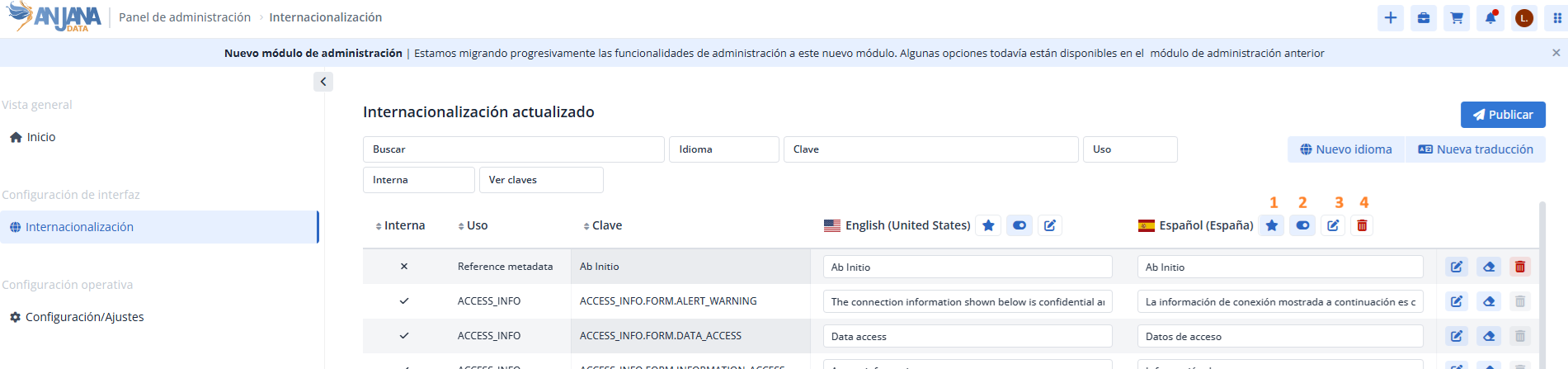
Mark as default language (1), which replaces the language previously set as default.
-
Activate or deactivate (2), which determines whether the language is available to platform users.
-
Edit (3), which opens a window from which the above actions can be performed.
-
Delete (4), which removes the language along with its associated translations. This option is not available for the English (United States) language, which can only be disabled.
Modifying an existing language should be done with caution and is carried out using the edit icon available in the header of the Internationalization table.
Notes:
-
After making any change, it is necessary to click Publish for it to take effect and be visible in the Data Portal.
-
Modifying a language does not affect governed objects, but it does affect the display of their metadata.
Important: activating, deactivating, or deleting a language can affect users who are editing metadata in templates (manually, via Excel, MCP, or API). Therefore, it is recommended to plan controlled actions, with intervention windows and guidance for users. Recommendations include:
-
Freeze metadata editing activities during the activation, deactivation, or deletion of languages.
-
For work in progress via Excel, download the latest version after the intervention.
-
Recommend that users log out and log back in after the activation, deactivation, or deletion of languages.
Querying languages via direct database access — Developer view
Languages added in Internationalization are stored in the anjana.Language collection in DocumentDB. The following table describes its fields:
|
Field |
Data type |
Description / Constraints |
|---|---|---|
|
_id |
UUID |
Identifier of the language in DocumentDB. |
|
legacyId |
Int32 |
Original identifier in SQL; for internal use during migration. |
|
i18nCode |
String |
Standard i18n code. Must be unique. |
|
description |
String |
Name of the language. |
|
defaultLang |
Boolean |
Indicates whether the language is marked as default. Only one can be marked as default. |
|
active |
Boolean |
Indicates whether the language is activated for use in the platform. |
|
created_at |
Date |
Creation date. |
|
modified_at |
Date |
Update date. |
The following shows an example of querying a language in the collection:
use anjana
db.Language.find({ "i18nCode": "es-ES" })