
All references to "Aqtiva" in this document correspond to OMMA Data, the current name of the technology which, at the time the integration plugin was created, had the aforementioned name.
Integration Model
The process consists of periodically requesting from Aqtiva the live rules existing since a given date, along with their results. This information will be sent to Anjana to update the datasets associated with the reported dataformats, as well as the rules associated with them.
For the process to work correctly, some predefined attributes must be created in the dataset template, and a new entity type, Aqtiva_Rule, must also be created with some predefined attributes, in which the data related to Aqtiva rules will be stored (metadata and results).
Dataset Template
The attributes that must be added to the dataset template are the following:
|
Attribute Name |
Type |
Value |
|
AqtivaIdDataFormat |
INPUT_TEXT |
Will contain the dataformat identifier |
|
AqtivaDataFormatName |
INPUT_TEXT |
Will contain the dataformat name |
|
AqtivaQRulesArray |
ARRAY_ENTITY |
Will contain an array of ARIs with the associated rules |
|
AqtivaKPILastUpdateDate |
INPUT_TEXT |
Date of the last execution of the KPI for results at datasource level |
|
AqtivaDataQualityDatasourceLevel |
TEXT_AREA |
Will contain the results at datasource level |
AQTIVA_RULE Template
In order to store the information related to executed rules, it is necessary to create the native entity AQTIVA_RULE, which will contain the metadata related to them together with the applied results.
To do this, a template must be created with the following attributes:
|
Attribute Name |
Type |
Value |
|
AqtivaIdProject |
INPUT_TEXT |
Id of the project in Aqtiva |
|
AqtivaProjectName |
INPUT_TEXT |
Name of the project in Aqtiva |
|
AqtivaIdQualityPoint |
INPUT_TEXT |
Id of the Quality Point in Aqtiva |
|
AqtivaQualityPointName |
INPUT_TEXT |
Name of the Quality Point in Aqtiva |
|
AqtivaIdDataSource |
INPUT_TEXT |
Id of the Datasource in Aqtiva |
|
AqtivaDataSourceName |
INPUT_TEXT |
Name of the Datasource in Aqtiva |
|
AqtivaIdQualityRule |
INPUT_TEXT |
Id of the rule in Aqtiva |
|
physicalName |
INPUT_TEXT |
Composite name of the rule (Project, Quality Point, DataSource) |
|
AqtivaIdDataFormat |
INPUT_TEXT |
Id of the dataformat in Aqtiva |
|
AqtivaAnjanaDatasets |
ARRAY_ENTITY |
Dataset(s) on which the Rule is Executed |
|
AqtivaDataFormatSource |
INPUT_TEXT |
Dataset Type |
|
AqtivaQualityRuleActive |
INPUT_CHECKBOX |
Indicates whether the rule is active for running a simulation |
|
AqtivaQualityRuleDimension |
INPUT_TEXT |
Dimension |
|
AqtivaQualityRuleColumns |
INPUT_TEXT |
Columns it Applies to |
|
AqtivaQualityRuleConditions |
INPUT_TEXT |
Rule Conditions |
|
AqtivaQualityRuleCreationDate |
INPUT_DATE |
Rule Creation Date in Aqtiva |
|
AqtivaQualityRuleWarnThType |
INPUT_TEXT |
Warning Threshold Type |
|
AqtivaQualityRuleWarnThValue |
INPUT_DECIMAL |
Warning threshold value |
|
AqtivaQualityRuleErrType |
INPUT_TEXT |
Error Threshold Type |
|
AqtivaQualityRuleErrThValue |
INPUT_DECIMAL |
Error threshold value |
|
AqtivaRecordIdRecordLastExec |
INPUT_TEXT |
Aqtiva Execution Record Id |
|
AqtivaLastResultSynchronizationDateAnjana |
INPUT_DATE |
Last Synchronization Date |
|
AqtivaRuleExecutionResults |
TEXT_AREA |
Result in json representation. Internal use |
|
AqtivaRuleExecutionResultsView |
ENRICHED_TEXT_AREA |
Presentation of the results of the AqtivaRuleExecutionResults attribute |
|
description |
TEXT_AREA |
Rule description |
|
expirationDate |
INPUT_DATE |
Expiration date for the rule |
|
name |
INPUT_TEXT |
Rule name |
-
All the attributes listed must be active attributes in the corresponding templates for their values to be updated correctly.
-
It is recommended to configure the NOT EDITABLE validation on all the attributes mentioned above, to prevent an attribute from being edited by mistake, since they are updated automatically. Except for AqtivaIdDataFormat in the dataset template, which must be edited manually to associate a dataset with an Aqtiva dataformat.
-
Even though it is a native entity, it is recommended not to grant deprecation permission to any role, so that the AQTIVA_RULE object cannot be manually deprecated, thus avoiding inconsistencies between the database and the data sent by Aqtiva.
The plugin has no ARI defined, since extraction, sampling and active governance of structures will not be possible. Communication is triggered directly from the Plugin to Anjana with the data to be updated.
Required Credentials
The credentials to access Aqtiva are stored in the configuration file in base64 and will be provided by Aqtiva. The plugin will look for the following configuration:
totplugin:
  connection:
name: dev
technology:
  auth:
    client-id: <clientId to replace>
    secret: <secret to replace>
Deployment
The generic plugin deployment guide must be followed https://wiki.anjanadata.com/es/configuracion/26.1/tot-despliegue-de-plugins .
Configuration
Installation of the Aqtiva certificate is required:
-
It is obtained from the URL configured in the YAML of the Aqtiva API.
-
It is uploaded to the machine hosting the plugin instance.
-
The uploaded certificate is registered with the "keytool" command, taking into account that the first parameter must specify the Java version it uses (taken from the plugin's service descriptor):
keytool -trustcacerts -keystore "<path_to_jdk>/jre/lib/security/cacerts" -storepass changeit -importcert -alias <alias_to_be_stored> -file "<path_to_certificate/certificate.crt"
The certificate uses DNS rather than IP, so the "totplugin.aqtiva.auth.url" property set in the YAML must be a DNS.
Tot
Tot persists the time of the last successful execution in order to later make a more targeted query of the Aqtiva data. This is done in the tot schema of the DB, in the plugin_execution table, whose fields are:
-
name as nvarchar(255) Primary Key
-
date as timestamp
Kerno
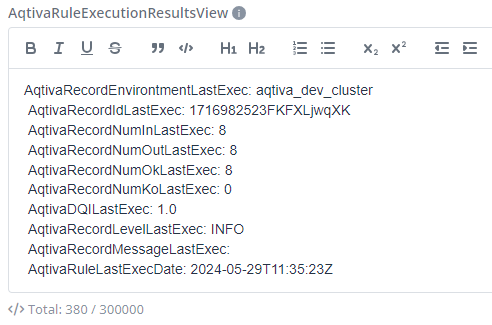
To display the value of the field AqtivaRuleExecutionResultsView in the rules once they run in Aqtiva, a template must be configured in the kerno yml, in the anjana.aqtiva.template_result_view variable. Since the variable is an ENRICHED_TEXT_AREA, plain text and HTML tags can be used to format it however desired.
The value of the variables must be enclosed between {{ }} as shown in the following example.
AqtivaRecordEnvirontmentLastExec: {{AqtivaRecordEnvirontmentLastExec}}<br>AqtivaRecordIdLastExec: {{AqtivaRecordIdLastExec}}<br>AqtivaRecordNumInLastExec: {{AqtivaRecordNumInLastExec}}<br>AqtivaRecordNumOutLastExec: {{AqtivaRecordNumOutLastExec}}<br>AqtivaRecordNumOkLastExec: {{AqtivaRecordNumOkLastExec}}<br>AqtivaRecordNumKoLastExec: {{AqtivaRecordNumKoLastExec}}<br>AqtivaDQILastExec: {{AqtivaDQILastExec}}<br>AqtivaRecordLevelLastExec: {{AqtivaRecordLevelLastExec}}<br>AqtivaRecordMessageLastExec: {{AqtivaRecordMessageLastExec}}<br>AqtivaRuleLastExecDate: {{AqtivaRuleLastExecDate}}
The result would look as follows
Operation
Aqtiva Plugin
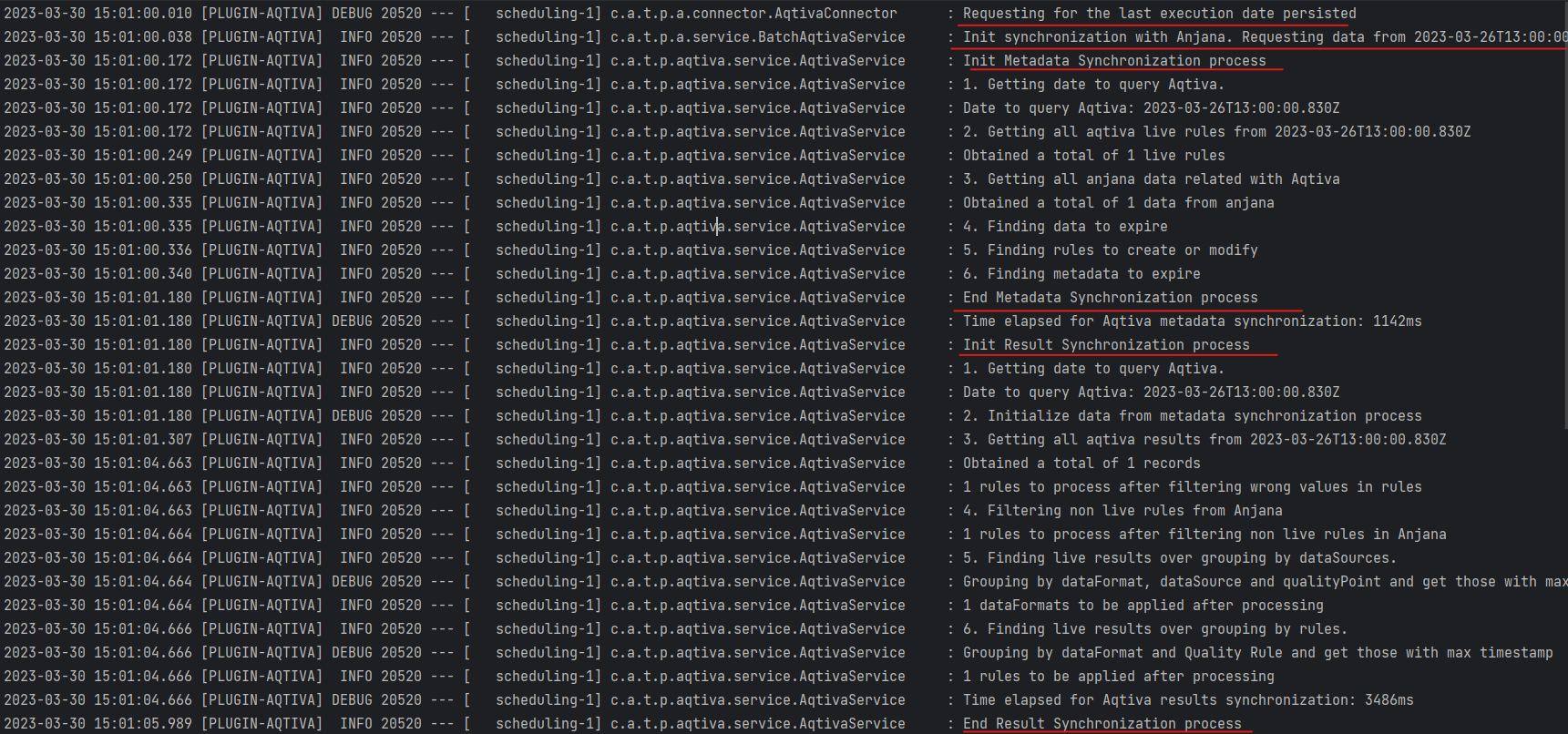
The plugin has a batch job that runs according to the specified configuration. The process it executes consists of 3 parts:
Last execution date
The process obtains the last execution date on which to base the request to Aqtiva. To do this, it makes a request to an endpoint in Tot that provides this information. If the response from Tot is correct, the configured delta is checked and, if it exists, it is applied, this being the resulting date used when making the request.
If the date returned by Tot is not correct, either because it has not been set yet or because an error has occurred, the resulting date will be the current date minus one year.
Metadata synchronization between Aqtiva and Anjana
It retrieves the live data from Aqtiva from a given date, along with all the Anjana data related to Aqtiva. This data request date must be an old date so that Aqtiva returns all the live rules that exist. A configuration property has been defined where this date can be set, and if it does not exist, 1-Jan-1970 will be used. Once obtained, it processes the data from both sources to calculate the rules that need to be expired, created or modified.
Once all this information has been processed, it will be sent to Anjana for metadata synchronization. If no error occurs, it proceeds to results synchronization.
Results synchronization
Based on the metadata to be synchronized in order to obtain the rules to be taken into account, the process starts by requesting the results from Aqtiva from the date obtained in the first step.
From the results to be applied (excluding rules that were flagged to expire during metadata synchronization), we generate 2 types of results:
-
Datasource results at dataformat level. By grouping by dataformat, datasource and qualityPoint, all rules will have the same value, so the one corresponding to the newest rule in Aqtiva is synchronized in Anjana.
-
Result at rule level. We add the list of rules to synchronize.
If there is any problem, we can check the Aqtiva logs, where the process described here can be clearly identified
Available endpoints
-
POST /api/aqtiva/synchronize/rules. It is responsible for performing the complete Aqtiva metadata synchronization process. On one hand, it synchronizes the metadata, updating and expiring it according to Anjana and Aqtiva data, and finally it synchronizes the results based on that update data.
-
POST /synchronize/rules/metadata. It is responsible for synchronizing the metadata results in Anjana according to the metadata synchronization payload provided.
-
GET /synchronize/metatada. It is responsible for synchronizing the metadata in Anjana with the Aqtiva data according to the filter provided (process start date).
Tot
Tot acts as a proxy between the Aqtiva plugin and Kerno. The only thing it does is that, when the results request finishes, if everything went well (no exception has occurred), it persists the current date and time to the database.
Available endpoints
-
GET /internal/v4/anjana/aqtiva/lastExecution. It is responsible for obtaining the last execution of the Aqtiva plugin.
-
POST /internal/v4/anjana/aqtiva/synchronize. It is responsible for obtaining the Aqtiva metadata stored in Anjana.
-
PATH /internal/v4/anjana/aqtiva/synchronize. It is responsible for routing the request to Kerno for the metadata update.
-
/internal/v4/anjana/aqtiva/result. It is responsible for routing the request to Kerno to update the results of the Aqtiva-related objects in Anjana. It is also responsible for storing the last update date when no error has occurred.
Kerno
Kerno processes the data sent by the plugin according to each process.
Metadata update
In this case it has two functions: on one hand, obtaining the existing metadata in Anjana that is related to a dataformat (that is, those datasets that have a dataformat attribute with a value in their template), and on the other hand, applying that update by deprecating objects and creating the necessary rules.
-
When it has to expire datasources, it will obtain the datasets it is related to and remove that result from the dataset's result list.
-
When it has to expire dataformats, the associated datasets will be obtained and the attributes containing the relationship between datasets and rules will be updated
-
AqtivaQRulesArray of the dataset: the rule to expire is removed
-
AqtivaAnjanaDatasets of the rule is left empty
-
-
When it has to expire dataformats, the associated datasets will be obtained and the value of certain dataset attributes will be cleared:
-
AqtivaIdDataFormat
-
AqtivaDataFormatName
-
AqtivaKPILastUpdateDate
-
AqtivaDataQualityDatasourceLevel
-
-
The rules to expire are set to DEPRECATED status, and the expirationDate attribute (expiration date) is assigned the current execution time so that it expires when due (next expiration batch). If this attribute is not set in the template, a log will be shown in the console indicating the issue, but the rule will still be allowed to be saved as deprecated.
-
For the rules to be created, it is checked whether they already exist or not. If they exist, the data is updated with the information coming from the plugin, and if they do not exist, a new rule is created and associated with the corresponding dataset.
Results update
-
The results are processed at datasource level and at rule level. For datasources, the datasets associated with the dataformats to update are obtained, and the various values provided are added to the results attribute. This process adds or modifies, it does not need to delete any.
-
The results are processed at rule level. For each rule, the results are grouped by dataformat and rule identifier, showing the list of execution results for that rule. There is a particularity with these results: one attribute holds the "technical" value of the results, and another attribute holds the visual value of it. This process adds or modifies, it does not need to delete any result.
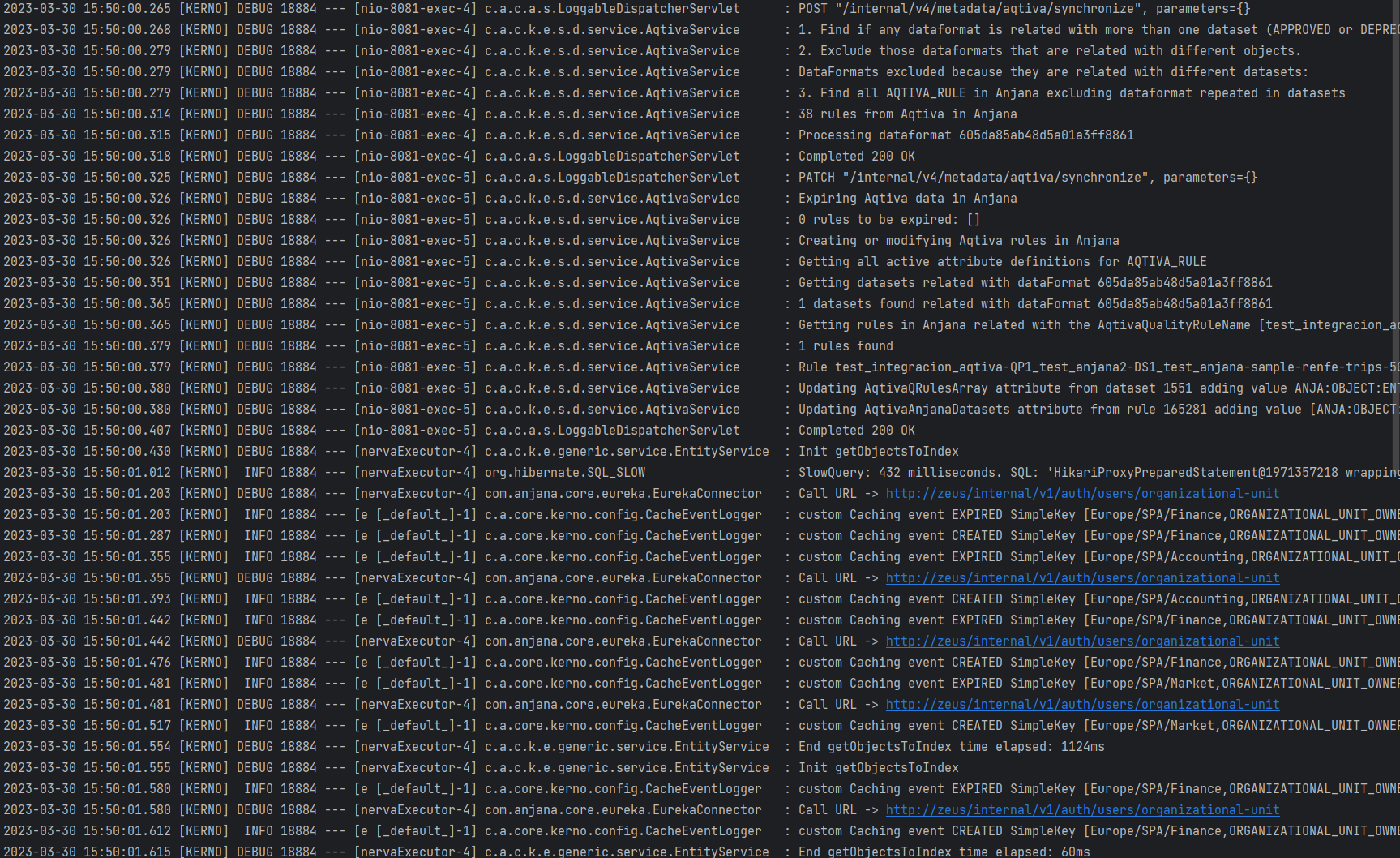
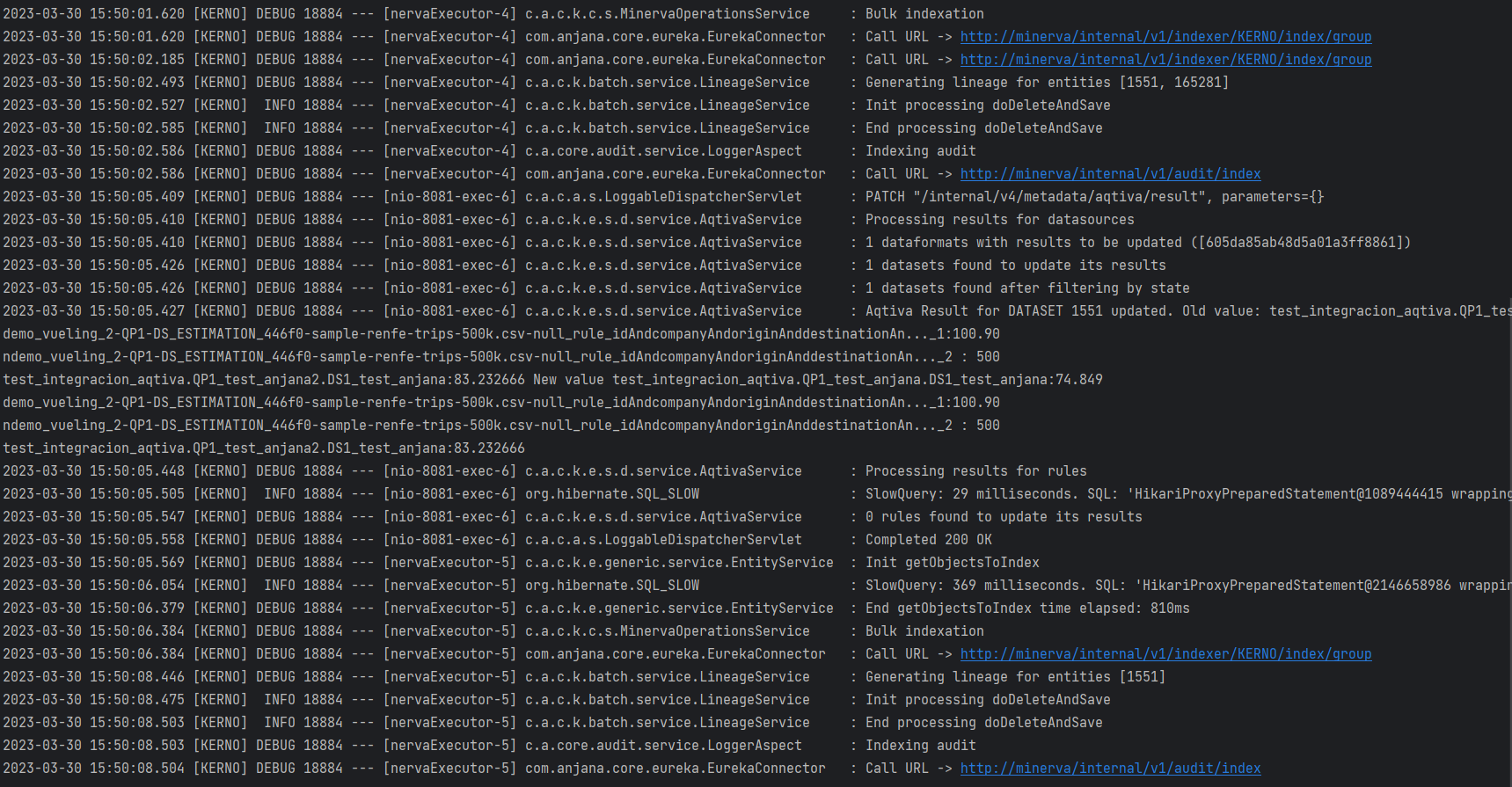
If there is any problem, we can check the Kerno logs, where the process described here can be clearly identified:
Available endpoints
-
POST /internal/v4/metadata/aqtiva/synchronize. It is responsible for obtaining the Aqtiva-related metadata that exists in Anjana. A filter can be provided, intended to support pagination, although it is not being used in this version. It has been added as a base for future development if needed.
-
PATCH /internal/v4/metadata/aqtiva/synchronize. It is responsible for performing the synchronization of Aqtiva metadata in Anjana according to the values provided, creating the necessary rules, associating them with the datasets, and deprecating the necessary objects.
-
PATCH /internal/v4/metadata/aqtiva/result. It is responsible for updating the results (at datasource level in the datasets, and at the level of different executions in rules) of the existing Aqtiva metadata in Anjana according to the values provided.