
Integration Model
Metadata extraction
Metadata extraction uses a BigQuery connection through which the structure definitions are accessed.
The plugin extracts the following attributes, which must be named the same in the attribute_definition table, field name, in order to appear in the template:
-
catalog with the value of catalog in the database
-
schema with the value of schema in the database
-
physicalName and name with the same value, the table name
-
path with the concatenation of the values of catalog, schema and table
-
infrastructure with the selected value
-
technology with the selected value
-
zone with the selected value
-
tags are the view-level tags that the tables have.
It also sends the following attributes related to the fields of the requested resource:
-
name and physicalName with the field value
-
defaultValue with the default value defined for the field
-
fieldDataType with the data type defined for the field
-
length with the field size
-
incrementalField indicating whether it is an incremental field
-
position the position occupied by the field
-
precision with the value of the field's precision
-
nullable indicating whether the field is nullable
-
pk indicating whether the field is a pk
-
description with the value for the field
-
tags are the column-level tags that the tables have.
The attributes to be created in Anjana must have the following types:
|
Attribute name |
Attribute type |
|
catalog |
INPUT_TEXT |
|
schema |
INPUT_TEXT |
|
physicalName |
INPUT_TEXT |
|
path |
INPUT_TEXT |
|
infrastructure |
SELECT |
|
technology |
SELECT |
|
zone |
SELECT |
|
tags |
ARRAY_ALPHANUMERICAL |
|
name |
INPUT_TEXT |
|
defaultValue |
INPUT_TEXT |
|
fieldDataType |
INPUT_TEXT |
|
length |
INPUT_NUMBER |
|
incrementalField |
INPUT_CHECKBOX |
|
position |
INPUT_NUMBER |
|
precision |
INPUT_NUMBER |
|
nullable |
INPUT_CHECKBOX |
|
pk |
INPUT_CHECKBOX |
|
description |
ENRICHED_TEXT_AREA_INTERNATIONAL |
Data sampling
Using a BigQuery connection with the configured credential, a query with a record limit is executed on the fields inventoried in Anjana Data, in which, additionally, the values of sensitive fields are replaced with the configured text string (asterisks by default).
Fields that are modified after the object is created in Anjana (that is, fields defined in the metadata but not yet incorporated into the physical structure) will appear as unavailable in the sampling.
Active governance
Access management requires the "Tot plugin GCP IAM" plugin to generate the custom roles (functions) that represent the DSAs.
This plugin will associate those custom roles with users and table-level access conditions following the manufacturer's recommendation: https://cloud.google.com/bigquery/docs/table-access-controls#api
Editing objects
The plugin allows managing the activation or deactivation of non-native entities included in DSAs, so that when a non-native entity is activated, the corresponding permissions are granted on the tables, and when it is deactivated, the permissions are removed.
Required credentials
The required credentials must be configured in the yaml file, in the "credentialsContent" section of each configured instance.
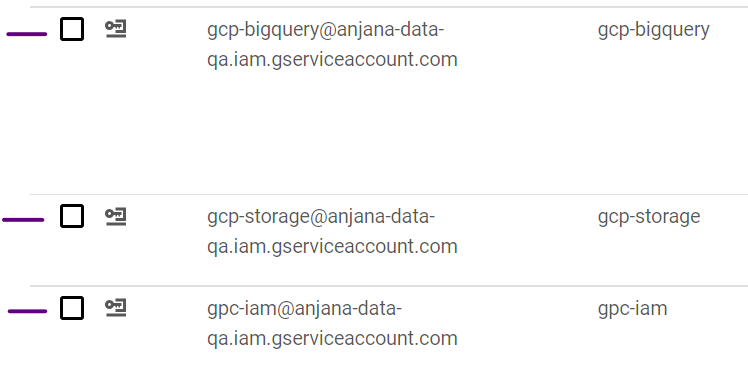
Creating the service account
For GCP, it is necessary to create a service account in IAM for each plugin individually and, after that, assign it the permissions required to execute each plugin's specific tasks.
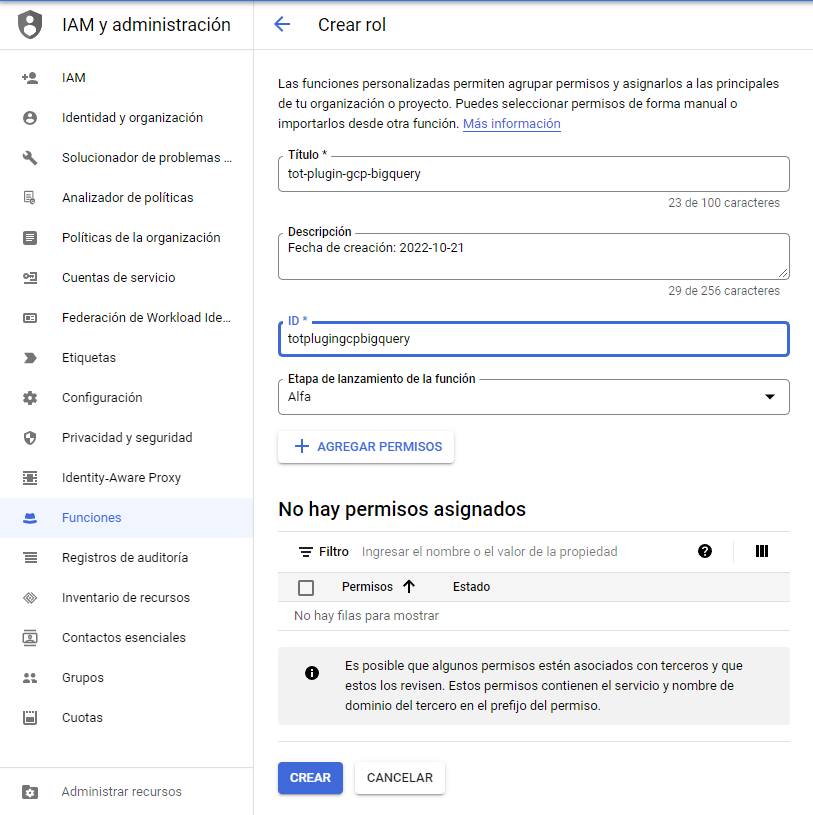
To properly customize the permissions, it is necessary to create custom roles that group together the permissions which are then associated with the service accounts.
Metadata extraction
The permissions used are the following:
-
bigquery.datasets.get
-
bigquery.tables.get
-
bigquery.tables.list
Data sampling
The permissions used are the following:
-
bigquery.datasets.get
-
bigquery.tables.get
-
bigquery.tables.getData
-
bigquery.tables.list
-
bigquery.jobs.create
Active governance
Access management requires the "Tot plugin GCP IAM" plugin to generate the custom roles (functions) that represent the DSAs. The permissions this plugin needs to carry out active governance are the following:
-
bigquery.datasets.get
-
bigquery.tables.get
-
bigquery.tables.getIamPolicy
-
bigquery.tables.setIamPolicy
In summary, the permissions used for the custom role are the following:
-
bigquery.datasets.get
-
bigquery.tables.get
-
bigquery.tables.getData
-
bigquery.tables.list
-
bigquery.jobs.create
-
bigquery.tables.getIamPolicy
-
bigquery.tables.setIamPolicy
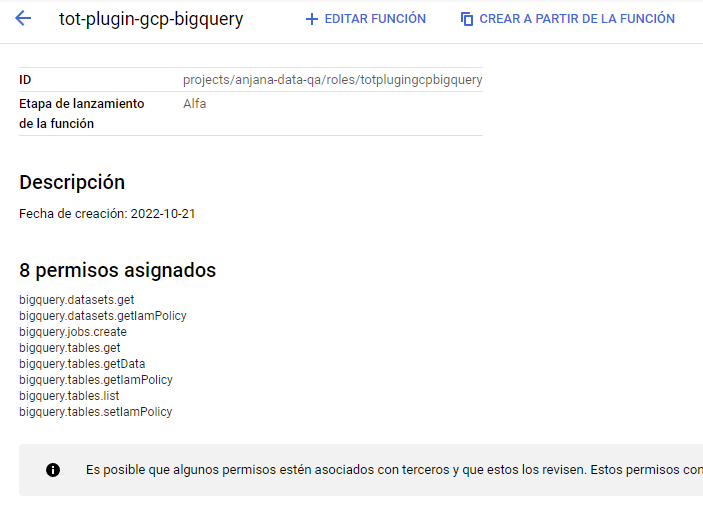
To assign the permissions to the BigQuery service account, it is necessary to assign the role with the permissions to the user:
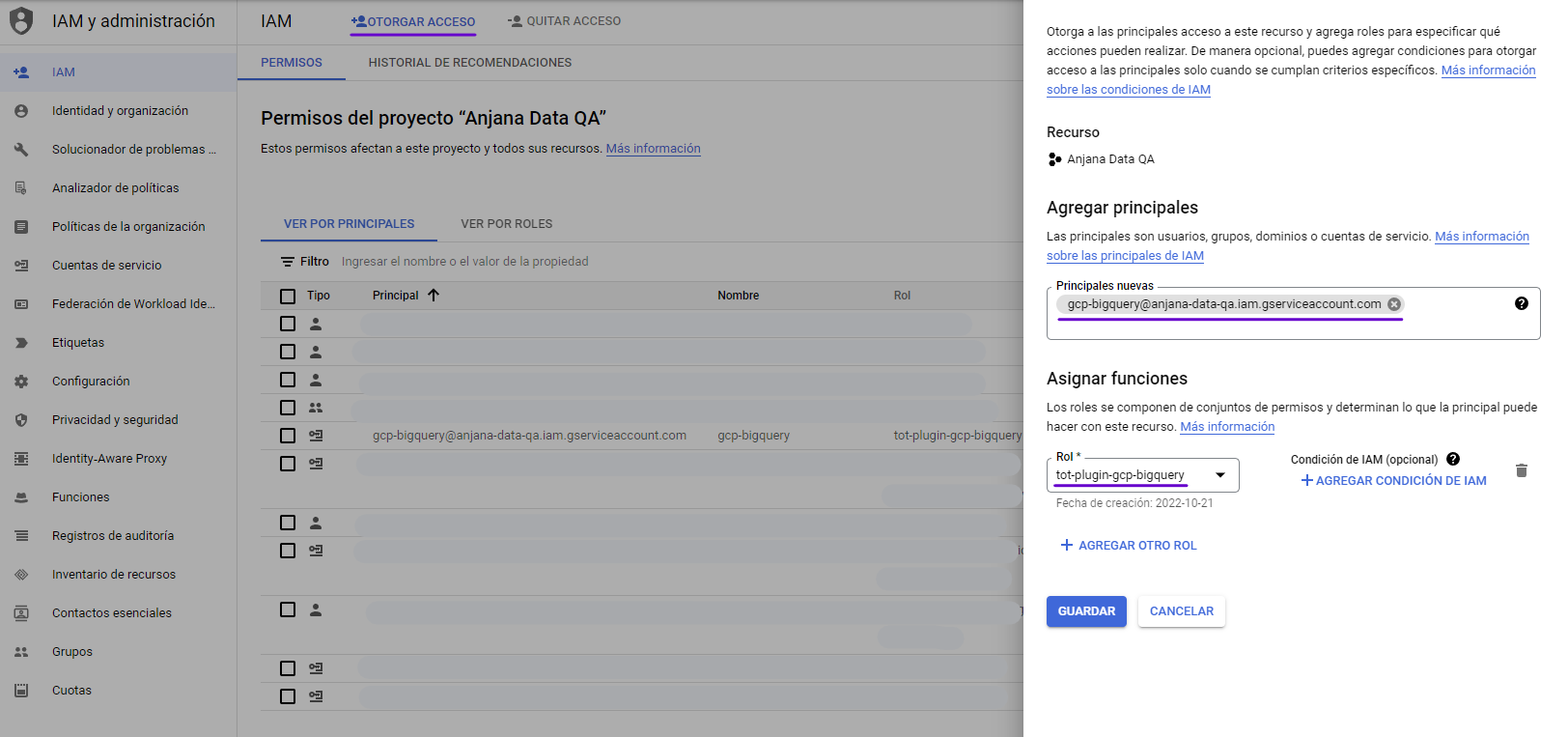
It should be noted that Anjana Data is only responsible for granting access to the BigQuery assets governed in Anjana Data Platform. In order to run queries on them, named users need to have a set of prior permissions in place, which Anjana Data does not manage:
-
bigquery.jobs.create
-
bigquery.datasets.get
-
bigquery.jobs.list
-
bigquery.models.list
-
bigquery.tables.list
-
resourcemanager.projects.get
Editing objects
The permissions this plugin needs to carry out the activation or deactivation of a non-native entity are the following:
-
bigquery.datasets.get
-
bigquery.tables.get
-
bigquery.tables.getIamPolicy
-
bigquery.tables.setIamPolicy
In order to run queries on the resources, regular users must have the following permissions beforehand:
-
bigquery.jobs.create
-
bigquery.datasets.get
-
bigquery.jobs.list
-
bigquery.models.list
-
bigquery.tables.list
-
resourcemanager.projects.get
BigQuery limitations
The maximum number of user bindings on a table is 1500, which means that Anjana can have a maximum of 1500 users, between owners and signatories, in the DSAs that contain a particular table.