
Introduction
This plugin is used to extract, sample data, and grant and revoke access (together with the GCP IAM plugin) on assets in GCP Storage.
Integration model
Metadata extraction
The methods offered by the Google driver, through which the different resources are accessed, are used.
It extracts the following attributes, which must be named the same in the attribute_definition table's name field so that they appear in the template.
-
schema with the value of the bucket.
-
physicalName and name with the same value, the name of the corresponding blob.
-
path with the bucket path and the name of the resource if it is a file.
-
infrastructure with the selected value
-
technology with the selected value
-
zone with the selected value
It will also send attributes related to the fields of the requested resource, always depending on the content and type of the resource. For more information File System - File Metadata.
When the creation workflow finishes and an object is governed, all the metadata available for that object is sent to Tot, i.e., all the existing attributes of the created object.
Data sampling
To perform data sampling, a query is made to the corresponding blob, retrieving the data according to the content specified in the object to be sampled and up to a limited number of records specified via configuration. The content of the column in question is obfuscated if necessary.
Active governance
Access management requires the "Tot plugin GCP IAM" plugin to generate the custom roles (functions) that represent the DSAs.
Certain restrictions can be applied to the number of users related to each resource. These limitations can be checked at https://cloud.google.com/iam/quotas
Object editing
Editing objects requires the "Tot plugin GCP IAM" plugin, responsible for identity and access management, to retrieve (and create if necessary) the groups. Once retrieved, this plugin will take care of granting the appropriate access to users on the requested resources.
Currently, activation/deactivation of entities and editing of DSAs are supported
Required credentials
The required credentials must be configured in the yaml file, in the "credentialsContent" section of each configured instance.
Create the service account
For GCP, it will be necessary to create a service account in IAM for each plugin individually, and afterward assign it the necessary permissions to execute the specific tasks of each plugin.
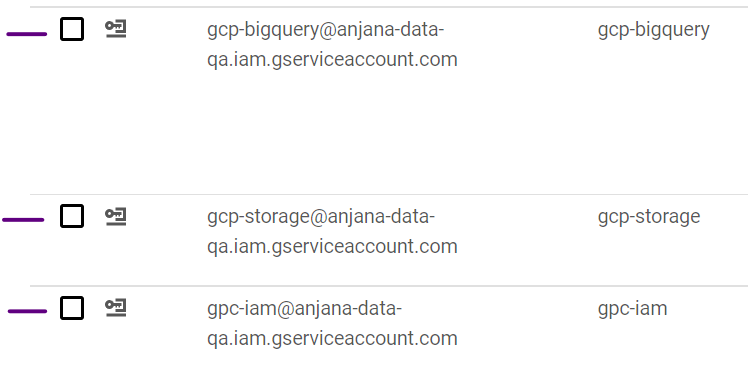
To customize permissions in a more suitable way, it will be necessary to create custom roles, which group together the permissions that are then associated with the service accounts.
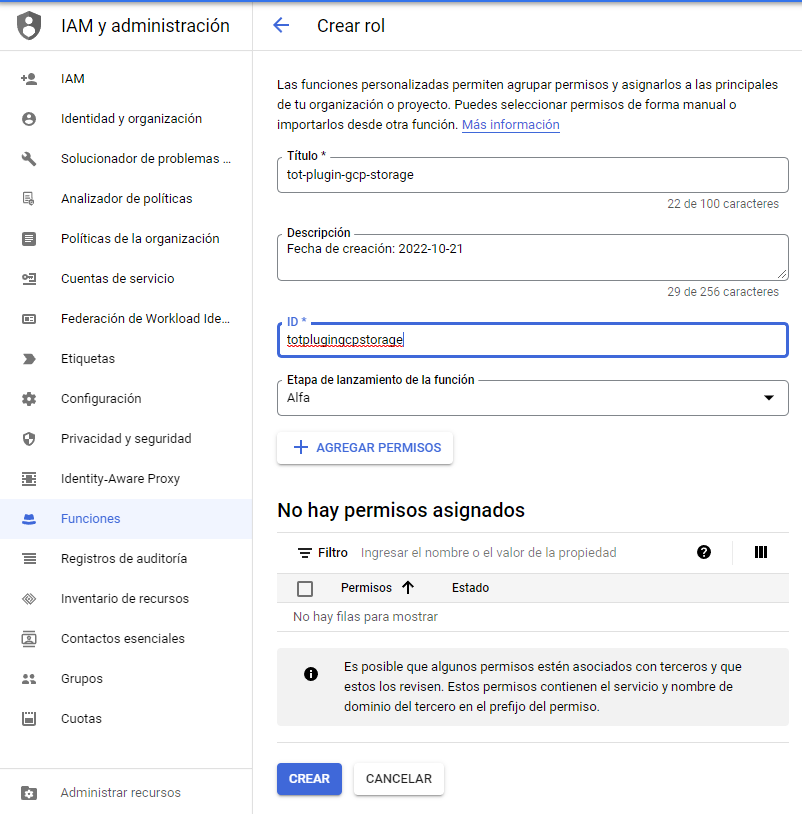
Metadata extraction
The permissions used are the following:
-
storage.objects.get
-
storage.objects.list
Data sampling
The permissions used are the following:
-
storage.objects.get
-
storage.objects.list
Active governance
Access management requires the "Tot plugin GCP IAM" plugin to generate the custom roles (functions) that represent the DSAs.
The permissions used are the following:
-
storage.buckets.getIamPolicy
-
storage.buckets.setIamPolicy
-
storage.objects.get
-
storage.objects.list
In summary, the permissions used for the custom role will be the following:
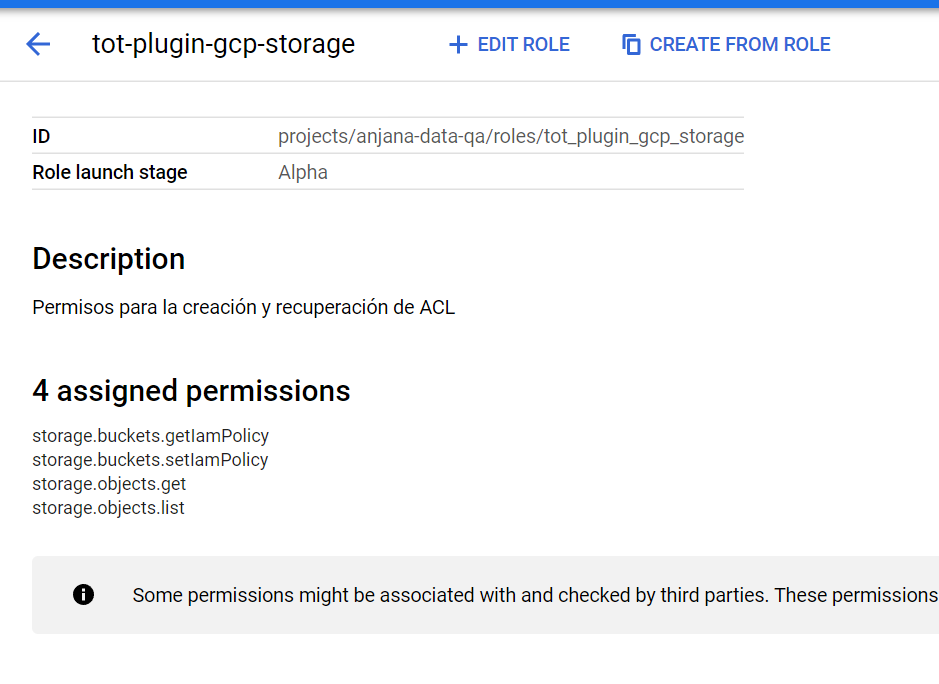
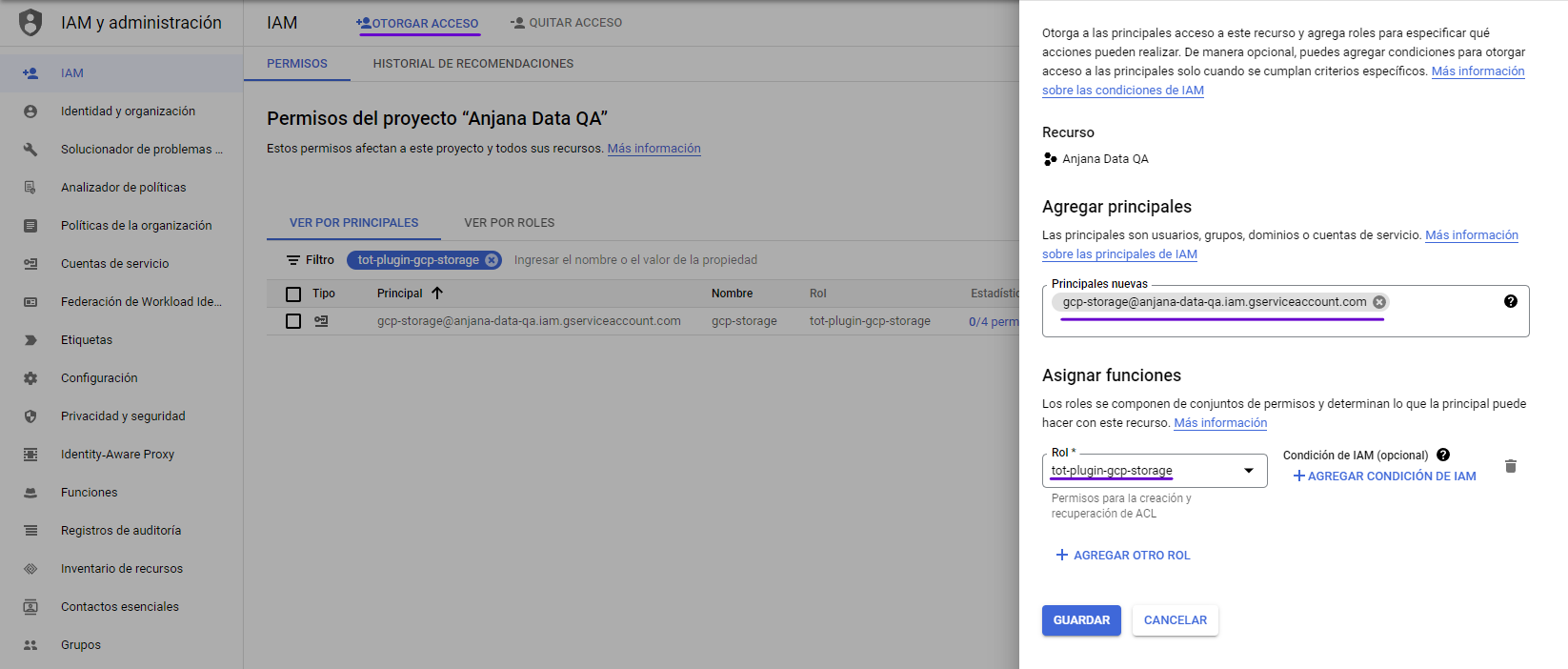
To assign the permissions to the storage service account, we will need to:
Object editing
Object editing requires the "Tot plugin GCP IAM" plugin to generate the custom roles (functions) that represent the DSAs.
The permissions used are the following:
-
storage.buckets.getIamPolicy
-
storage.buckets.setIamPolicy
-
storage.objects.get
-
storage.objects.list