Integration Model
Active governance of access permissions
In general terms, DSAs (Data Sharing Agreements) in Anjana Data Platform are represented in GCP as custom roles with predetermined permissions. The signatories of the DSA have no direct effect on this plugin, since its final representation depends on the data service where access is materialized.
Anjana Data Platform automatically creates and deletes roles, and applies or removes their assignment to affected users in order to carry out the adherence and withdrawal processes for a DSA.
The custom roles created by Anjana Data Platform follow this naming convention:
<configurable prefix>_<DSA logical name>_v<DSA version number>
Where:
-
<configurable prefix>: prefix defined by the organization to identify the roles managed by Anjana Data Platform. It is configured in the plugin's YAML. -
<DSA logical name>: the functional name of the agreement as it appears in Anjana. -
v<DSA version number>: the DSA's version number, which allows distinguishing between active and historical versions.
Important: It is important to set a prefix and DSA logical name that comply with the role creation restrictions in Google IAM:
-
be between 3 and 64 characters long,
-
and match the pattern
[a-zA-Z0-9_\.](alphanumeric characters,_, and.).
Reference: Naming resources | Google
To manage permissions and roles, the plugin connects to a Google IAM instance, which exposes the identity and access control API for Google Cloud resources.
The DSA is represented by a custom role with generic, pre-granted technology access permissions. Users are associated with that role (thereby acquiring those permissions) through IAM policies, where the fine-grained, element-level detail is further specified in the technologies that support it.
Additional restrictions may apply regarding the number of users associated with a resource, based on the IAM quotas and limits defined by Google. These can be found at Quotas and limits | IAM Documentation | Google Cloud.
The actions applied on GCP are:
-
Creation/deletion of custom roles.
-
Assignment of roles to users through IAM policies with applicability conditions (to manage access at the element level).
The GCP IAM plugin retrieves the role names, and it is through other plugins (such as GCP BigQuery and GCP Storage) that these roles are assigned to or removed from users.
Required credentials
The required credentials must be configured in the yaml file, in the "credentialsContent" section of each configured instance.
Creating the service account
For GCP, a service account must be created in IAM individually for each plugin and, after that, the necessary permissions for executing each plugin's specific tasks must be assigned.
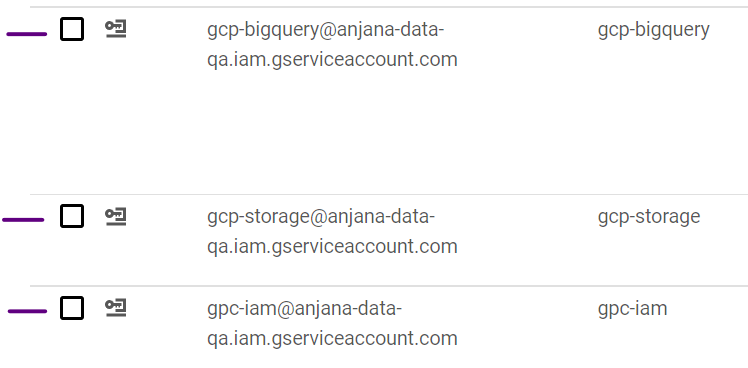
To properly customize permissions, custom roles must be created that encompass the permissions which are later associated with the service accounts.
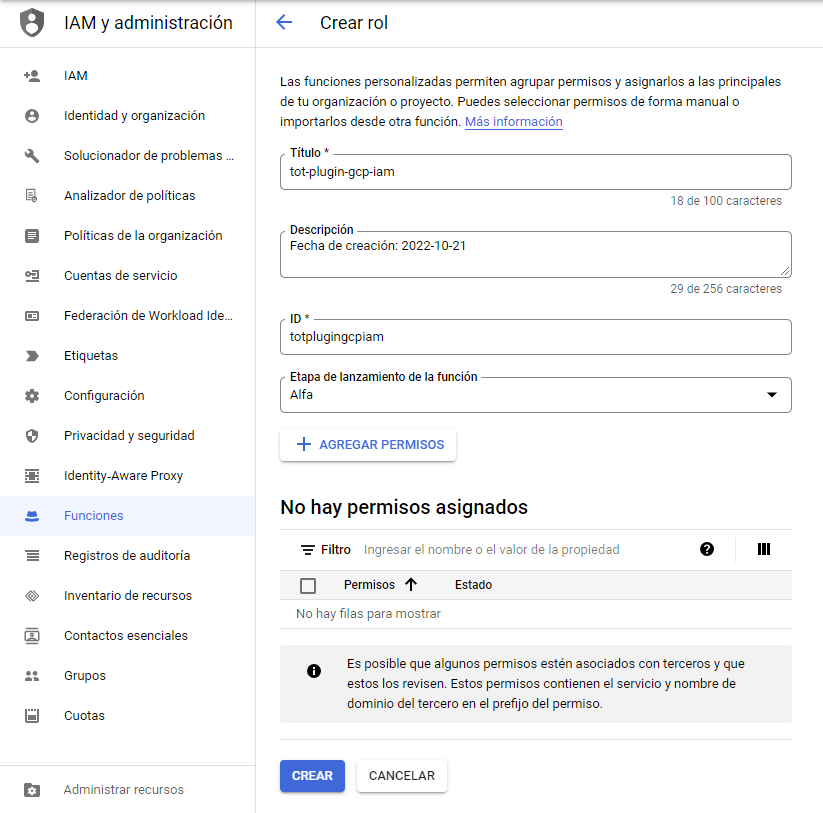
Active governance of access permissions
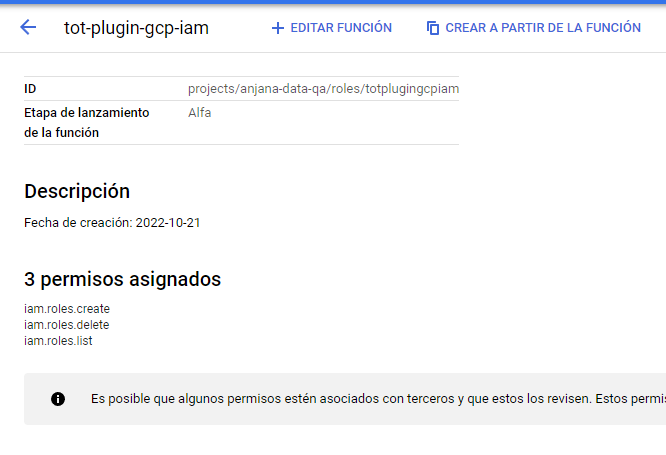
The permissions used for active governance:
-
iam.roles.create
-
iam.roles.delete
-
iam.roles.list
Required APIs in the project:
-
Identity and Access Management (IAM) API
-
Admin API SDK
In summary, the permissions used for the custom role will be the following:
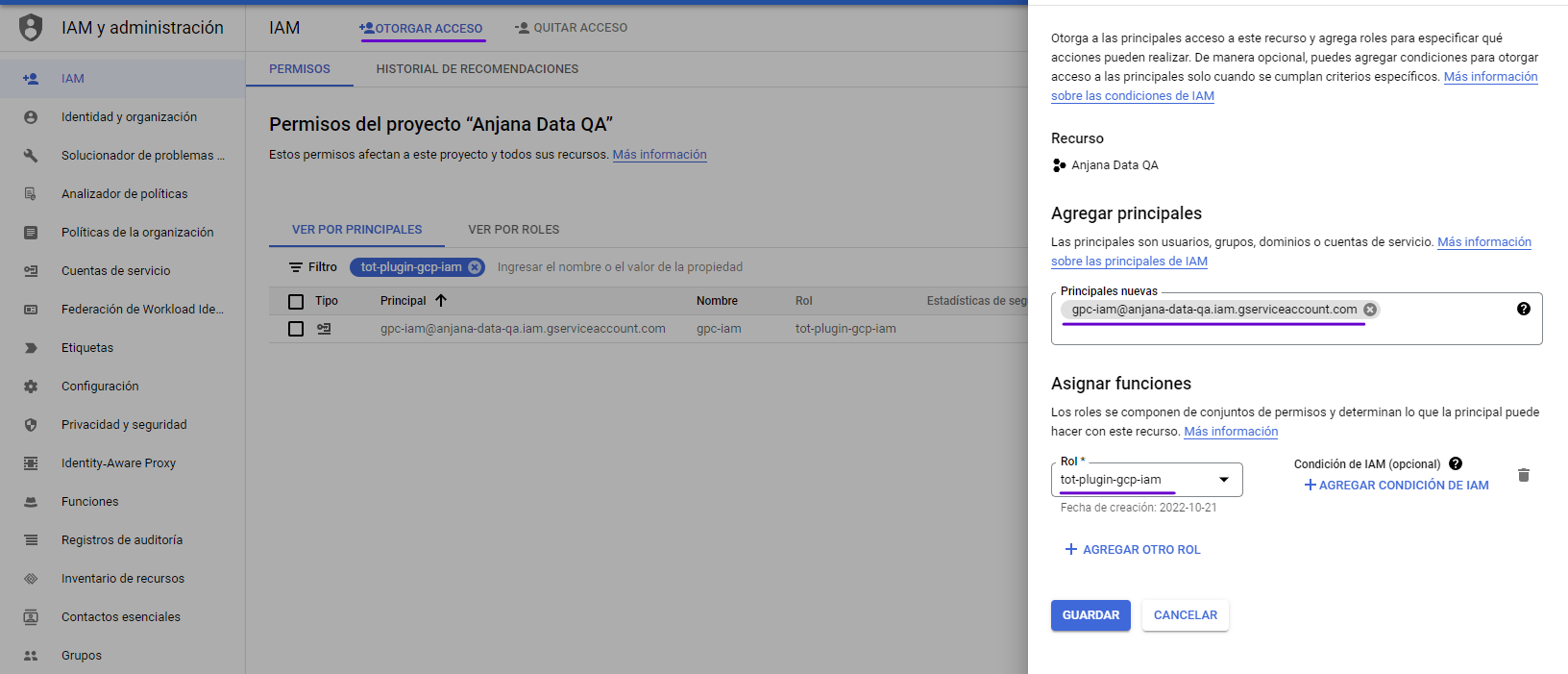
To assign the permissions to the BigQuery service account, the role with the permissions must be assigned to the user: