
Introduction
This plugin is used in coordination with the storage technology plugins connected to Entra ID to provision the groups that represent DSAs, and it also manages the memberships that represent users' acceptance of the DSAs.
Integration model
Active governance of access permissions
In general, DSAs (Data Sharing Agreements) managed in Anjana Data Platform are represented in Entra ID as groups. The users who sign each DSA are managed as members of the corresponding group, so that group membership reflects effective access to the data governed by the agreement.
Groups created by Anjana Data Platform follow this naming convention:
<configurable prefix>_<DSA logical name>_v<DSA version number>
Where:
-
<configurable prefix>: prefix defined by the organization to identify the groups managed by Anjana Data. It is configured in the plugin's YAML. -
<DSA logical name>: functional name of the agreement as it appears in the Anjana Data Platform Portal. -
v<DSA version number>: version number of the DSA, which allows distinguishing between active and historical versions.
This convention ensures traceability, operational clarity, and controlled coexistence of different versions of the same agreement within Entra ID.
In cases where the DSA has the physicalName attribute populated with the name of an existing group in Entra ID:
-
When the DSA is created, the plugin will not create the group in Entra ID; instead, it will reuse the existing group for assigning roles, privileges, and user adherences.
-
When the DSA is deleted or expires, the plugin will not delete the group and will only remove the users it added as part of the DSA's user adherences (the rest of the users will remain unaffected).
Editing objects
The plugins connected to Entra ID allow managing the activation or deactivation of non-native entities; to do this, this plugin needs to retrieve the necessary group information.
Required credentials
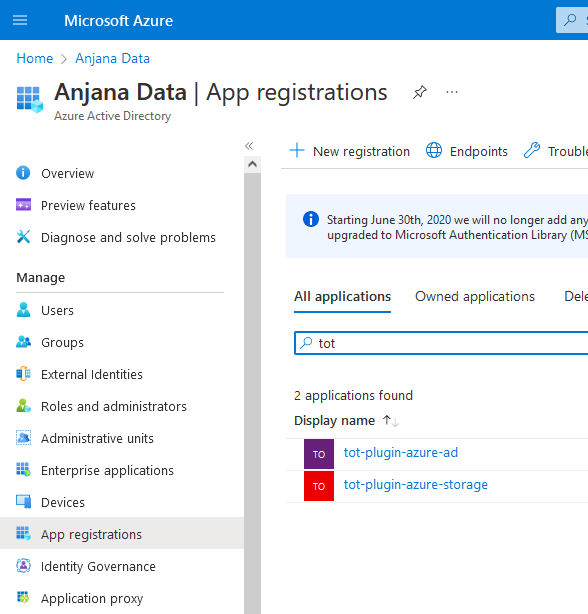
It is necessary to register an application in Entra ID and generate the required client ID and secret so that the plugin can authenticate and acquire the necessary permissions for each functionality.
Active governance of access permissions
The actions performed by this plugin are as follows:
-
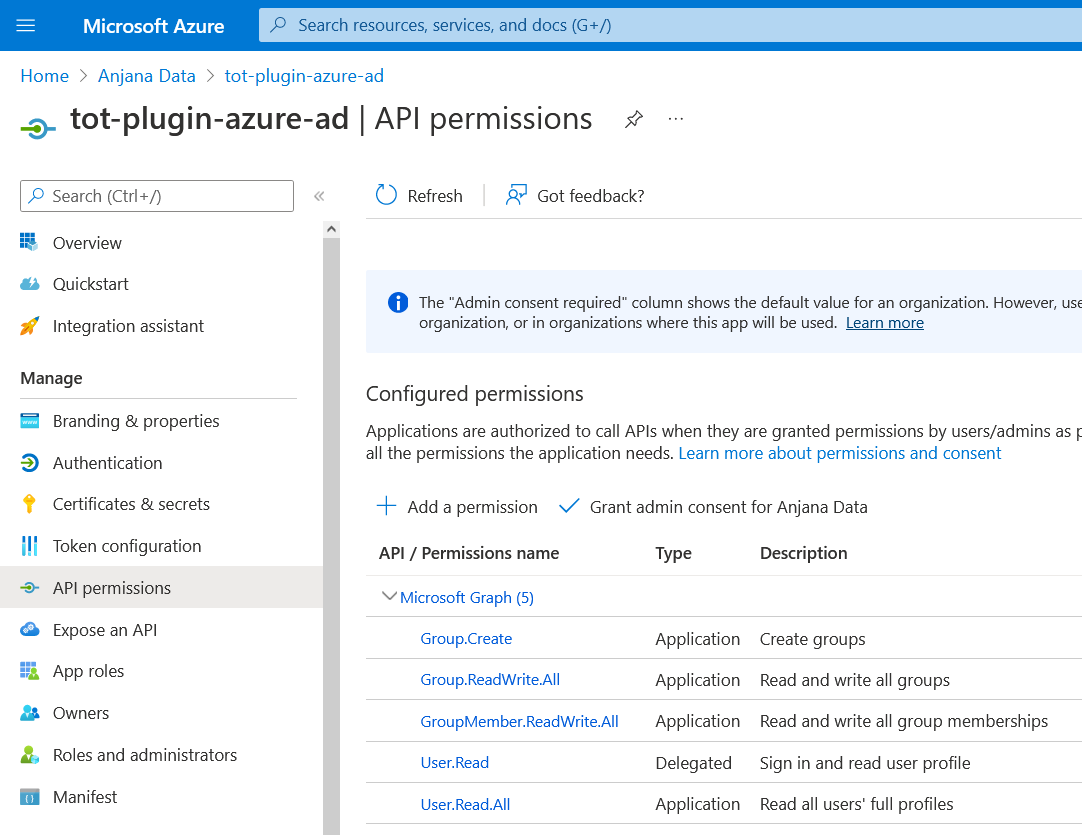
Create groups: Groups will be created to represent DSAs that move to approved status. To do this, the registered application must have the "Group.Create" permission in order to create the groups.
-
Read users: Reading the fields is required to perform the membership. To do this, the application requires the "User.Read" permission.
-
Add/Remove users in groups: Users will be added to and removed from the groups created by the plugin (the plugin neither creates nor deletes Active Directory users) based on adherences and withdrawals from the DSA. To do this, the application requires the "User.Read" permission to locate the users and "GroupMember.ReadWrite.All" to modify the group's members with the located users.
-
Delete groups: The plugin will delete groups that represent DSAs that automatically move to expired status in Anjana. To do this, the application requires the "Group.ReadWrite.All" permission in order to delete groups.
Editing objects
The actions performed by this plugin are as follows:
Read groups: A request will be made to read the data of the groups that represent DSAs. To do this, the registered application must have the "Group.Read.All" permission in order to read the groups.
⚠️ Azure limitations
The maximum number of users in a group is 100. This means that a DSA governing objects in Azure cannot have more than 100 people adhered (including owners); beyond the 100th, active governance can no longer be applied.
The DSA name (including the configurable prefix) must not contain the following characters '@', '(', ')', '\', '[', ']', ';', ':', '<', '>', nor whitespace, nor exceed 64 characters (including the suffix with the DSA version added by the plugin). This limitation only applies if the DSA does not have the physical name field filled in and the group is expected to be created automatically.