
The second step in landing the organization's data governance model in Anjana Data is establishing the definition of governance roles.
A role is the mechanism through which responsibilities and capabilities to act are assigned to platform users, determining which actions they can perform on the different objects and in which scopes (data domains or transversally). Roles therefore make it possible to operationalize the data governance model defined by the organization.
Each governance role also acts as the basis for the authorization mechanisms, since in combination with the organizational units (data domains) it establishes which users can perform which functions on the associated assets.
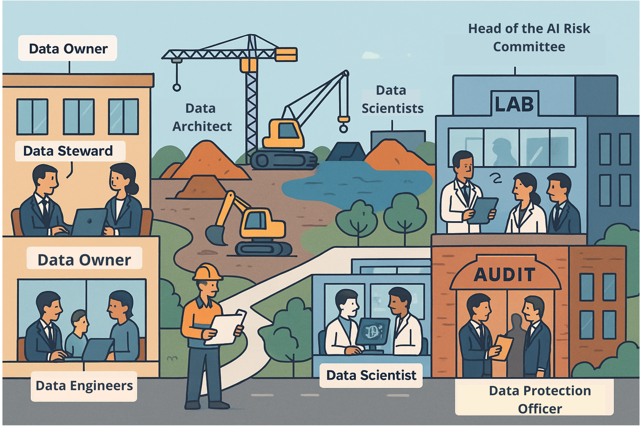
Roles can be configured in two ways:
-
Vertical roles: apply only to a specific data domain. Each organizational unit will have its own users with that role.
-
Transversal (cross) roles: apply globally to all data domains of the organization, with the same permissions in each of them.

Once the roles have been defined, names and descriptions must be assigned in line with the organization's governance model, ensuring they are aligned with the official terminology of its data governance framework (e.g. Data Owner, Data Steward, Data Custodian).
Important note: roles by themselves do not define actions. For a role to be operational, it must be associated with a permission package (table Permissions) that determines the operations it can perform on the different types of objects and modules of the platform.
In Anjana Data, roles are configured in the Roles table of the Configuration Panel and will subsequently be available in the permission assignment screens ( Permissions), user-to-role assignment ( User-OU-Roles) and workflow configuration ( BPM).
Table Roles in the Configuration Panel (Administrator view)
Roles are configured in the Roles table of the Configuration Panel. Defining roles is an essential prerequisite for being able to configure permissions (managed in the Roles table) and authorization, that is, the assignment of roles to users within specific organizational units, which is managed in the User-Ou-Roles table.
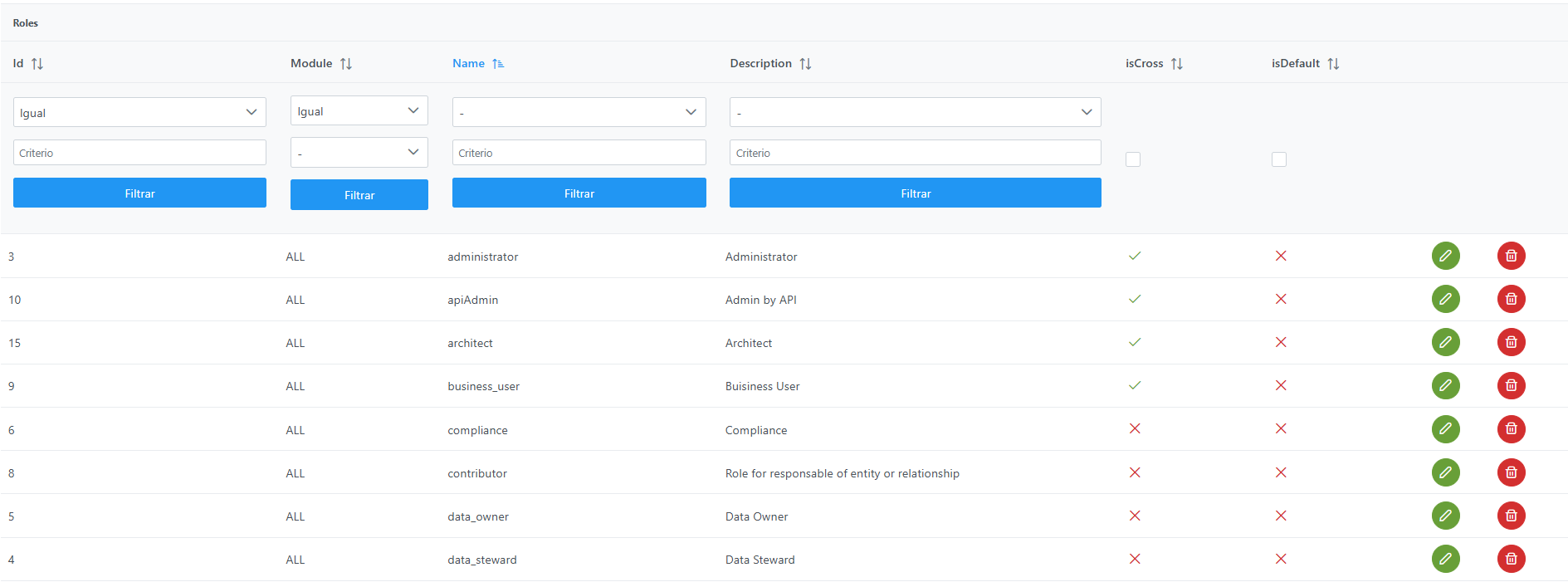
Structure of the Roles table
Each registered role is characterized by the following fields:
-
id: unique identifier of the role.-
It is automatically assigned based on database sequences.
-
-
module: module to which the role belongs. It is currently an informational (legacy) field inherited from older versions.-
Possible values:
-
"BG"→ Business Glossary -
"DC"→ Data Catalog -
"ALL"→ applies to the entire platform (recommended option).
-
-
-
name: name assigned to the role.-
This value must be unique: two roles cannot be configured with the same name.
-
The name must not contain characters that match the organizational unit separator (
/), in order to avoid conflicts in authorization. -
In addition, it can be translated into the different languages of the application using
ROLE.<name>as the translation key in theTranslationstable.
-
-
description: textual description of the role.-
Informational field used to document the functions or responsibilities assumed by the role.
-
-
isCross: indicator that defines whether the role is transversal (cross), that is, whether it applies globally to all data domains of the organization and, therefore, it is not necessary to select organizational units when it is assigned to a user. -
isDefault: indicator that defines whether the role applies to all users who authenticate successfully.
The object-level permissions assigned to the default role apply to all Organizational Units, which means it acquires cross role capabilities. It is important to take this into account when determining which permissions are assigned to the default role.
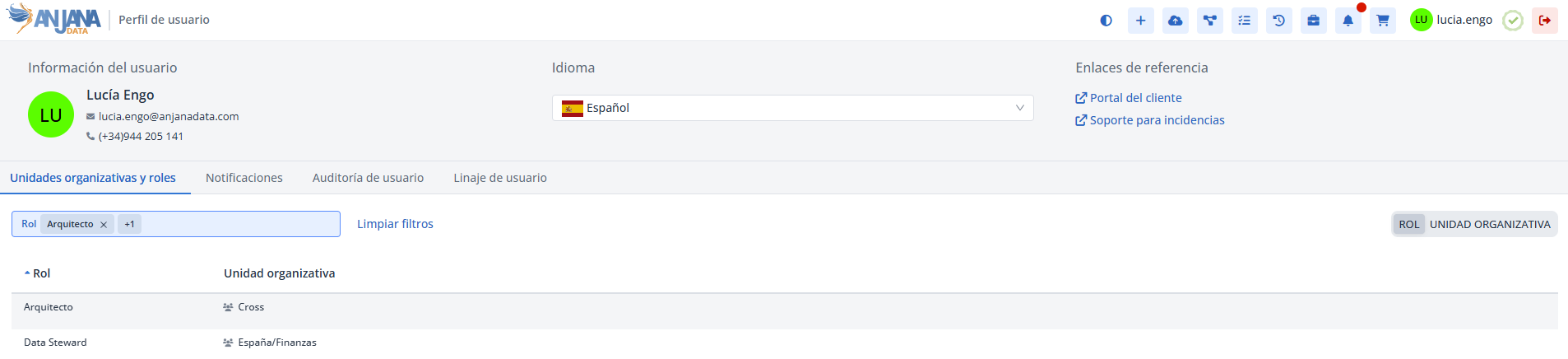
Creating a Role in the Roles table
Creating a new role (for example, the DPO - Data Protection Officer) involves adding a new record to the Roles table.
To add the record and create a new role:
-
Click the New button in the upper right corner. This will open an assistant (wizard) with the fields defined in the section Structure of the
Rolestable. -
Fill in the role fields according to the structure described in the previous section.
-
Click Save to save the role or Cancel to discard it.
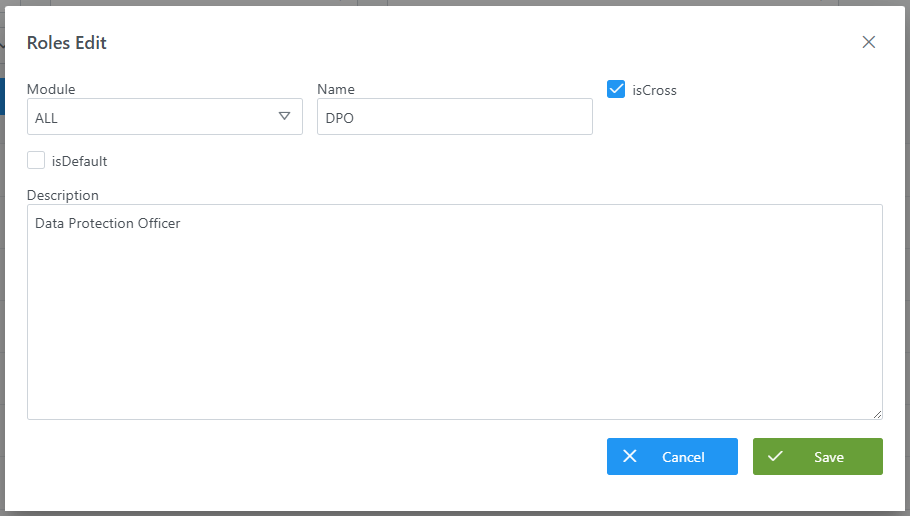
Modifying a Role in the Roles table
Modifying the name or isCross fields must be done with caution, since it may have an impact on:
-
Permission assignment (permissions table
Permissions). -
Role assignment to users (table
User-Ou-Roles).-
If you want to uncheck the
isCrossflag of a role, the configurator will be warned that the change is not possible while there are users with that role assigned.
-
-
Workflow configuration with validation steps associated with certain roles.
-
The translations of the role's
Role.<name>in the different languages of the application.
Querying and Leveraging Roles in the Database (Developer view)
In addition to being configured from the Configuration Panel, role information is stored in the database and can be queried in read-only mode for analytical purposes. For example, it allows the client to build their own data mart, dashboards or reports on the role model of their platform (transversal roles, default roles, etc.).
This section is intended for querying (read-only) the information. The creation and modification of roles must always be done from the Configuration Panel (administrator view), as described in the previous sections; writing directly to the tables is not recommended.
Table zeus."role"
The configuration of each role is stored in the zeus."role" table. Its columns, available for querying, are:
|
Column |
Data type |
Description |
|---|---|---|
|
|
|
Unique identifier of the role (primary key). |
|
|
|
Indicates whether the role is transversal (cross), that is, whether it applies to all data domains. |
|
|
|
Indicates whether the role is applied by default to all users (default value |
|
|
|
Informational legacy field ( |
|
|
|
Unique name of the role. It is used as a reference in the assignment of permissions and roles to users, and as the basis for its translation key ( |
|
|
|
Textual description of the role (informational field). |
Related tables to enrich queries
To get a more complete view, the roles table can be joined with other tables in the model:
-
Permissions: permissions associated with each role; allows you to know which operations each role enables.
-
User-OU-Roles: assignment of roles to users within each organizational unit; allows analysis of effective authorization.
-
Translations: name of the role translated by language (key
ROLE.<role_name>).
Query examples
List of roles with their indicators:
SELECT id_role,
       role_name,
       is_cross,
       is_default,
       module
FROM zeus."role"
ORDER BY role_name;
Transversal or default roles:
SELECT role_name, is_cross, is_default
FROM zeus."role"
WHERE is_cross = true
   OR is_default = true;
Count of transversal versus vertical roles (useful as a metric for a data mart):
SELECT is_cross,
       COUNT(*) AS total
FROM zeus."role"
GROUP BY is_cross;
Important:
-
Use a database user with read-only permissions for these queries. The creation and modification of roles must always be done from the Configuration Panel, in order to maintain the integrity of sequences, permissions, authorization, translations and caches.
-
Schema, table and column names may evolve between versions of Anjana Data; it is advisable to validate them before building a data mart or reports on this information.
Default role configuration
In addition to the individual assignment of users to specific roles, Anjana Data allows you to configure one or more default roles so that any user who registers in the application automatically inherits the permissions associated with those roles, without the need to assign them manually one by one.
The selection of the default role in Anjana Data is done through the isDefault flag in the Role table and, automatically, when marked as default it is also marked as a cross role.