
Data lineage in Anjana Data allows segmenting the visualization through layers, and within each layer it is possible to define which object subtypes (entities and relationships) will be shown in the graph.
This way, specific layers can be configured for different user profiles: for example, a technical layer that excludes entities from the Business Glossary, or a business layer that shows only those entities relevant from the Data Catalog, without including technical details.
This parameterization is managed in the Layer Subtype table, where the relationship between each layer and the object subtypes that should appear in it is defined.
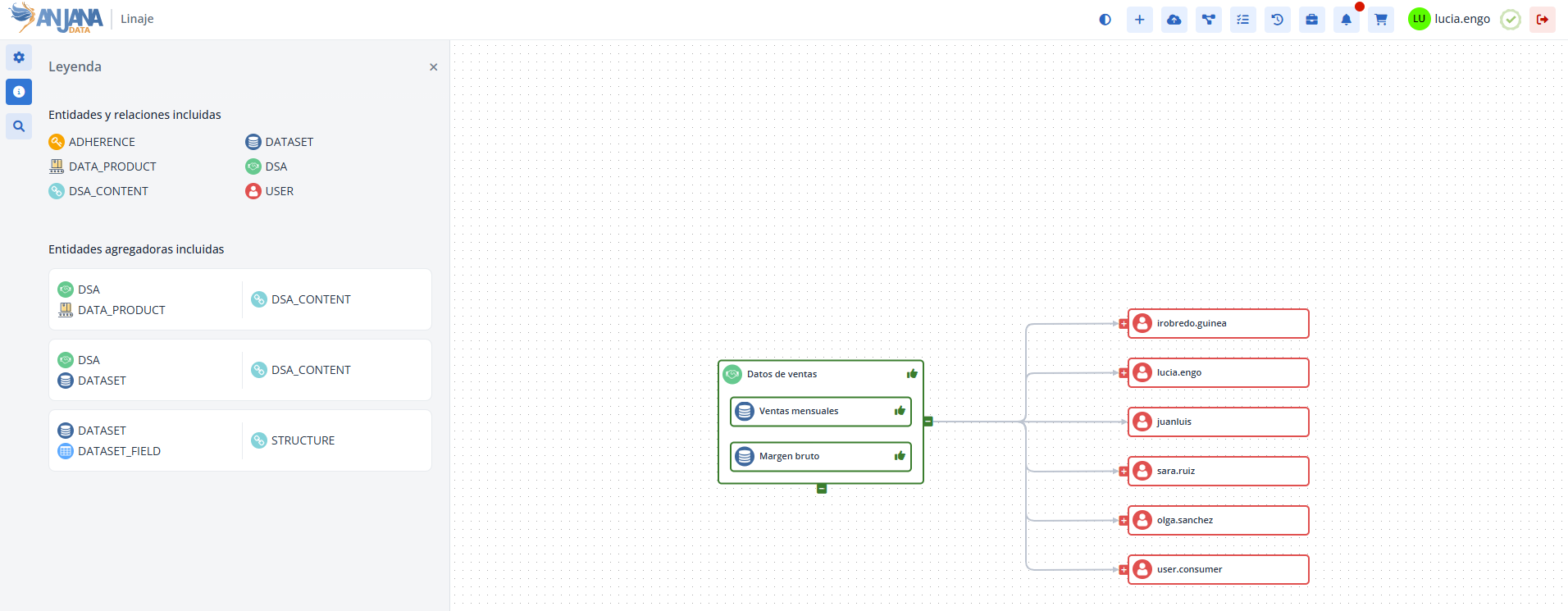
The Layer Subtype Table in the Configuration Panel (Administrator view)
The administration of object subtypes by layer is done from the Configuration Panel in the Layer Subtype table.
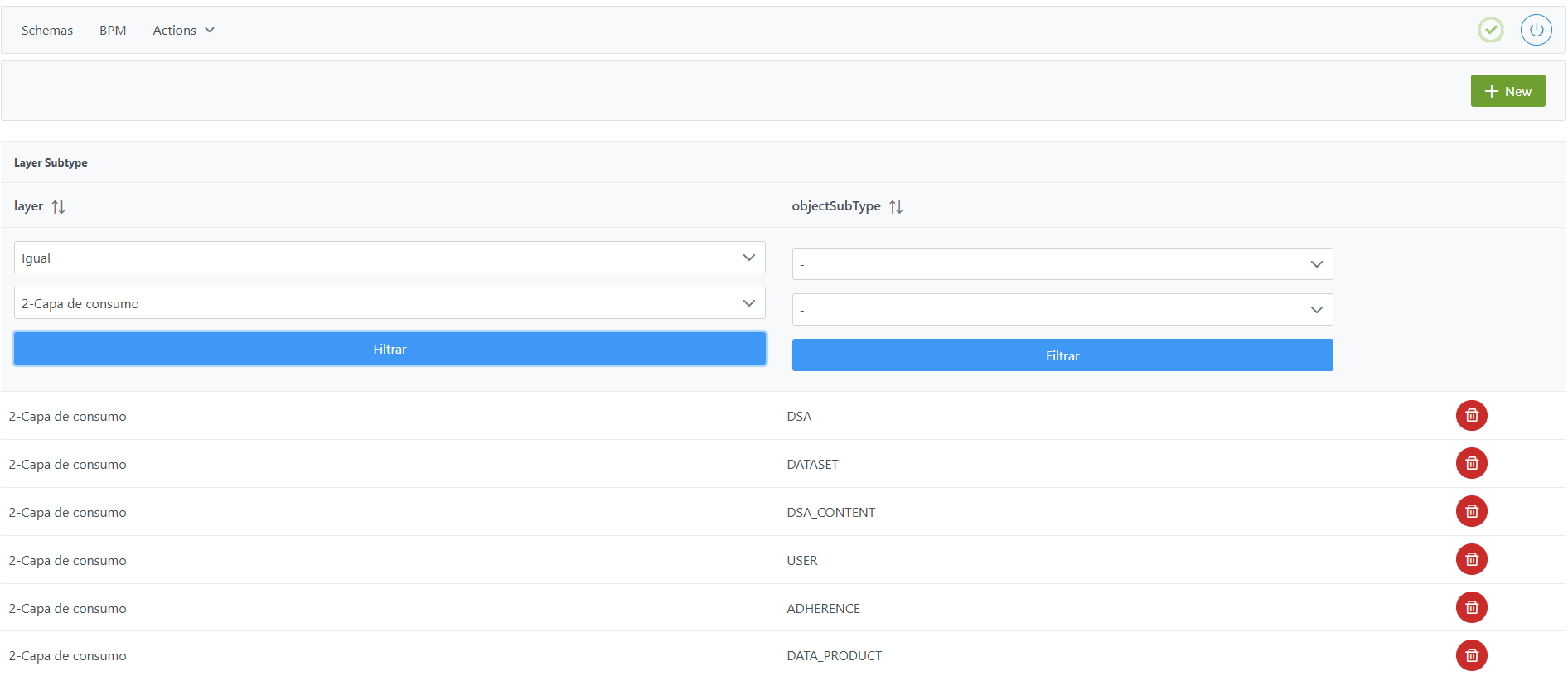
Structure of the Layer Subtype table
Each record in this table is characterized by the following fields:
-
layer: lineage layer in which the object subtypes are defined. Corresponds to a record in theLayertable. -
objectSubType: object subtype (entity or relationship) to be displayed in the selected layer. The selector shows thenamefield of theObject Sub-Typestable together with the native relationships generated by the platform (DSA_CONTENT, STRUCTURE…) and the USER pseudo-entities.
Notes:
-
The configuration in this table does not affect governed objects or their existence in the Data Portal. It only affects visualization in the lineage graph.
-
If an object is not shown in the lineage, it is recommended to check whether the corresponding native relationships have also been included in the layer configuration. For example, if from the view of a DATASET its DATASET_FIELD entries do not appear even though they have been added to the layer, the cause may be that the STRUCTURE relationship is missing from the layer configuration.
Adding objects to lineage layers in the Layer table
Adding a new subtype to a layer involves adding a record in the Layer Subtype table that associates the selected layer with the object subtype to be displayed.
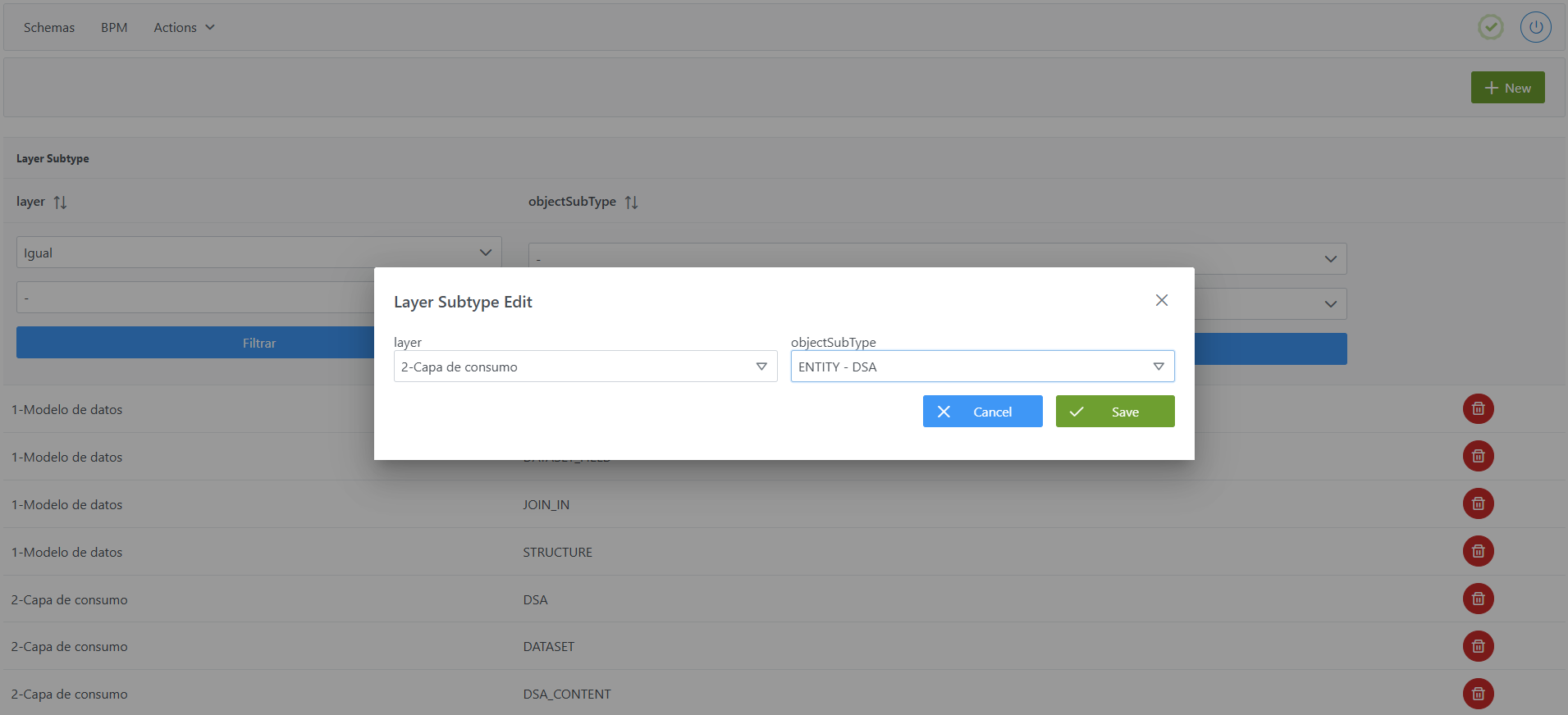
To add a new subtype from the Configuration Panel:
-
Click the New button in the top right corner.
-
Fill in the fields:
-
layer: select the layer in which the subtype should be included (e.g.: 2 - Consumption layer). -
objectSubType: select the object subtype (e.g.: ENTITY - DSA).
-
-
Click Save to save the subtype or Cancel to discard it.
Note: After the addition, it is necessary to run the Clear cache action from the Configuration Panel (Actions > Clear cache) for the changes to take effect and be visible in the Data Portal.
Modifying objects in lineage layers using the Layer table
Modifying the subtypes of a layer is managed simply and does not depend on the existence of governed objects, since it only affects the visualization of the lineage.
The modification procedure consists of:
-
Delete the record of the subtype that is no longer to be shown in a layer.
-
Add a new record with the subtype to be included in its place.
This way, control is always maintained over which entities and relationships appear in the graph of each layer.
Note: After the modification, it is necessary to run the Clear cache action from the Configuration Panel (Actions > Clear cache) for the changes to take effect and be visible in the Data Portal.
Configuring objects in lineage layers via direct database access (Developer view)
Object subtypes by layer are stored in the anjana.layer_subtype table.
|
Column |
Type |
Constraints / Notes |
|---|---|---|
|
layer_id |
int4 |
FK to anjana.layer(id). Layer identifier. |
|
object_subtype |
varchar(255) |
NOT NULL. Object subtype (name field of the object_subtype table). |
Below is an example script to configure all the entities and relationships included in a lineage layer:
INSERT INTO anjana.layer_subtype (layer_id, object_subtype)
VALUES
(2, 'DSA'),
(2, 'DATASET'),
(2, 'DSA_CONTENT'),
(2, 'USER'),
(2, 'ADHERENCE'),
(2, 'DATA_PRODUCT');
Important:
-
Once the insert has been executed, run the sequence update for the table. (From the Configuration Panel in
Actions > Reset DQ sequences, the sequences of all tables can be updated, including this one). -
The entire configuration logic responsibility falls on the developer who executes the SQL queries directly on the tables. It is recommended to carefully review the Table Structure section.