
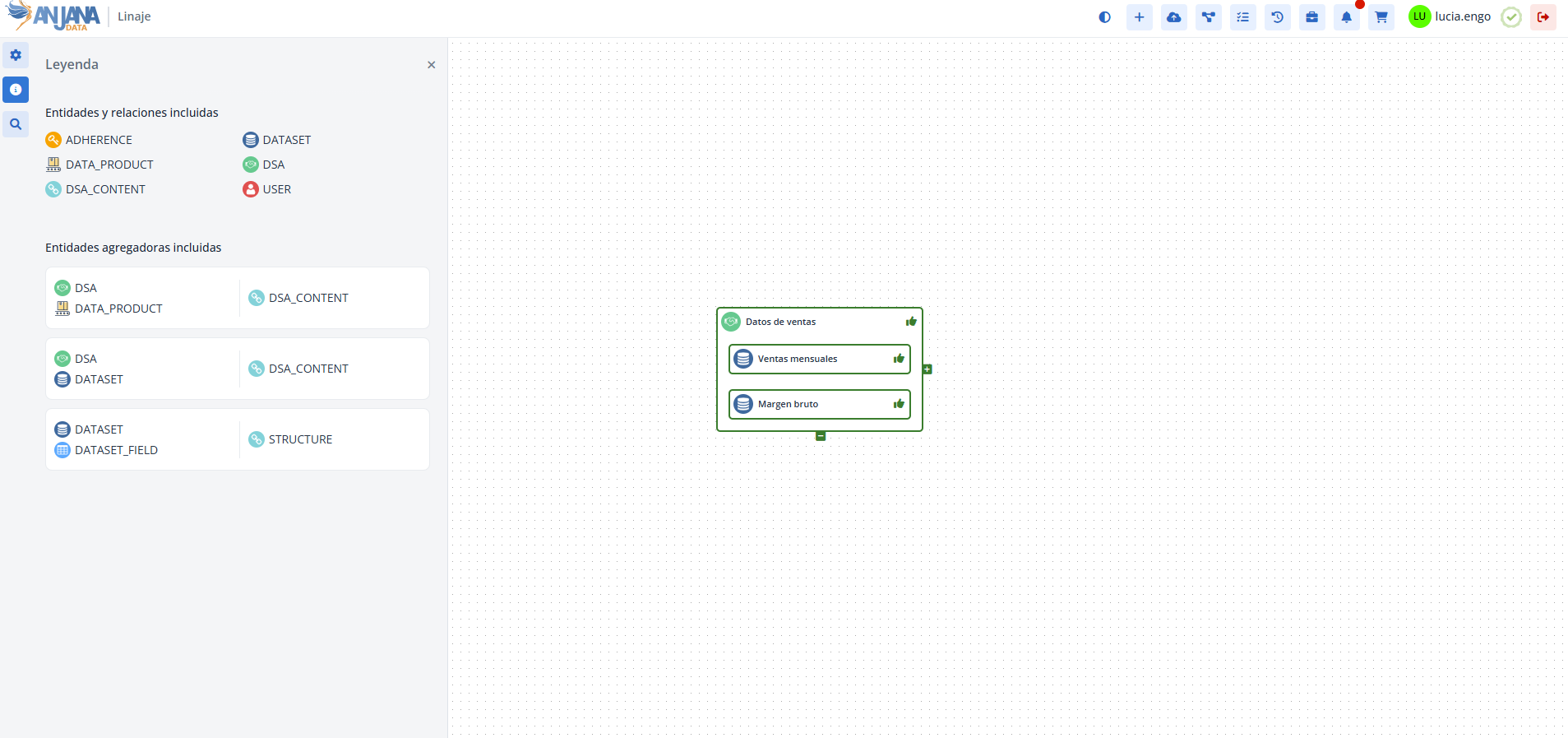
Anjana Data lineage allows representing certain relationships between entities as aggregation relationships, in which one entity contains others.
By default, a relationship in the lineage is displayed as a line between the nodes representing its source and destination entities. However, if it is configured as an aggregation relationship, the visualization instead shows the destination object as content within the source object, providing a hierarchical and simplified view.
Important:
It is important to note that only relationships that have the isParental = true flag in the Object Sub-Types table can be configured as aggregation relationships. Otherwise, they will be displayed as a flat relationship.
Grouping Table in the Configuration Panel (Administrator View)
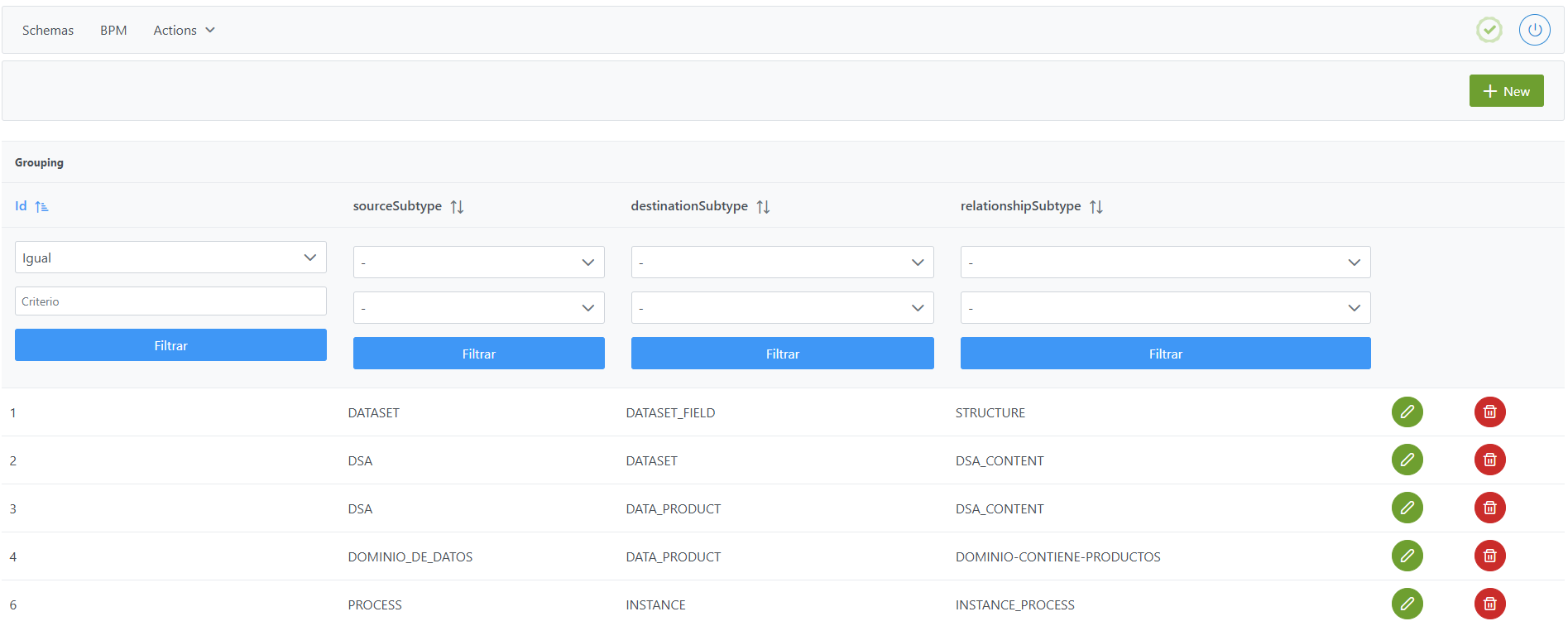
Aggregation relationships are managed from the Configuration Panel, in the Grouping table.
Structure of the Grouping Table
Each registered aggregation relationship is characterized by the following fields:
-
Id: unique identifier of the relationship that acts as the grouping relationship. It is automatically assigned from the Configuration Panel. -
sourceSubtype: object subtype that acts as the container/aggregator (value of the name field in theobject_subtypetable) when related to the entity indicated indestinationSubtypethrough the relationship type indicated inrelationshipSubtype. -
destinationSubtype: object subtype that appears contained within the object of typesourceSubtype(name field in theobject_subtypetable) when both are related through the relationship indicated inrelationshipSubtype. -
relationshipSubtype: relationship subtype that linkssourceSubtypewithdestinationSubtypeand is represented in the lineage as an aggregation relationship. It corresponds to the value of the name field in theobject_subtypetable.
Creating an Aggregation Relationship in the Gouping Table
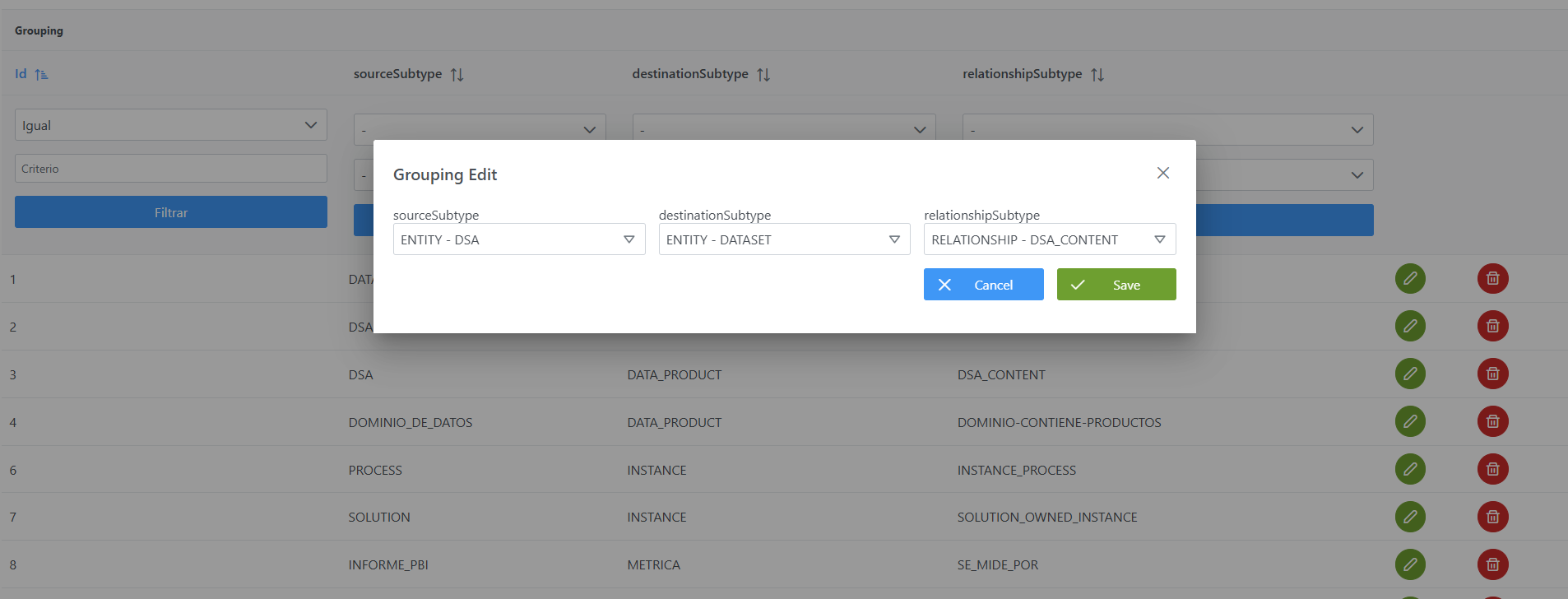
Creating a new aggregation relationship involves creating a record in the Grouping table indicating which entity subtype will contain which, and through which relationship.
Steps from the Configuration Panel:
-
Click the New button in the upper right corner.
-
Fill in the fields according to the structure:
-
sourceSubtype: select the entity subtype that will act as the container (e.g.: ENTITY - DSA). -
destinationSubtype: select the entity subtype that will be contained (e.g.: ENTITY - DATASET). -
relationshipSubtype: select the relationship that connects both entities (e.g.: RELATIONSHIP - DSA_CONTENT).
-
-
Click Save to save or Cancel to discard.
Note: After creating it, you must run the Clear cache action from the Configuration Panel (Actions > Clear cache) for the changes to take effect and be visible in the Data Portal.
Modifying an Aggregation Relationship in the Gouping Table
An aggregation relationship can be modified at any time, since it only affects the lineage visualization and does not impact the governed objects.
When modifying a record, it is important to keep in mind that the change applies to all layers in which that relationship has been configured as an aggregation. Therefore, any adjustment to the source (sourceSubtype), destination (destinationSubtype), or relationship type (relationshipSubtype) subtypes will be reflected globally across all affected layers.
Note: After the modification, you must run the Clear cache action from the Configuration Panel (Actions > Clear cache) for the changes to take effect and be visible in the Data Portal.
Configuring Aggregation Relationships via Direct Database Access (Developer View)
Aggregation relationships are stored in the anjana.grouping_lineage table.
|
Column |
Data Type |
Constraints / Notes |
|---|---|---|
|
id |
int4 |
PRIMARY KEY. Unique identifier of the relationship. |
|
source_subtype |
varchar(255) |
NOT NULL. Container object subtype (reference to |
|
destination_subtype |
varchar(255) |
NOT NULL. Contained object subtype (reference to |
|
relationship_subtype |
varchar(255) |
NOT NULL. Relationship subtype represented as an aggregation. |
Below is an example script for configuring different aggregation relationships:
INSERT INTO anjana.grouping_lineage (id, source_subtype, destination_subtype, relationship_subtype)
VALUES
(1, 'DATASET', 'DATASET_FIELD', 'STRUCTURE'),
(2, 'DSA', 'DATASET', 'DSA_CONTENT'),
(3, 'DSA', 'DATA_PRODUCT', 'DSA_CONTENT');
Important:
-
Once the insert has been executed, run the sequence update for the table. (From the Configuration Panel, under
Actions > Reset DQ sequences, you can update the sequences of all tables, including this one). -
The entire responsibility for the configuration logic falls on the developer who executes the SQL queries directly on the tables. It is recommended to carefully review the Table Structure section.