
Data lineage in Anjana Data can be visualized from different perspectives (business, technical, audit, consumption, etc.) thanks to the definition of visualization layers.
Layers allow you to pre-filter the types of entities and relationships shown in the lineage graph according to the selected layer, so that each user can focus on the elements most relevant to their use case.
Additionally, a layer can be configured as default, so that it is the first one to appear when accessing the lineage.
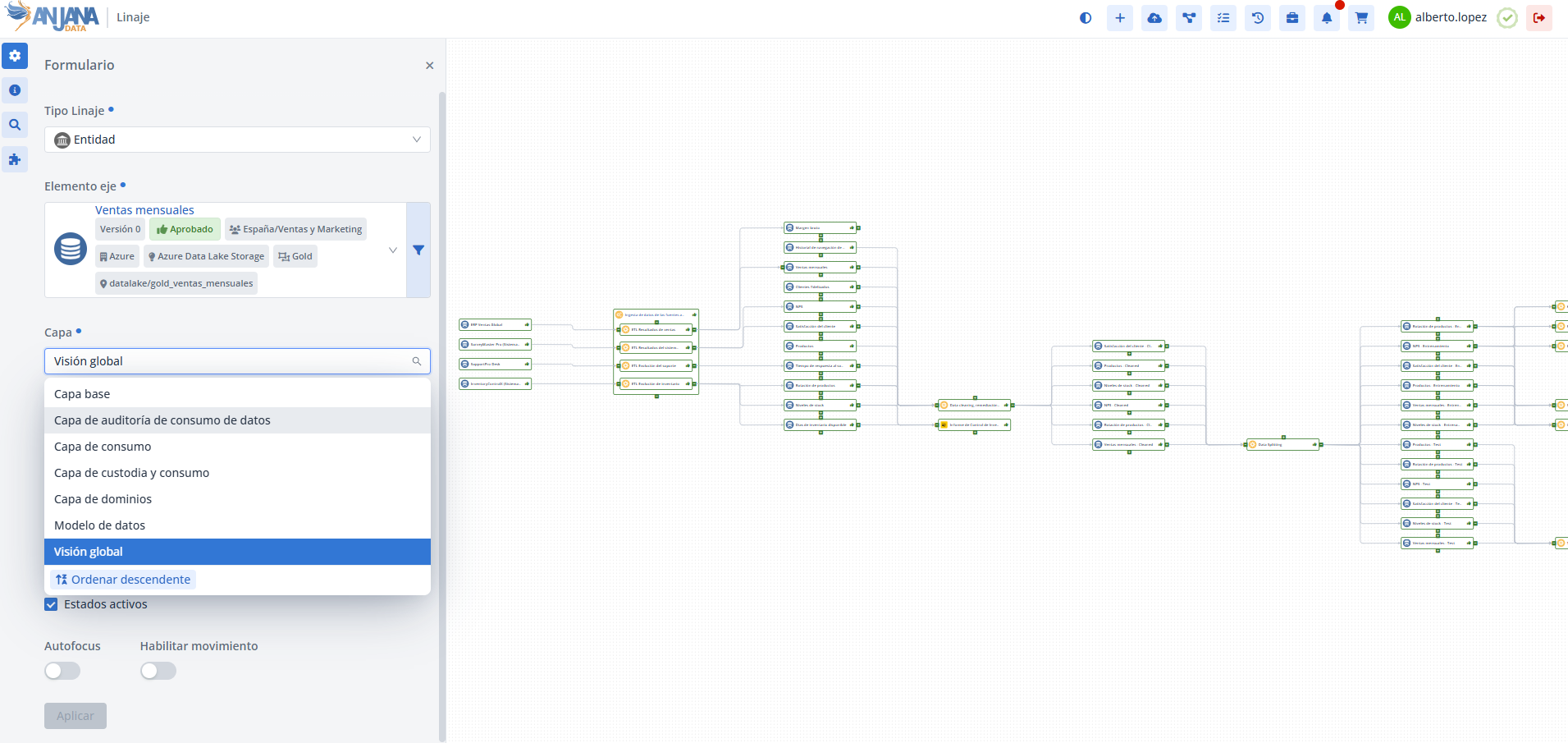
Layer table in the Configuration Panel (Administrator view)
Lineage layers are managed from the Configuration Panel in the Layer table.
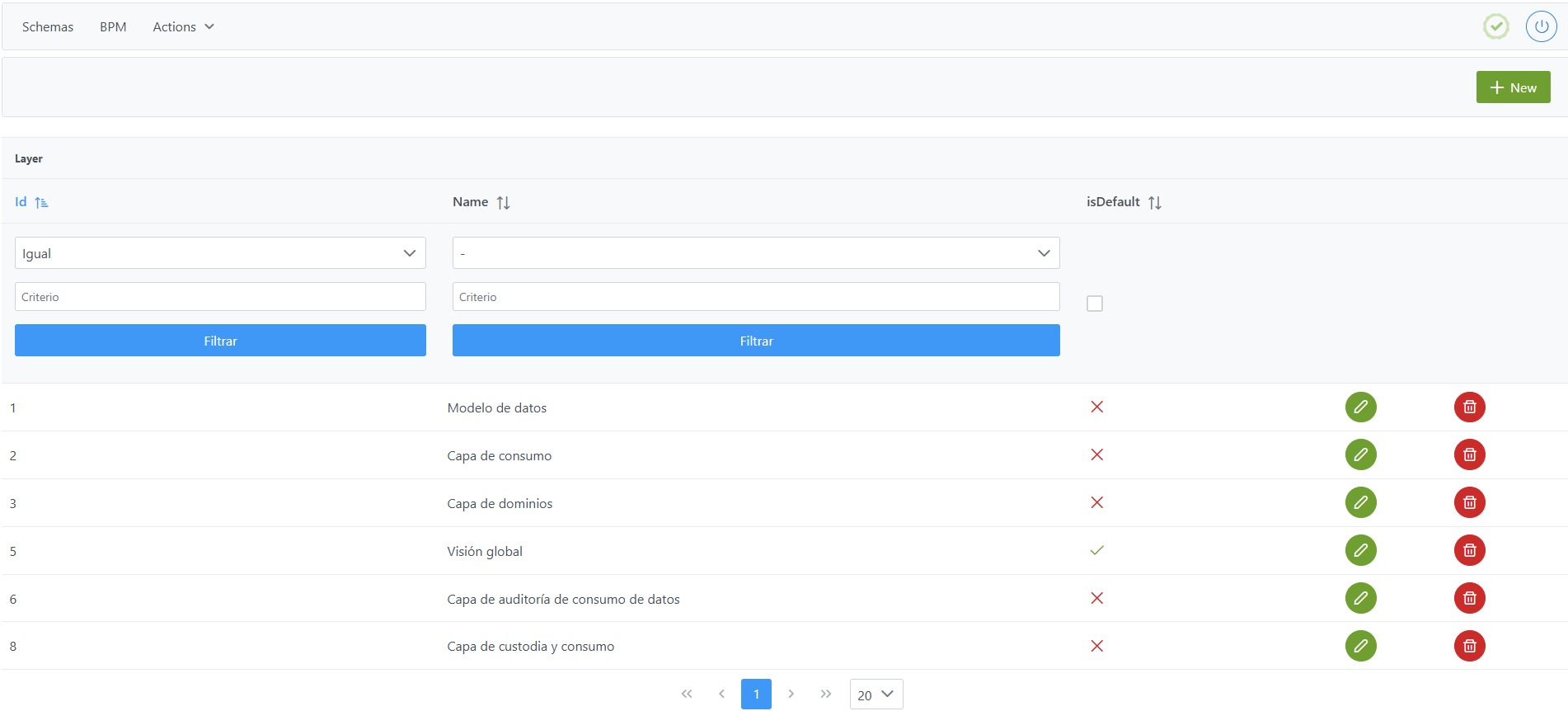
Structure of the Layer table
Each registered layer is characterized by the following fields:
-
Id: unique identifier of the menu. Automatically assigned from the Configuration Panel. -
Name: visible name of the layer in the Data Portal.-
If configuring multiple languages (internationalization), the value of
Nameitself must be used as the translation key in thetranslationstable, creating one record per language. -
Two layers cannot have the same name.
-
-
isDefault: indicates whether the layer is the default one (isDefault= true). There may be no layer marked as default, in which case the base layer with all objects will be shown.
Notes:
-
The lineage always includes a base layer that contains all metamodel objects without aggregation relationships. This layer does not need configuration in the
Layertable . -
It is not mandatory to have a layer marked as default in this table. In its absence, Anjana Data shows the base layer by default.
-
Only one layer can be marked as default.
-
The configuration in this table does not affect governed objects or their existence in the Data Portal. It only affects the display in the lineage graph.
Creating a Layer in the Layer table
Creating a new layer involves adding a record in the Layer table with the layer name and, optionally, marking it as default.
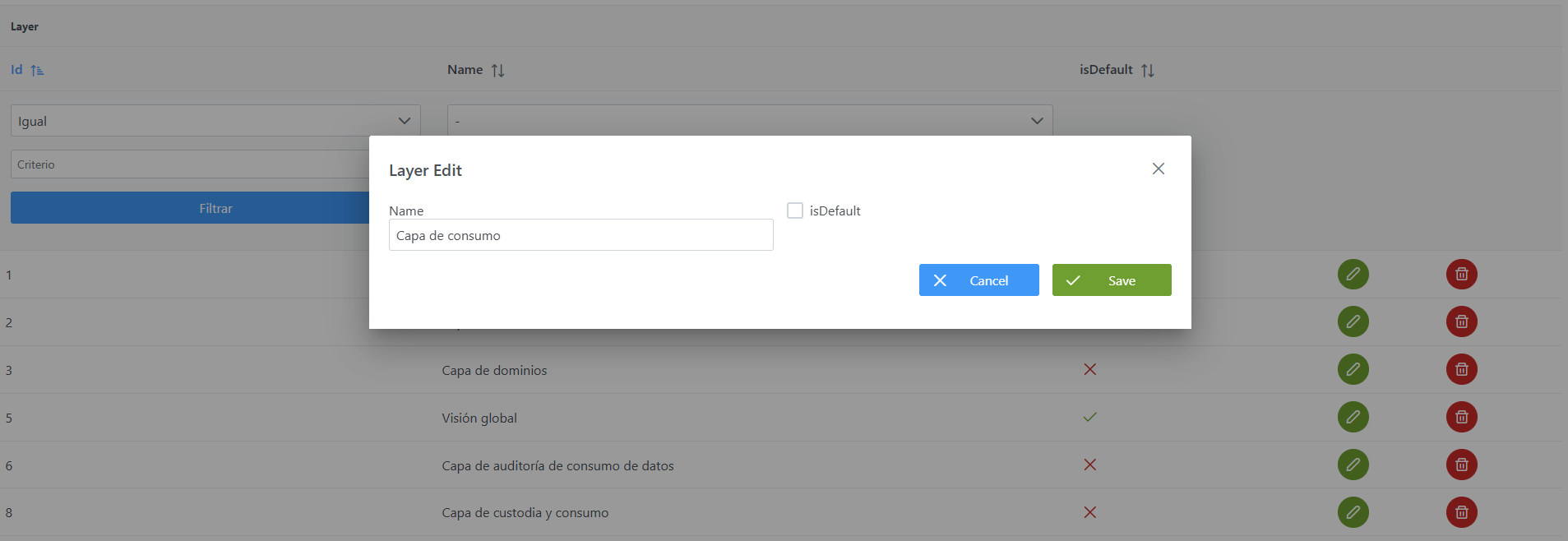
To create a layer from the Configuration Panel:
-
Click the New button in the top-right corner.
-
Fill in the fields:
-
Name: with the name of the layer (e.g.: Consumption layer). -
isDefault: check if you want the layer to be the default one (e.g.: In this case it should not be marked as the default layer, since another one already has that function).
-
-
Click Save to save the layer or Cancel to discard.
Note: After creating a layer, it is necessary to run the Clear cache action from the new Configuration Panel (Home > Reset Options > Clear cache) for the changes to take effect and become visible in the Data Portal.
Modifying a Layer in the Layer table
Modifying an existing layer must be done with caution. These changes do not affect governed objects in the Data Portal, since they only impact how the lineage is displayed:
-
Name: can be freely modified. If internationalization is used, the associated translations in thetranslationstable will need to be reviewed. -
isDefault: can be enabled or disabled as needed.
Note: After the modification, it is necessary to run the Clear cache action from the new Configuration Panel (Home > Reset Options > Clear cache) for the changes to take effect and become visible in the Data Portal.
Configuring Layers via direct database access (Developer view)
Lineage layers are stored in the anjana.layer table.
|
Column |
Data type |
Constraints / Notes |
|---|---|---|
|
id |
int4 |
PRIMARY KEY. Unique identifier of the layer, managed by sequence. |
|
layer_name |
varchar(255) |
NOT NULL. Name of the layer. Must be unique ( |
|
is_default |
bool |
Default value = false. Indicates whether the layer is the default one. Only one layer should be marked as true. |
Below is an example script to configure a lineage layer:
INSERT INTO anjana.layer
(id, layer_name, is_default)
VALUES(2, 'Capa de consumo', false);
Important:
-
Once the insert has been executed, run the sequence update for the table. (From the new Configuration Panel in
Home > Reset Options > Reset database sequences, the sequences of all tables, including this one, can be updated). -
The entire responsibility for the configuration logic falls on the developer who runs the SQL queries directly against the tables. It is recommended to carefully review the Table Structure section.