
This page contains the functional documentation of the MCP (Model Context Protocol) of Anjana Data Platform. It describes what it is, how it integrates with the platform, and which data and AI governance operations can be performed conversationally through an AI assistant, as well as the user profiles it serves.
Overview
The MCP is the server that exposes the governance capabilities of Anjana Data Platform to AI assistants through the open Model Context Protocol standard. It acts as a bridge between a compatible AI client and the platform's governance core (Kerno) together with the audit core (minerva), so that the usual tasks of the Data Portal - discovering assets, querying their detail and lineage, cataloging and enriching metadata, submitting for validation, requesting data access or querying the audit trail - can be executed in natural language from the assistant itself.
The MCP does not replace the Data Portal nor introduce a parallel governance channel: it operates through the same APIs, rules and workflows as the graphical interface. Every operation performed through the MCP respects the user's permission model, the platform's approval cycle and the audit log, ensuring that conversational governance is as traceable and controlled as manual governance.
The MCP within the governance model
The MCP fully inherits the governance model of Anjana Data Platform. Understanding these three principles is essential before operating with it:
-
Controlled lifecycle, every asset created or modified through the MCP is born in
DRAFTstatus and must be submitted for validation (submit). Final approval is always performed by a person with the appropriate role in the platform; the MCP does not approve assets. -
Role-based access control (RBAC), each operation is executed with the identity and permissions of the authenticated user. Actions the user is not authorized to perform are rejected, and certain information is only returned if the user has the corresponding permission.
-
Full traceability, every action is recorded in the audit log with author, date, action type and affected asset, in the same way as if it had been performed from the Data Portal.
Requirements and access
Using the MCP requires the following conditions:
-
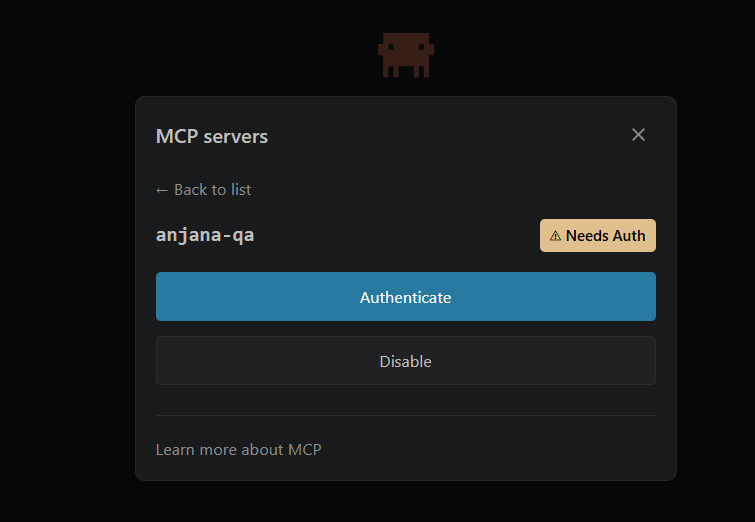
MCP-compatible AI client, configured to connect to the Anjana Data Platform MCP server.
-
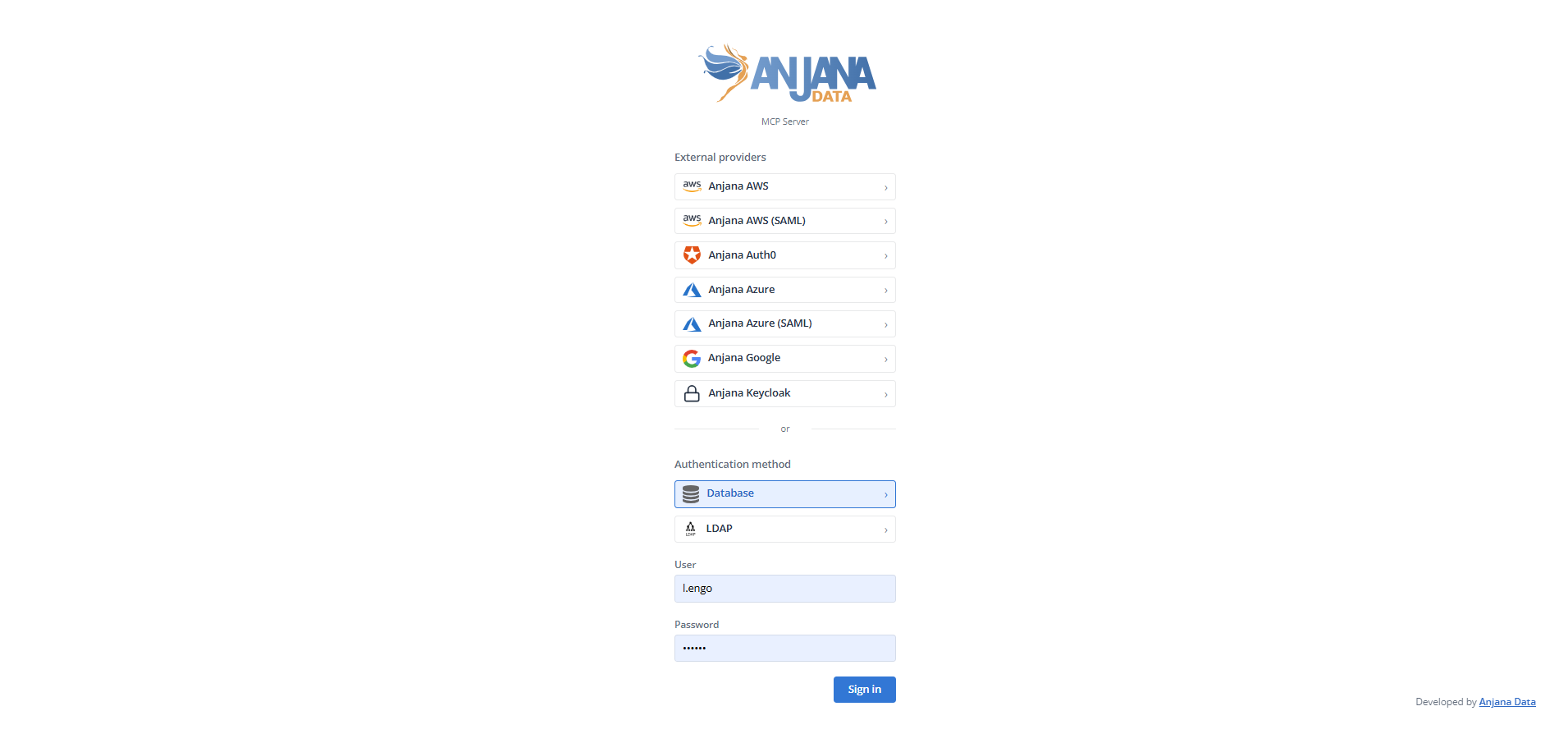
User authenticated in the platform, with credentials managed through Zeus. The assistant always operates on behalf of that user.
-
Appropriate permissions and roles, depending on the operation to be performed. Query capabilities require access to the Catalog; cataloging, enrichment or submission for validation capabilities require the corresponding governance roles (for example steward, architect or data owner).
{
    "mcpServers": {
      "anjana-data": {
        "type": "http",
        "url": "https://<environment_url>/mcp"
      }
    }
  }
Network accessibility and responsibilities
Configuring the AI client with the block above is all the user needs to do. However, the MCP will only be operational if the organization ensures that the MCP server endpoint (https://<environment_url>/mcp) is accessible from the AI client, in the same way that general access to Anjana Data Platform requires https://<environment_url>/login to be accessible.
Anjana Data SL provides only the MCP capability. Its enablement, exposure and hardening are the client's responsibility: publishing the service, network controls (firewalls, segmentation) and access policies are the organization's responsibility. In particular, environments that require zero exposure to the internet must adopt an alternative in line with their policies - for example, a local AI client or agent operating within the company's internal network.
MCP Capabilities
MCP capabilities are grouped into six functional areas. In all cases, the user makes the request in natural language and the assistant invokes the corresponding operation on the platform.
Catalog discovery and query
-
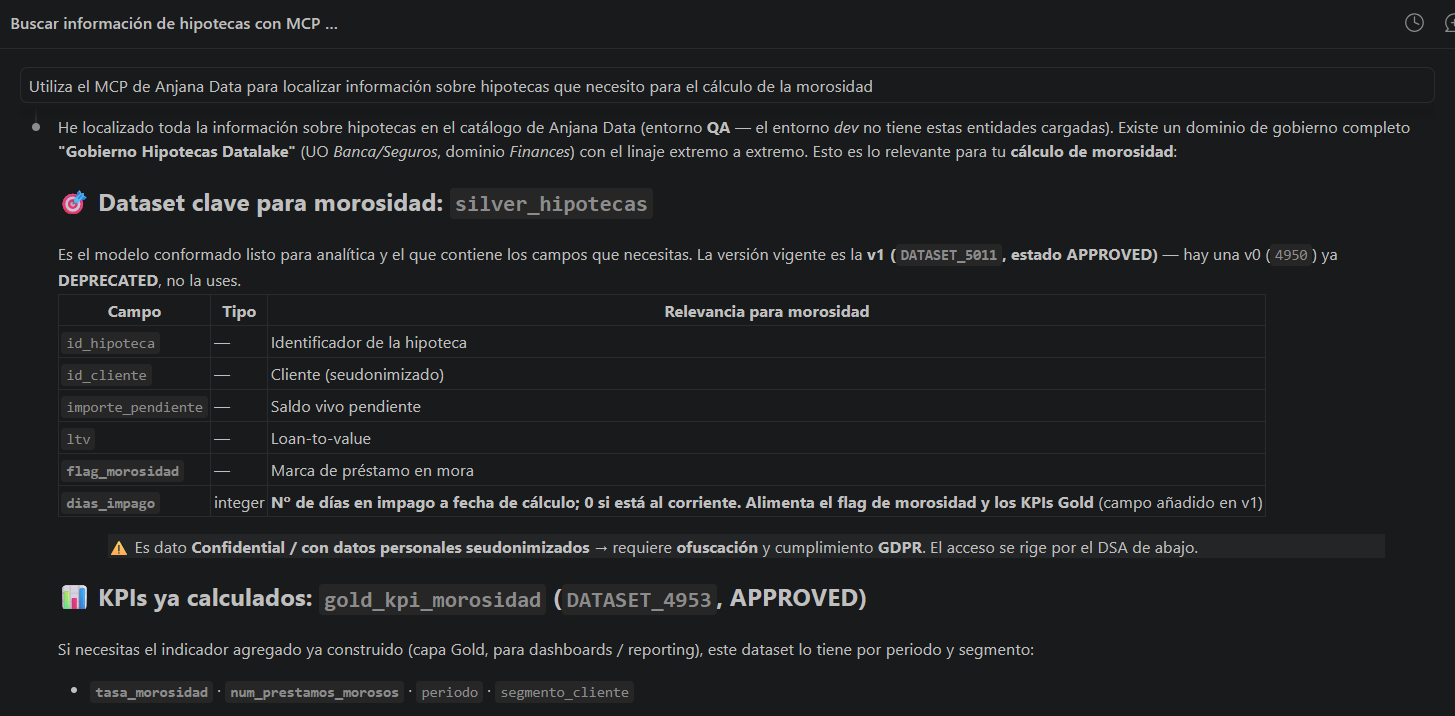
Asset search, locating datasets, DSAs, processes, solutions, instances and custom entity types through free text, with filters by type and status and result pagination.
-
Detail query, retrieval of all attributes of an asset, its metadata (author, dates, version, status), owners and adhered users.
-
Asset form query, review of editable attributes, their types and validation rules before proposing changes.
Lineage and relationships
-
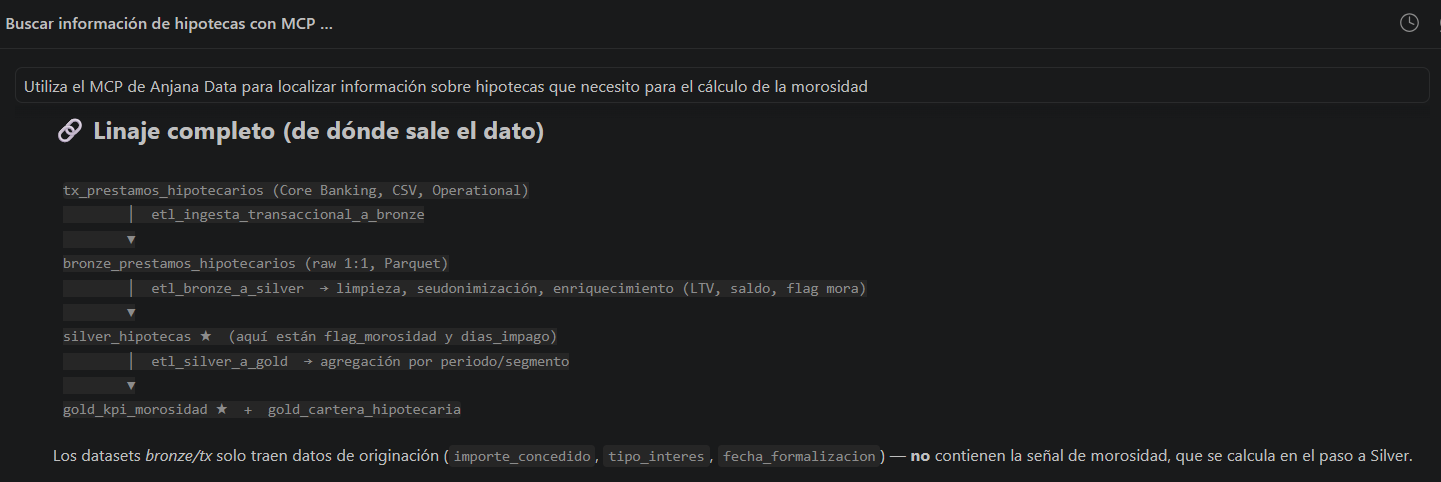
Lineage query, visualization of the upstream and downstream connections of an asset within the governance graph.
-
Relationship query, retrieval of an asset's relationships grouped by type: direct, composition (parent-child hierarchy) and indirect (derived from composition).
Cataloging and metadata enrichment
-
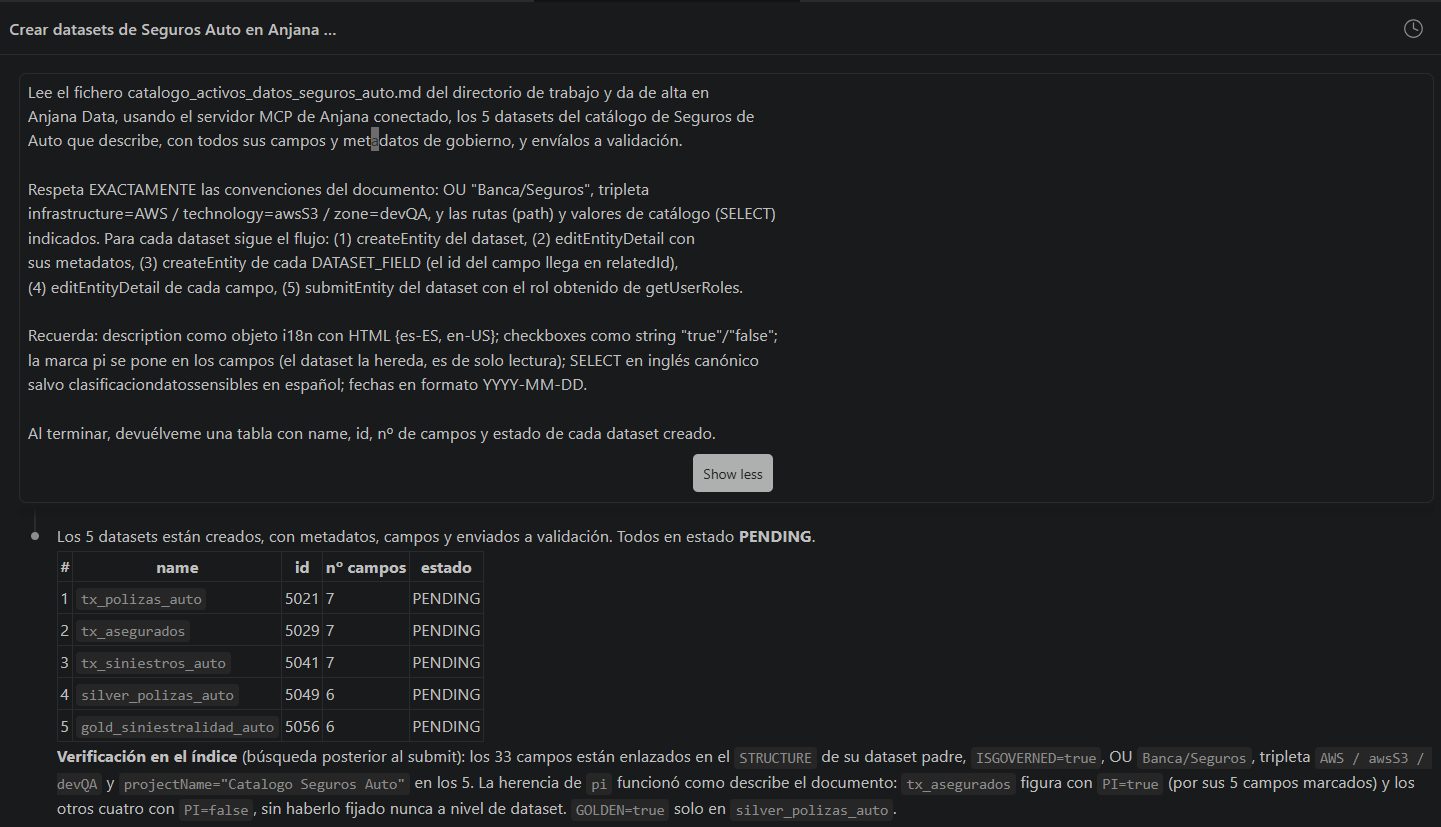
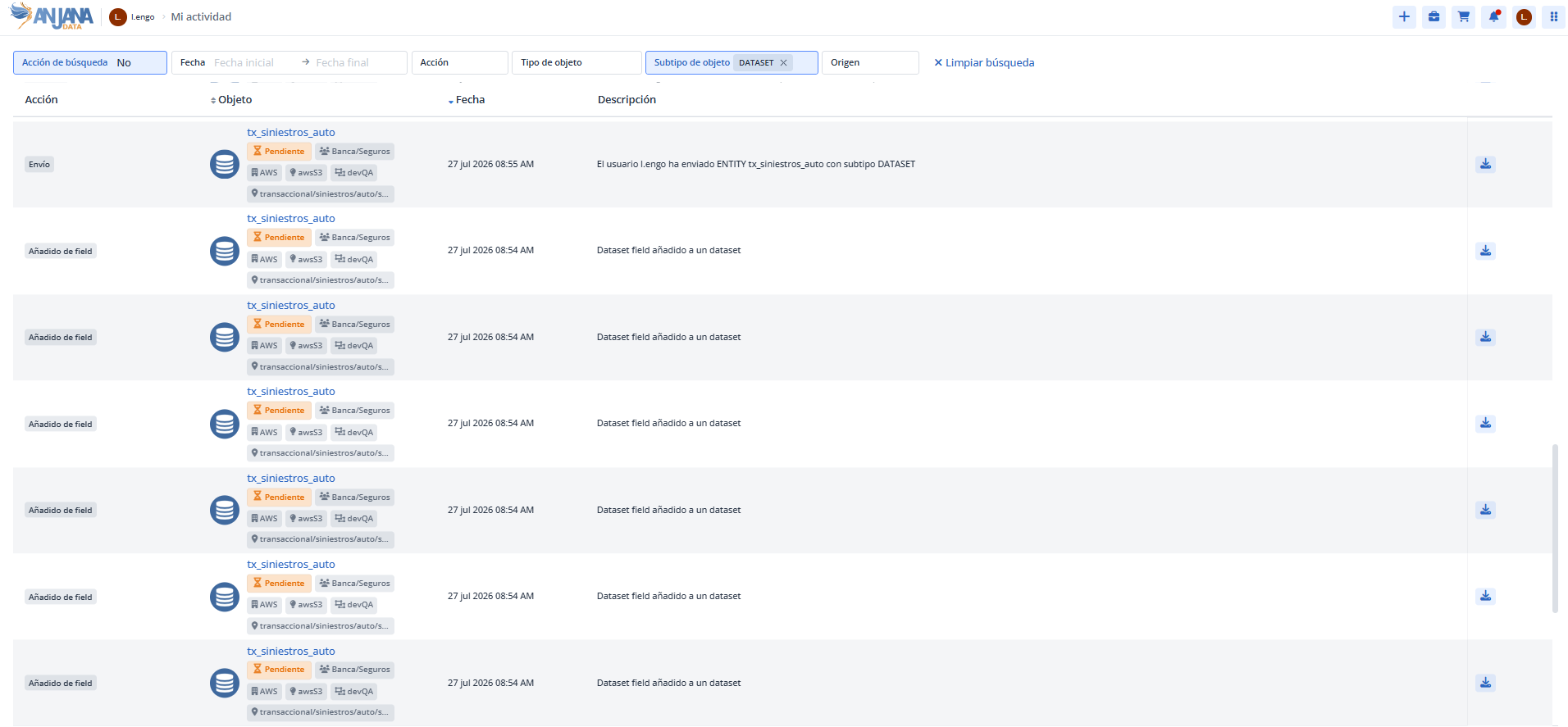
Asset creation, creation of datasets, dataset fields, processes, solutions, instances, DSAs or any other, which are generated in
DRAFTstatus. -
Metadata enrichment, updating an asset's attributes (description, domain, data sensitivity, dates and other fields defined in the metamodel).
-
Submission for validation, submitting a draft asset to the platform's approval workflow, indicating the role with which the request is made.
Relationship management
-
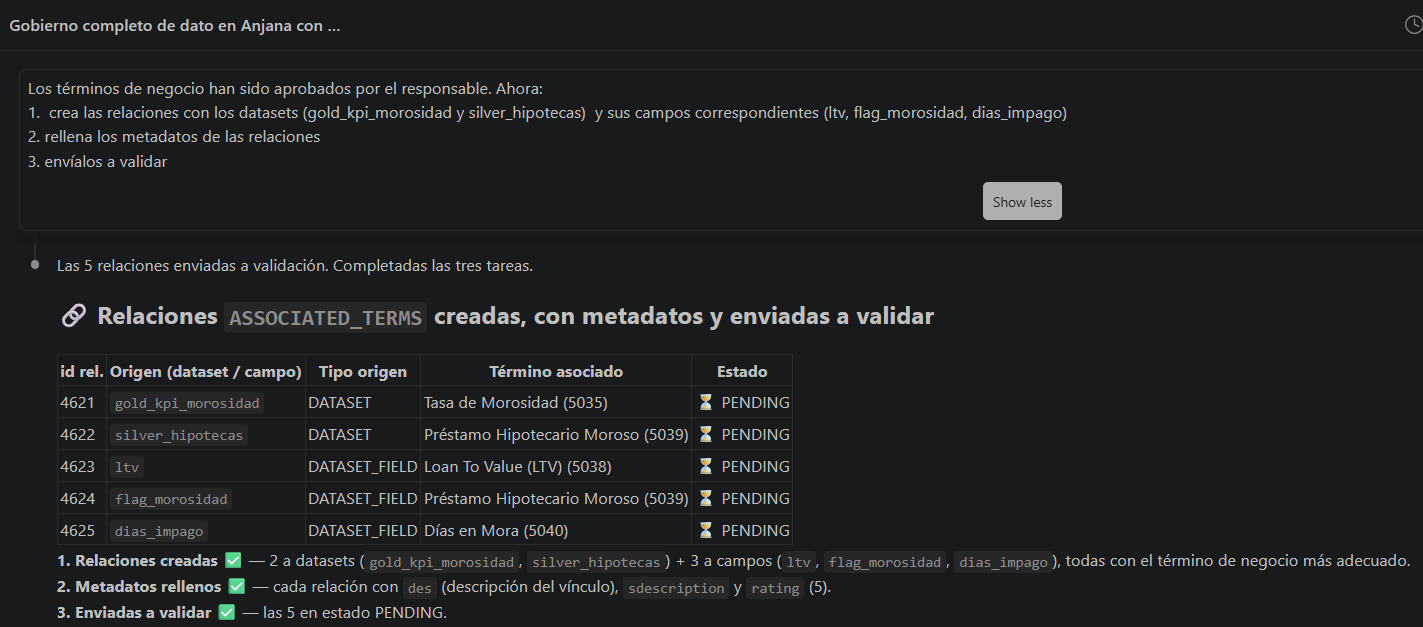
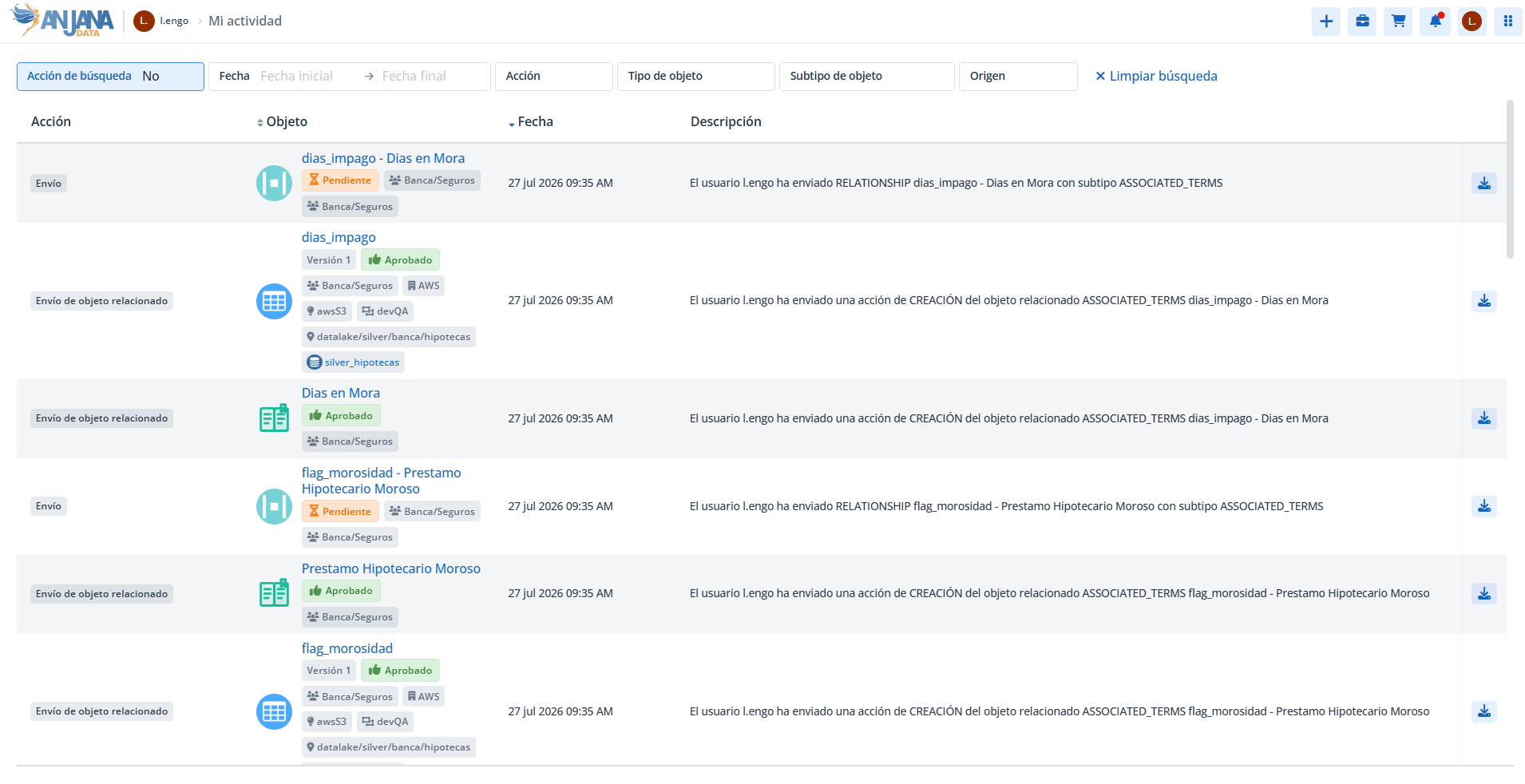
Relationship creation, establishing links between approved assets (for example, associating business terms with a dataset), which are created in
DRAFTstatus and submitted for validation. -
Relationship enrichment, updating the attributes of an existing relationship.
Processing data access (Marketplace / DSA)
-
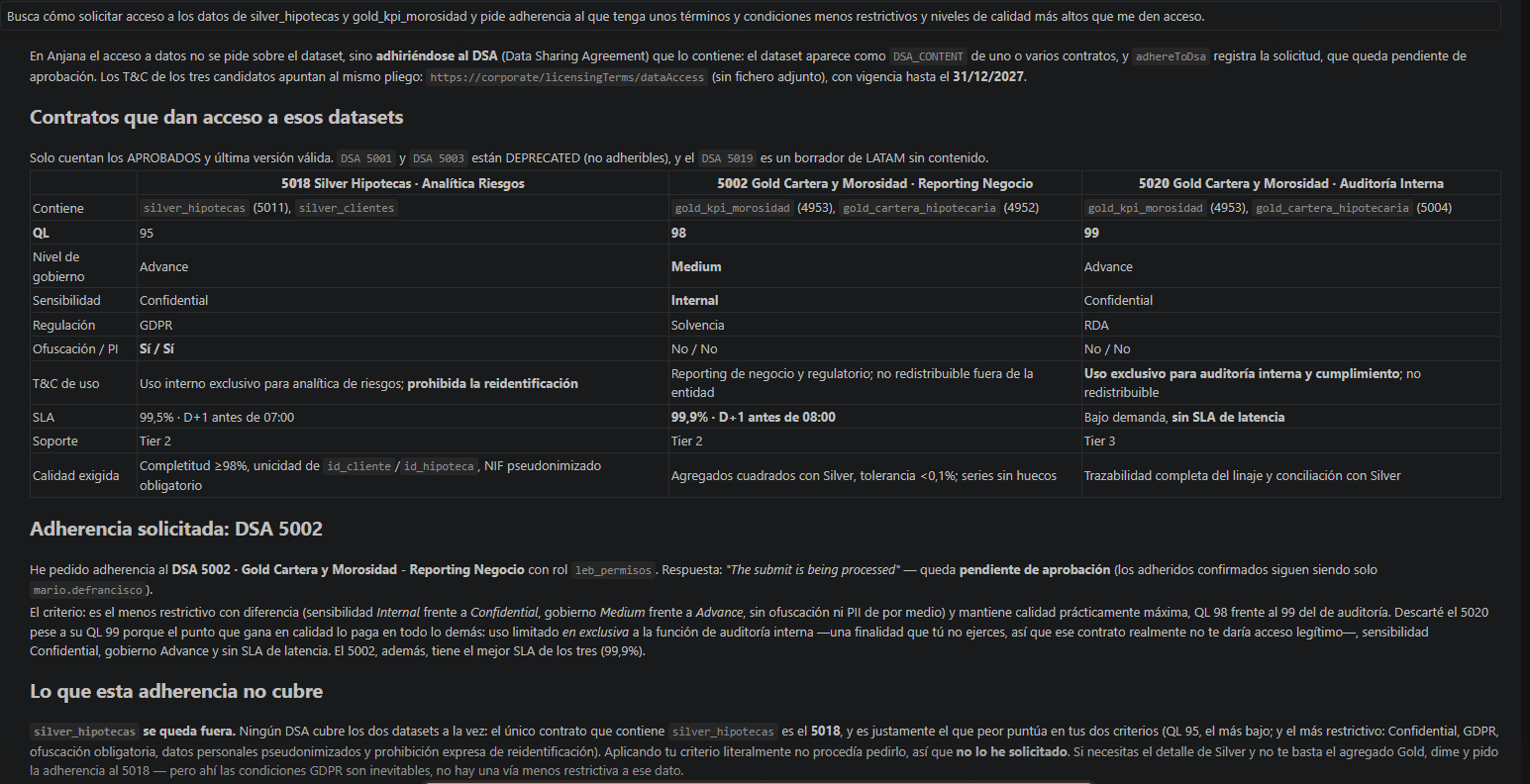
Access request, user adherence to a DSA (Data Sharing Agreement) indicating the adherence role, equivalent to processing access from the Marketplace.
-
Adherence withdrawal, withdrawal of one's own adherence to a DSA; withdrawing another user's adherence requires administration permissions.
-
Contract and adherents query, retrieval of the DSA's contractual information (validity, descriptions...) and the list of adhered users and pending requests.
-
Available roles query, retrieval of the roles the user can use when requesting access.
Audit and traceability
-
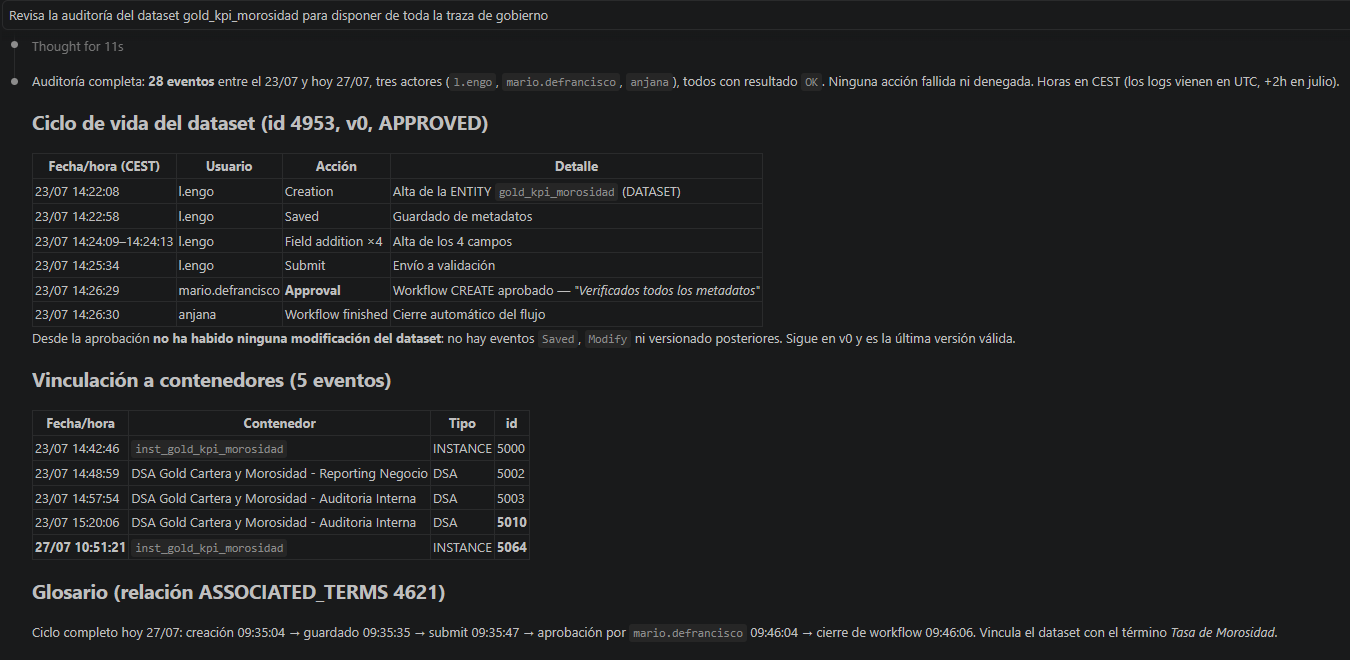
Audit log query, searching events filtered by user, asset, action type and time range, indicating who did what, when and on which asset.
-
Version comparison, identification of the business attributes that changed between an asset's last two approved versions, useful when the audit log does not detail the specific change.
-
User roles query, verification of the roles assigned to the user in the platform.
Workflows by profile
The MCP serves user profiles with different needs. The following table summarizes the most common workflows for each one:
|
Profile |
Main objective |
MCP capabilities used |
|---|---|---|
|
Data or AI governance officer |
Cataloging assets, enriching metadata, managing relationships and lineage, and submitting for validation quickly. |
Asset creation and enrichment, relationship and term management, submission for validation, lineage query and change auditing. |
|
End user (data consumer) |
Discovering assets in the Catalog, learning their details and requesting data access. |
Search and detail query, lineage and relationship query, and processing access to DSAs. |
|
Auditor / risk control officer |
Verifying the traceability of actions, reviewing changes and checking who accesses what data. |
Audit log query, version comparison, DSA adherents query and lineage query. |
Entity types and statuses
The MCP operates on the entity and relationship types defined in the platform's metamodel. See Understanding and working with governed assets
Each asset moves through the governance workflow statuses (DRAFT - draft, PENDING - pending approval, APPROVED - approved, DEPRECATED - deprecated, REJECTED - rejected, ..). The MCP can create and modify draft assets and submit them for validation, but the transition to APPROVED or REJECTED always corresponds to a person authorized through an approval workflow executed in the platform's user interface.
Best practices and security considerations
-
Review before submitting for validation, it is recommended to check the metadata generated or modified by the assistant before submitting it to the approval workflow.
-
Principle of least privilege, the assistant can only perform operations authorized for the user; available capabilities depend on their roles and permissions.
-
Human approval at the control point, the validation of assets and relationships always remains the responsibility of a person, preserving the separation of duties.
Limitations and considerations
-
The MCP does not approve assets or relationships; it only allows creating, enriching and submitting them for validation.
-
Creating relationships and instances requires the involved assets to be in
APPROVEDstatus. -
Version comparison requires the asset to have at least two approved versions; it does not reflect changes between saves within the same draft.
-
The visibility of certain information (for example, pending adherences of a DSA) depends on the user's permissions.
This section is aimed at data and AI governance officers, end users who discover and request access to Catalog assets, and auditors and risk control officers who need traceability over the actions performed in the platform.