
DEPRECATED This page describes the legacy SSO configuration for Google Cloud / GCP. For new installations or migrations, see SSO OIDC (OpenID Connect).
Migration equivalences
Mapping table between the legacy properties and the new OIDC configuration:
|
Legacy property |
New property / Action |
|---|---|
|
|
Remove - they are discovered automatically. Replace with |
|
|
|
|
|
|
|
|
Remove |
|
|
Remove - |
|
|
Remove - it is generated automatically as |
|
|
Remove - the default for |
|
|
|
|
|
Migrate to |
|
|
Migrate to |
|
|
Available in |
Integration model
Authentication (Oauth2)
Anjana Data integrates via the standard Oauth2 flow for "Web apps", which is described by the vendor in the following documentation:
https://developers.google.com/identity/protocols/oauth2/web-server
The functionality is directly embedded in the Zeus authentication management microservice; it is enabled and configured through that microservice's configuration file.
Authentication configuration
The various authentication providers used are configured in the security.authentication property.
For GCP, it is necessary to configure the following properties:
security:
  authentication:
    oidc:
      google:
        # Provider name as it will appear on the login page
        name: Anjana google
        # Provider URL to authorize Anjana Portal users (use variables in the URL)
        authorize-url: https://accounts.google.com/o/oauth2/v2/auth?client_id=${security.authentication.oidc.providers.google.client-id}&response_type=code&scope=${security.authentication.oidc.providers.google.scopes}&redirect_uri=${security.authentication.oidc.providers.google.redirect-uri}
        # Provider URL to authorize Portuno users (use variables in the URL)
        authorize-url-portuno: https://accounts.google.com/o/oauth2/v2/auth?client_id=${security.authentication.oidc.providers.google.client-id}&response_type=code&scope=${security.authentication.oidc.providers.google.scopes}&redirect_uri=${security.authentication.oidc.providers.google.redirect-uri-portuno}
        # Provider URL to manage token creation
        token-url: https://oauth2.googleapis.com/token
        # Scope of the provider's authentication
        scopes: openid email
        # Client identifier for authentication with the provider
        client-id: <clientId>
        # Client secret for authentication with the provider
        client-secret: <clientSecret>
        # Provider's authentication method
        client-authentication-method: BASIC
        # URI the browser must redirect to after a successful login with the provider in the Anjana Portal
        redirect-uri: https://<host>/authorized
        # URI the browser must redirect to after a successful login with the provider in the administrative portal (Portuno)
        redirect-uri-portuno: https://<host>/configpanel/authorized
        # Field where the username is found in the provider
        username-claim: email
        # Provider type
        type: GOOGLE
        # JSON with the required authentication content, can be obtained directly from GCP
        json-content: '
            {
            "type": "service_account",
            "project_id": "AAAAAAAAAA",
            "private_key_id": "******************",
            "private_key": "-----BEGIN PRIVATE KEY----------END PRIVATE KEY-----",
            "client_email": "**************.com",
            "client_id": "*************",
            "auth_uri": "https://accounts.google.com/o/oauth2/auth",
            "token_uri": "https://oauth2.googleapis.com/token",
            "auth_provider_x509_cert_url": "https://www.googleapis.com/oauth2/v1/certs",
            "client_x509_cert_url": "https://www.googleapis.com/robot/v1/metadata/x509/*****.com"
            } '
        # Path where the JSON with the authentication content is located, can be used instead of json-content
        json-path: /opt/AAAAA-aaabbbccc.json # absolute path --> /xxxxxx.json
        # Name of the delegated user used in authentication
        delegated: persona@dominio.com
        customer: CCC00
Active governance
In general, Anjana Data's DSAs will be represented as custom roles, and the signers of those DSAs are associated with those roles via policies in each of the technologies, in which conditions will additionally be applied to enable access to specific resources.
Required credentials
The credential can be a single one combining the permissions required by all the plugins to be deployed, but it is recommended to keep it separate in order to facilitate monitoring and auditing of the activity carried out by each of them.
Authentication (Oauth2)
Currently, it is necessary to enable access in both GCP and Gsuite in order to retrieve user information and the groups or custom roles the user belongs to. To do this, specific APIs of both must be enabled, and access delegation must be configured for the service account to be used, so that it can access the required Gsuite scopes.
Required APIs
-
Admin SDK API
-
Identity and Access Management (IAM) API
-
Cloud Resource Manager API
Credential provisioning
OAuth 2.0 Client ID type web application with authorized url pointed to POC installation point, default package has configured apache self signed certificate listening with 8443 port. Documentation at https://developers.google.com/identity/protocols/oauth2/web-server
-
OAuth 2.0 Client type service account with domain delegation and following permissions (DOC https://developers.google.com/admin-sdk/directory/v1/guides/delegation):
-
GCP roles (on the service account to be used in Zeus)
-
Role Viewer
-
Identity Platform Viewer
-
Identity Toolkit Viewer
-
Google Cloud Managed Identities Viewer
-
Functions Viewer
-
-
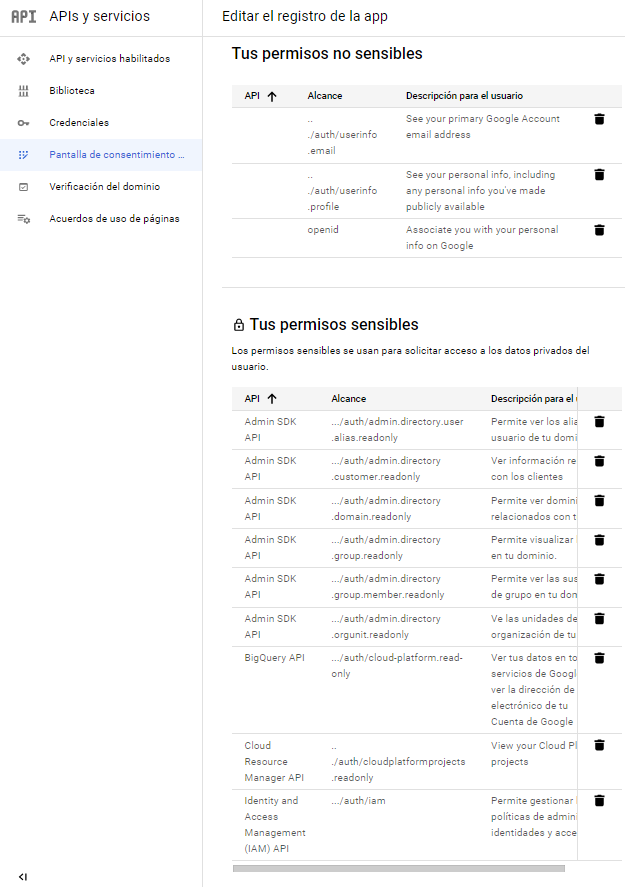
APP-level permissions (affects registering the new web application)
-
Admin SDK API
-
.../auth/admin.directory.user.readonly
-
.../auth/admin.directory.user.alias.readonly
-
../auth/admin.directory.customer.readonly
-
.../auth/admin.directory.domain.readonly
-
.../auth/admin.directory.group.readonly
-
.../auth/admin.directory.group.member.readonly
-
.../auth/admin.directory.orgunit.readonly
-
.../auth/iam
-
-
-
Gsuite scopes (affects Gsuite in the web application registration under API control)
-
Openid
-
https://www.googleapis.com/auth/admin.directory.user.readonly
-
https://www.googleapis.com/auth/admin.directory.group.readonly
-
https://www.googleapis.com/auth/admin.directory.group.member.readonly
-
https://www.googleapis.com/auth/admin.directory.domain.readonly
-
https://www.googleapis.com/auth/admin.directory.orgunit.readonly
-
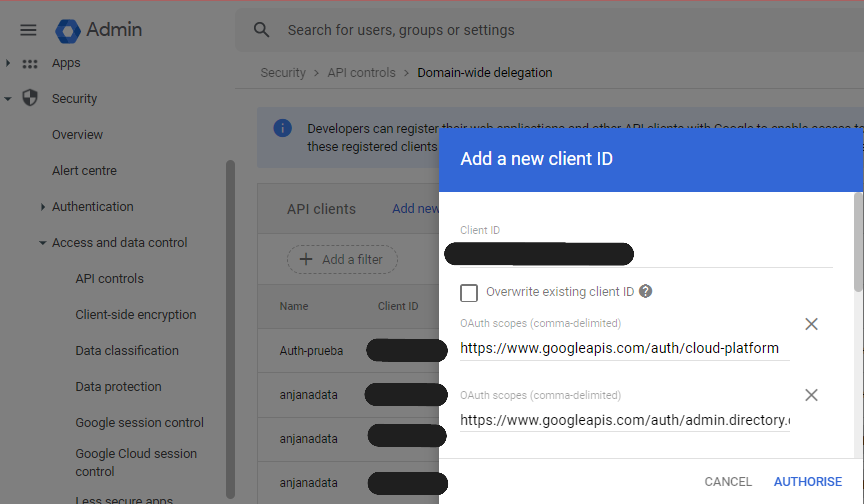
https://www.googleapis.com/auth/cloud-platform
-
https://www.googleapis.com/auth/admin.directory.rolemanagement.readonly
-
-
-
Register a web application
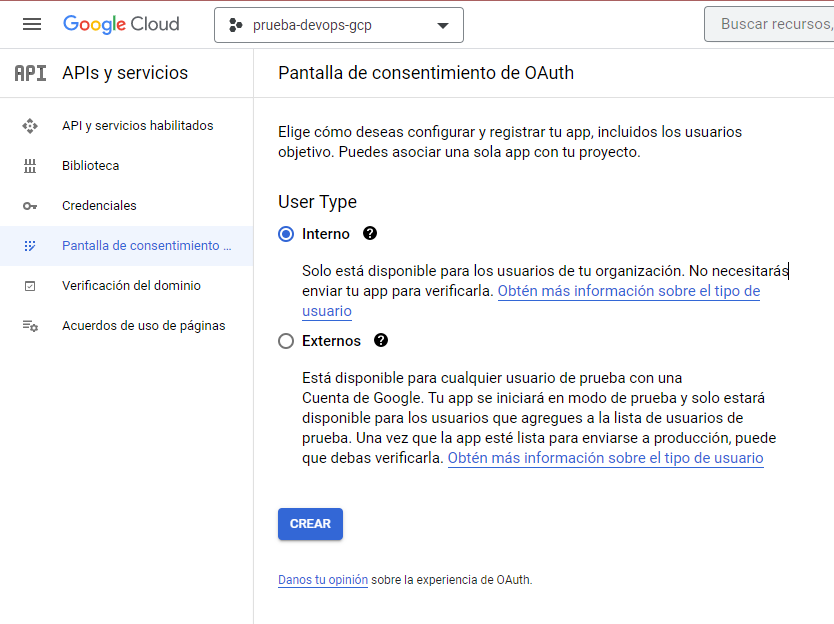
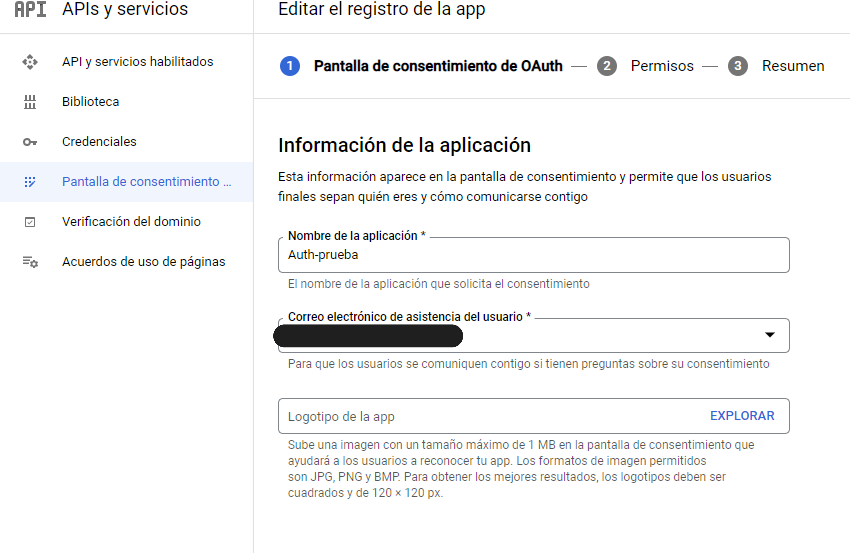
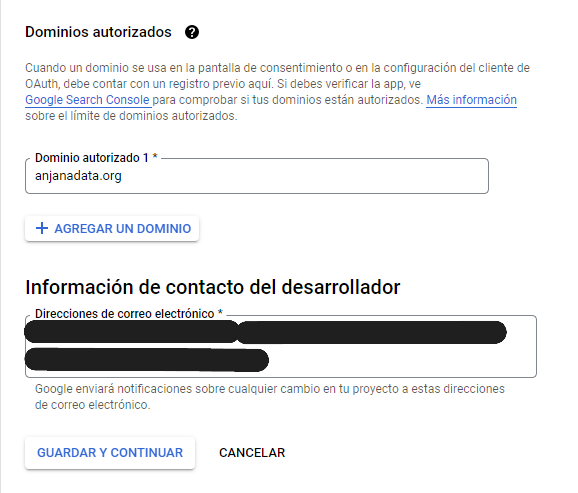
Several APIs are disabled by default and must be enabled at the following link in the API library.
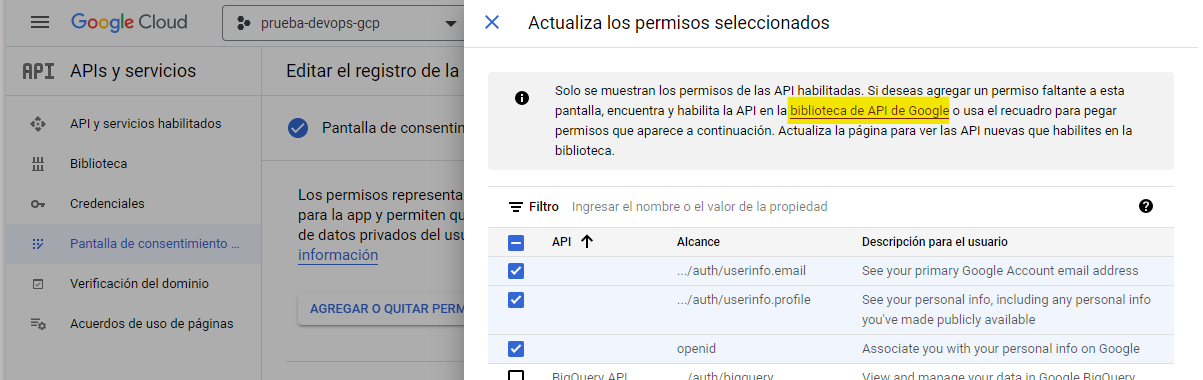
The following APIs are enabled:
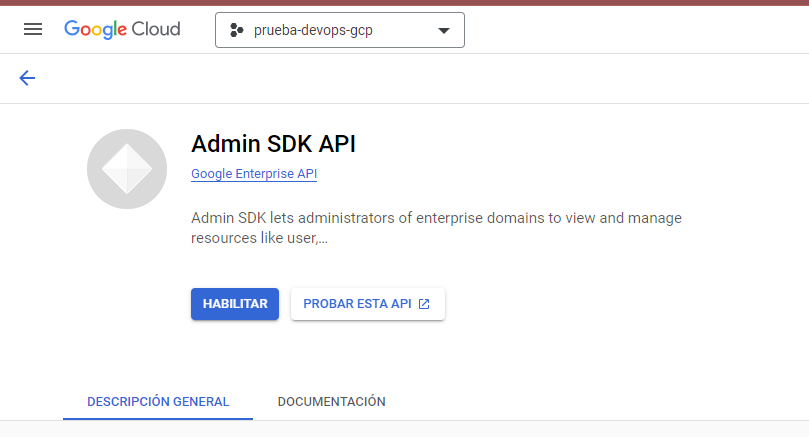
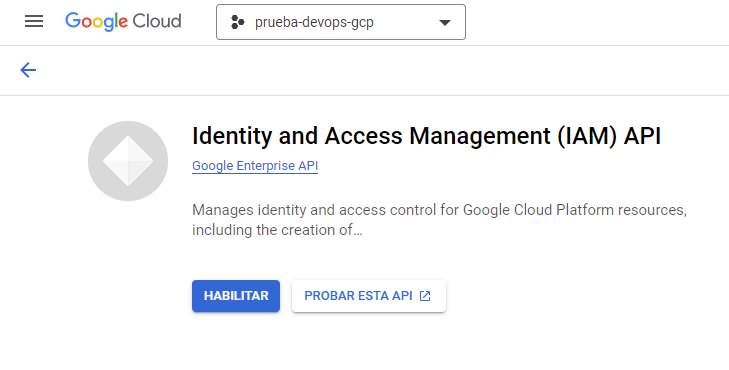
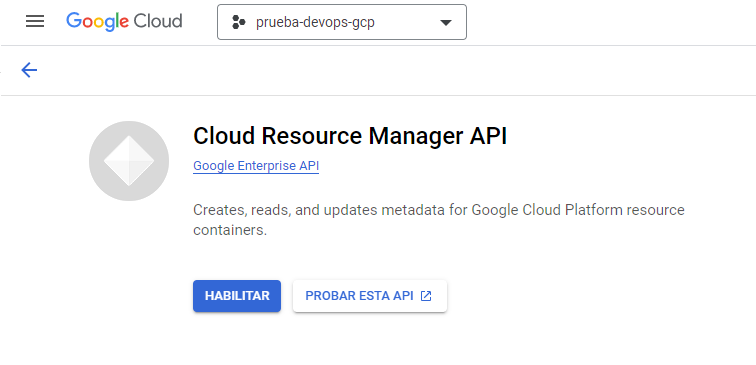
Once enabled, in the permissions screen, the following are added.
Create OAuth client ID
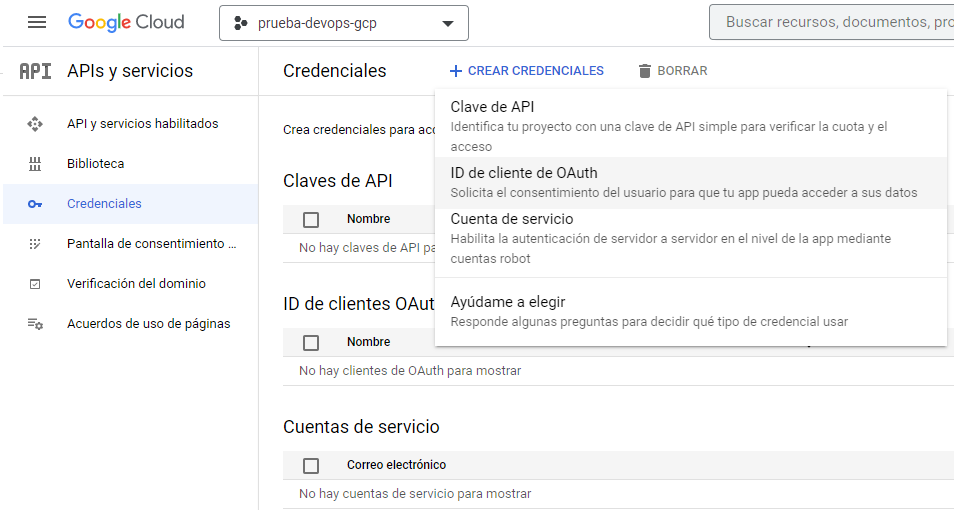
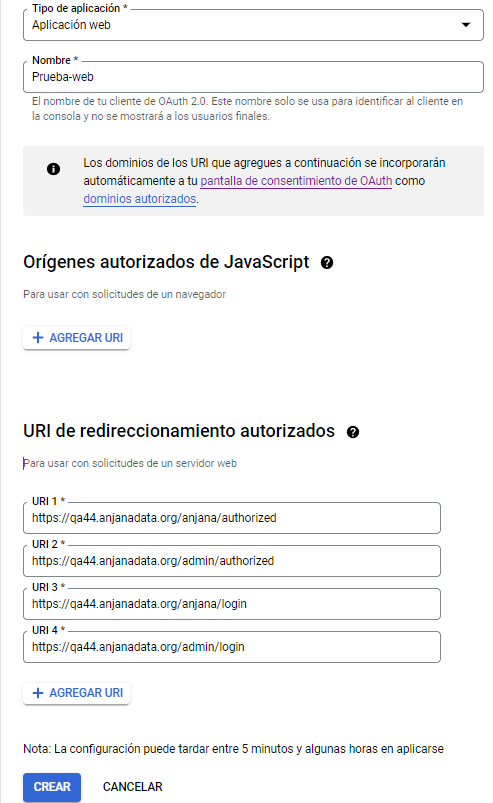
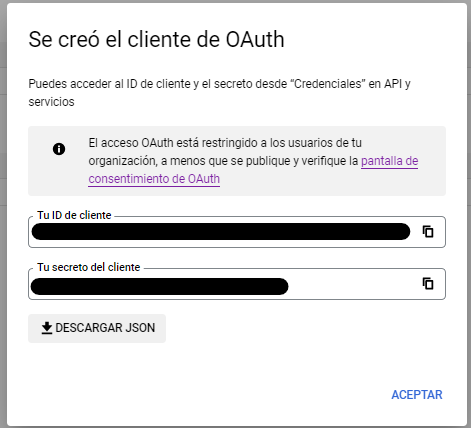
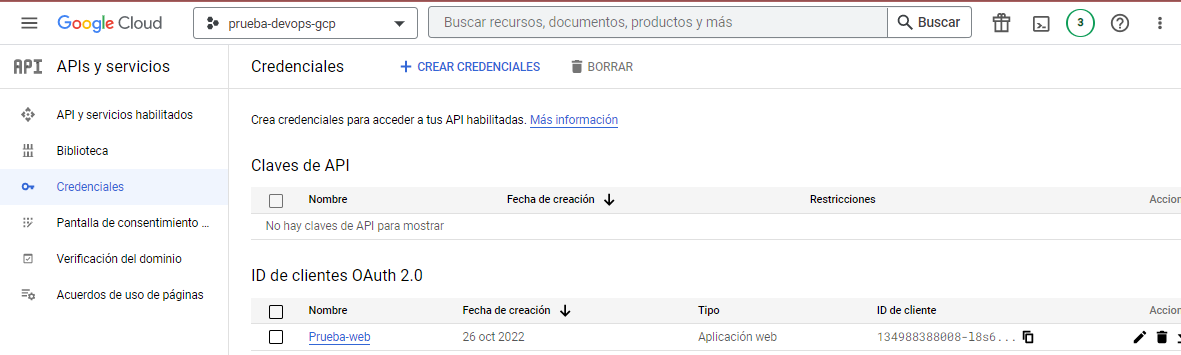
Copy and paste, and save the credentials JSON.
Create the service account
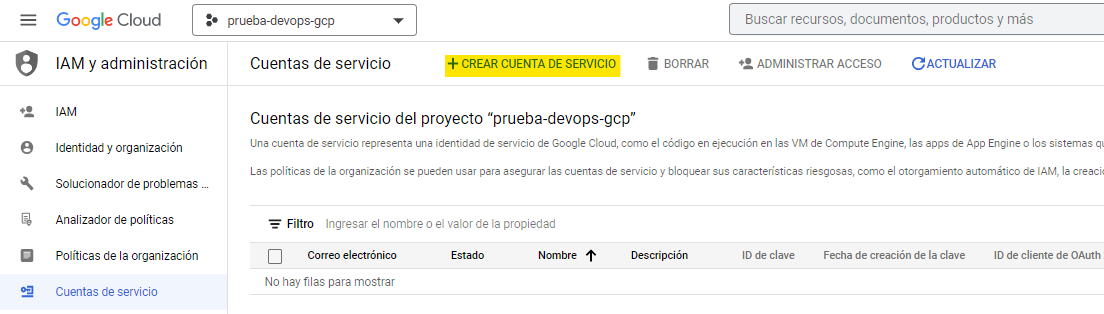
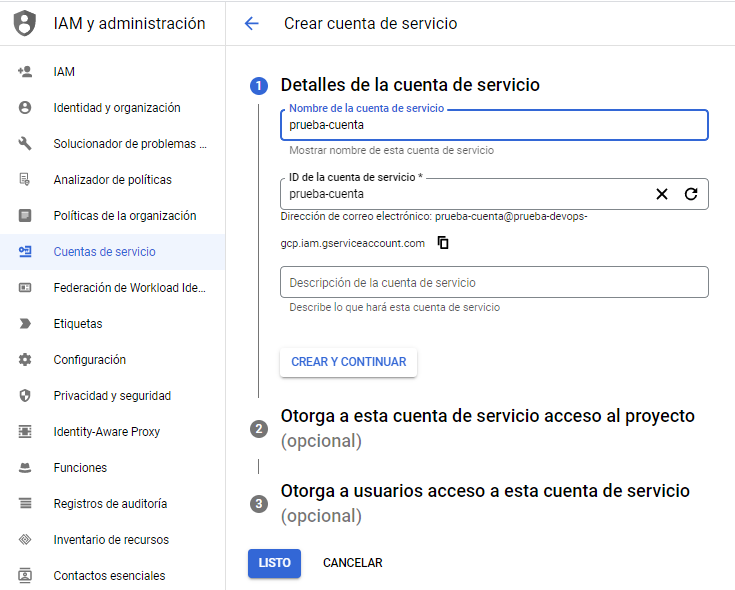
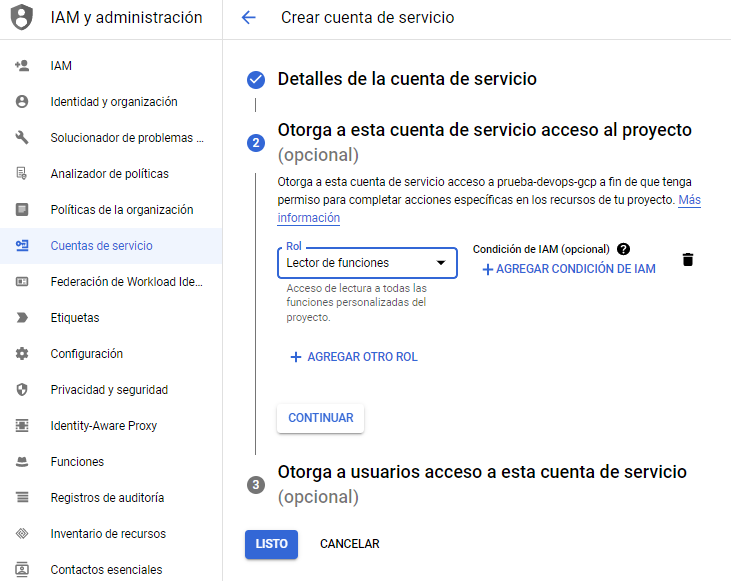
A key for the service account must be created
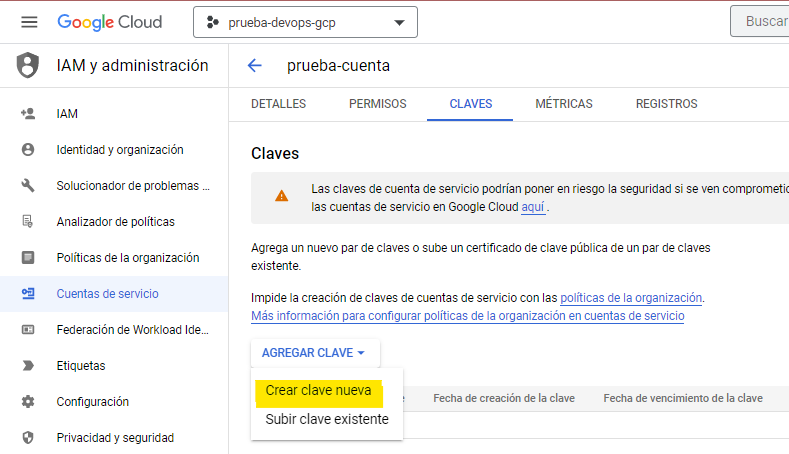
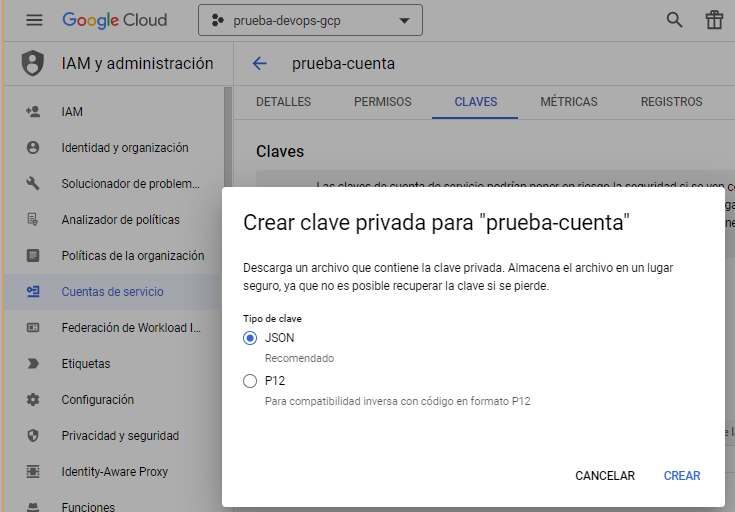
A JSON file will be downloaded
Register the service account
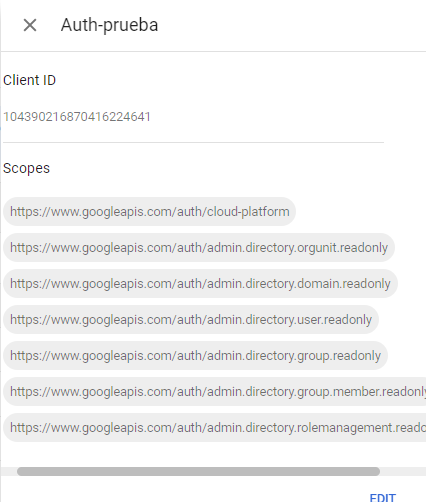
In Gsuite -> Security -> Access control -> API control, register the service account and grant permissions on the required scopes:
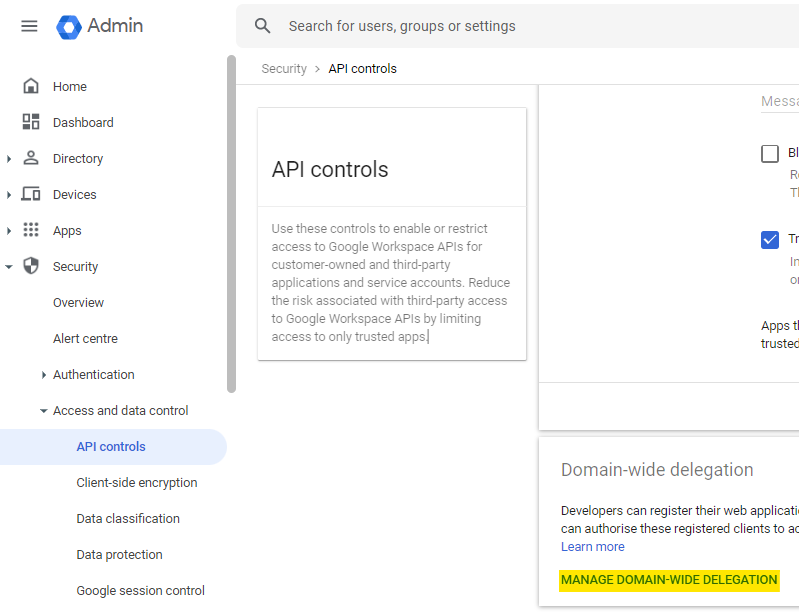
Once inside, you need to add a new API client
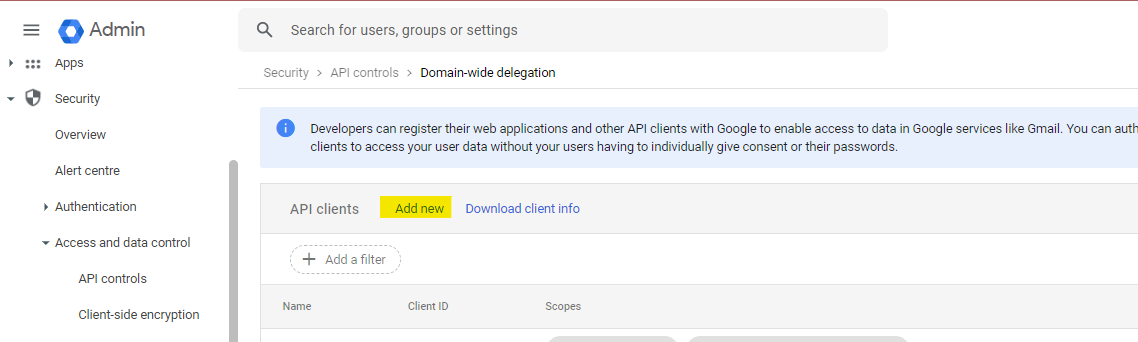
Once in the menu, add the client ID of the service account created earlier, and add the following scopes:
Role assignment in GCP and Gsuite
In Google Cloud, role memberships can be granted in two different ways:
-
GCP Functions
-
Gsuite Group
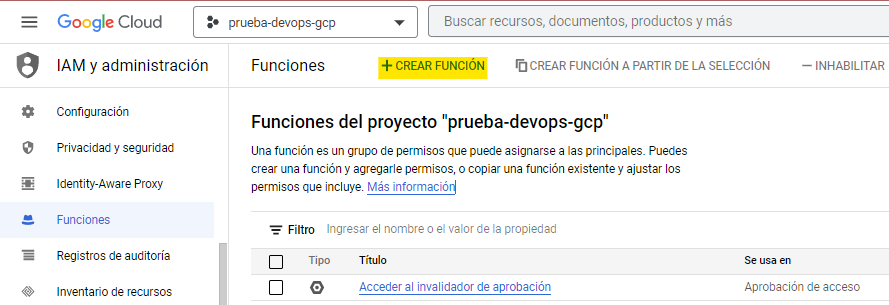
Functions in GCP
Unlike Gsuite groups, this does not generate any new email account and is managed through GCP.
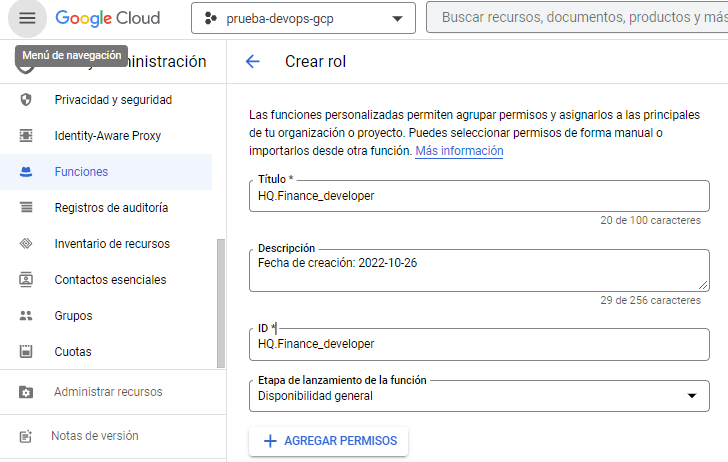
The procedure is as follows:
A custom function is created with the "General availability" stage; keep in mind that the value used as reference is the ID, not the name
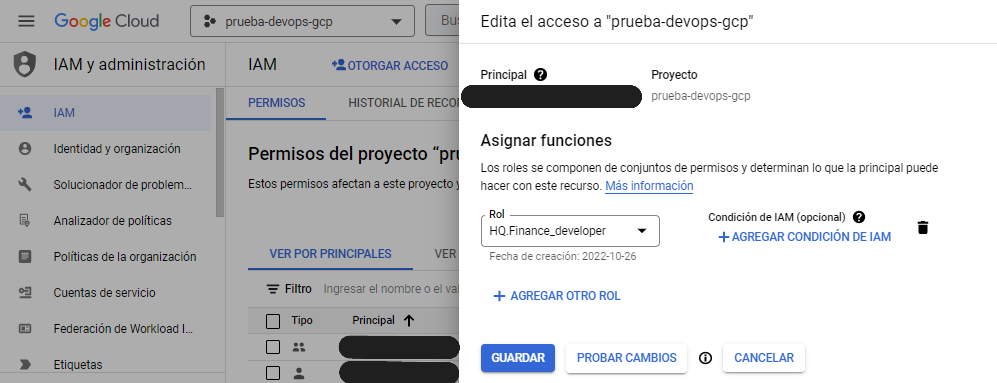
The new custom function is assigned to a user in IAM
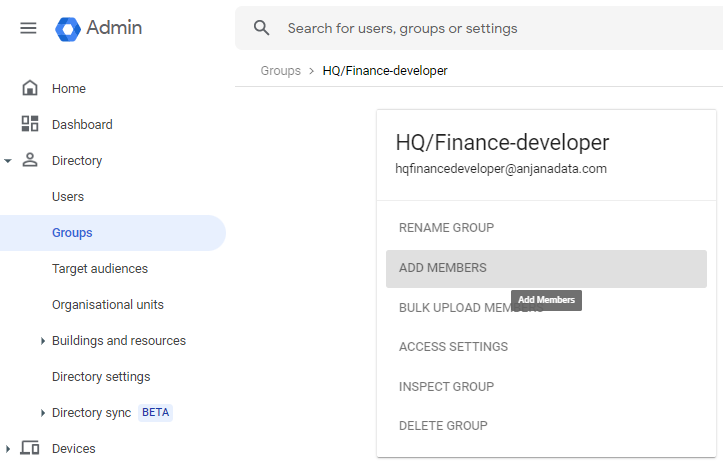
Groups in Gsuite
When a new group is created in Gsuite, a new email account is generated.
The procedure for Gsuite groups is as simple as creating a group and adding the users you want to have that membership.
Active governance
The plugin to be deployed that will perform the part of the active governance tasks that need to provision custom roles on GCP is the "Tot plugin GCP IAM"; the required credential is described in its associated documentation. The rest of the available plugins for technologies integrated with GCP IAM will apply access policies in their respective technologies so that this role has access to the resources covered by the agreement.
The active governance plugin for this platform works exclusively by creating and assigning roles, since they provide sufficient functionality and simplify administration by not generating groups in Gsuite.
SSO emulation via Oauth2
The Oauth2 protocol supports transparent authentication whenever possible; to achieve this, it is only necessary to redirect the user to https://<host>/provider=<provider identifier in Zeus>. If the user is already logged in with that provider, and the policies configured for that provider mean the credential does not need to be validated again, the user will be authenticated in Anjana Data in a fully transparent way.